User Manual
Advanced Console Server & RIM Gateway User Manual 69
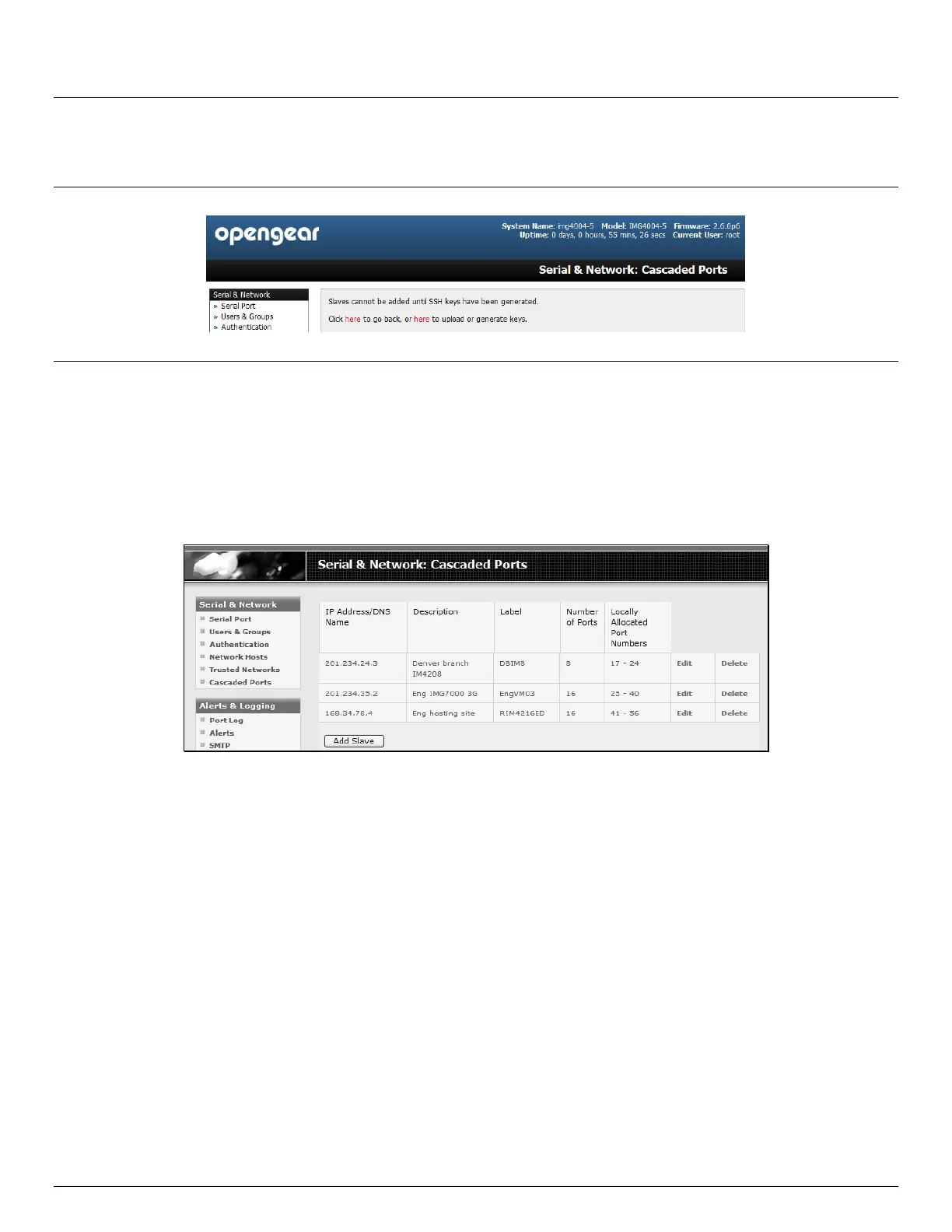
Select Serial & Network: Cascaded Ports on the Master’s Management Console:
To add clustering support select Add Slave
Note You will be prevented from adding any Slaves until you have automatically or manually generated SSH keys:
To define and configure a Slave:
Enter the remote IP Address (or DNS Name) for the Slave console server
Enter a brief Description and a short Label for the Slave (use a convention here that enables effective
management of large networks of clustered console servers and the connected devices)
Enter the full number of serial ports on the Slave unit in Number of Ports
Click Apply. This will establish the SSH tunnel between the Master and the new Slave
The Serial & Network: Cascaded Ports menu displays all the Slaves and the port numbers that have been allocated on
the Master. If the Master console server has 16 ports of its own then ports 1-16 are pre- allocated to the Master, so the
first Slave added will be assigned port number 17 onwards.
Once you have added all the Slave console servers, the Slave serial ports and the connected devices are configurable
and accessible from the Master’s Management Console menu; and accessible through the Master’s IP address e.g.
Select the appropriate Serial & Network: Serial Port and Edit to configure the serial ports on the Slave
Select the appropriate Serial & Network: Users & Groups to add new users with access privileges to the Slave
serial ports (or to extend existing users access privileges)
Select the appropriate Serial & Network: Trusted Networks to specify network addresses that can access
nominated Slave serial ports
Select the appropriate Alerts & Logging: Alerts to configure Slave port Connection, State Change or Pattern
Match alerts
The configuration changes made on the Master are propagated out to all the Slaves when you click Apply.
4.6.4 Managing the slaves
The Master is in control of the Slave serial ports. So for example if change a User access privileges or edit any serial port
setting on the Master, the updated configuration files will be sent out to each Slave in parallel. Each Slave will then



 To Next Page