Chapter 3: Initial System Configuration
48 Console Server & RIM Gateway User Manual
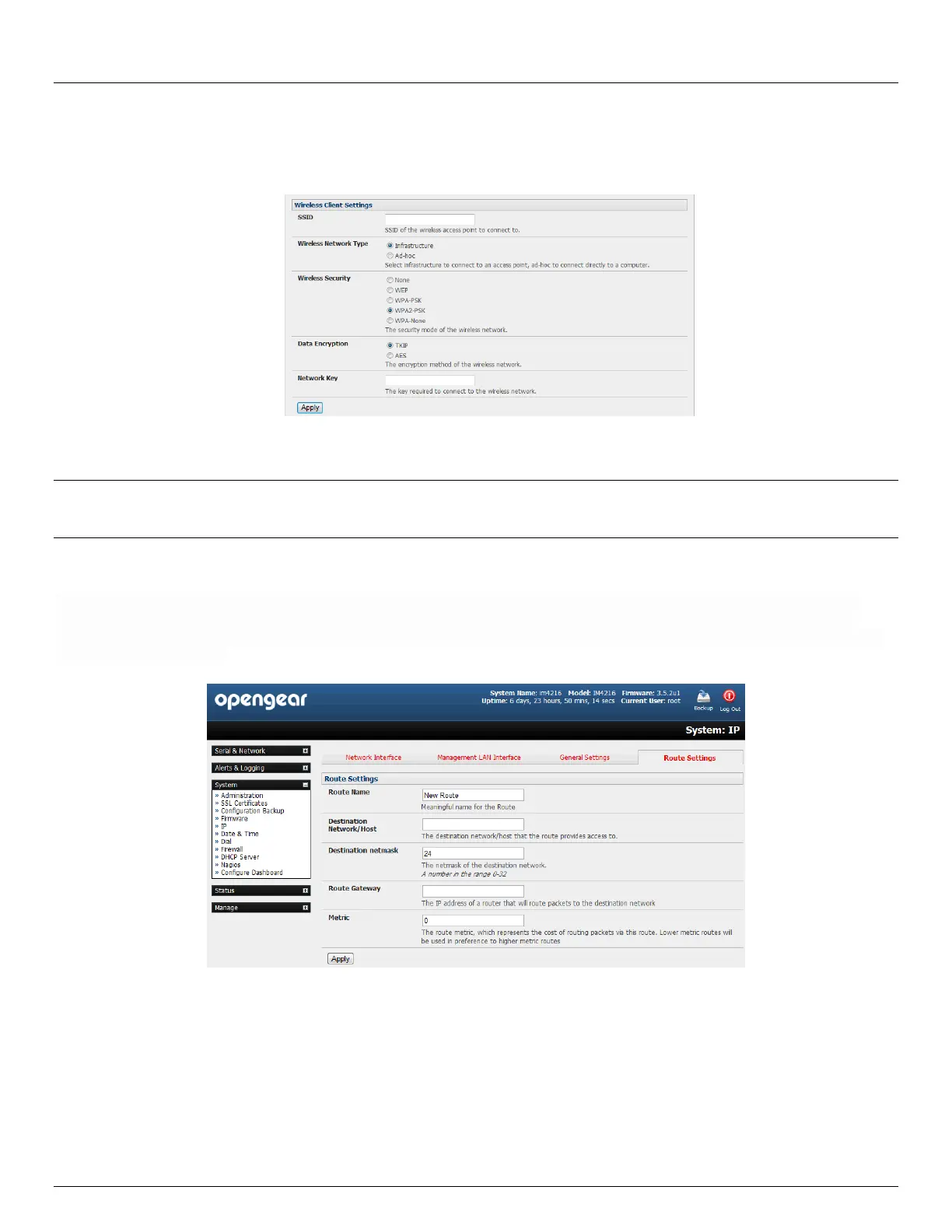
o Select the Wireless Network Type where Infrastructure is used to connect to an access point and Ad-
hoc to connect directly to a computer
o Select the Wireless Security mode of the wireless network (WEP, WPA etc) and enter the required Key/
Authentication/ Encryption settings
Note: The Wireless screen in Status: Statistics will display all the locally accessible wireless LANs (with SSID and
Encryption/Authentication settings). You can also use this screen to confirm you have successfully connected to the
selected access point - refer Chapter 12
3.6.6 Static routes
Firmware 3.4 and later support static routes which provide a very quick way to route data from one subnet to different
subnet. So you can hard code a path that specifies to the console server/router to get to a certain subnet by using a
certain path. This may be useful for remotely accessing various subnets at a remote site when being accessed using the
cellular OoB connection.
To add to the static route to the route table of the system:
Select the Route Settings tab on the System: IP General Settings menu
Enter a meaningful Route Name for the route
In the Destination Network/Host field enter the IP address of the destination network/host that the route
provides access to
Enter a value in the Destination netmask field that identifies the destination network or host. Any number
between 0 and 32. A subnet mask of 32 identifies a host route.



 To Next Page