Chapter 5: Firewall, Failover and Out of Band
116 Console Server & RIM Gateway User Manual
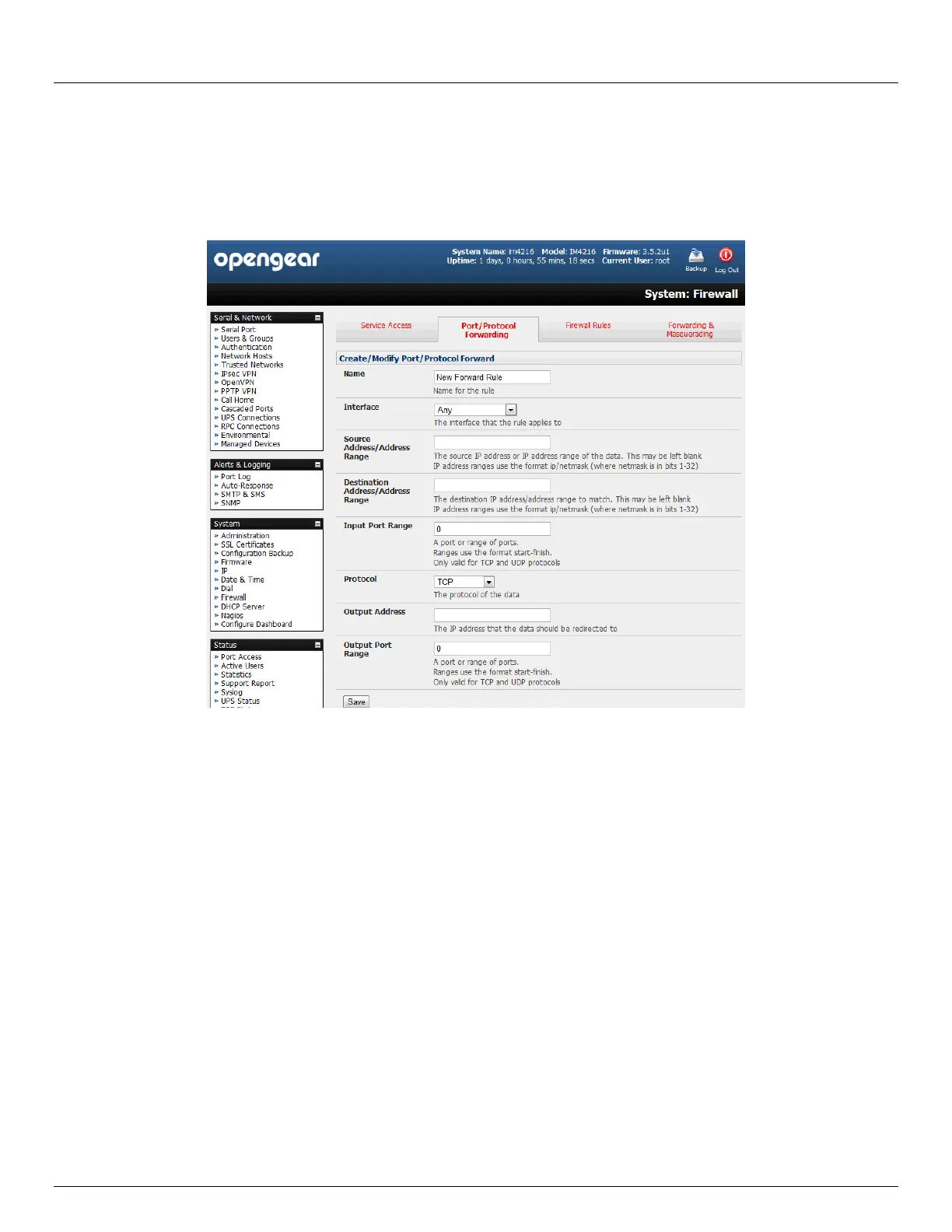
Output Address: The target of the port forward. This is an address on the internal network where packets sent to
the Input Interface on the input port range are sent.
Output Port Range: The port or range of ports that the packets will be redirected to on the Output Address.
Ranges use the format start-finish. Only valid for TCP and UDP protocols
For example, to forward port 8443 to an internal HTTPS server on 192.168.10.2, the following settings would be used:
Input Interface: Any
Input Port Range: 8443
Protocol: TCP
Output Address: 192.168.10.2
Output Port Range: 443
5.8.4 Firewall rules
Firewall rules can be used to block or allow traffic through an interface based on port number, the source and/or
destination IP address (range), the direction (ingress or egress) and the protocol. This can be used to allow custom on-
box services, or block traffic based on policy.
To setup a firewall rule:
Navigate to the System: Firewall page, and click on the Firewall Rules tab



 To Next Page