User Manual
Advanced Console Server & RIM Gateway User Manual 135
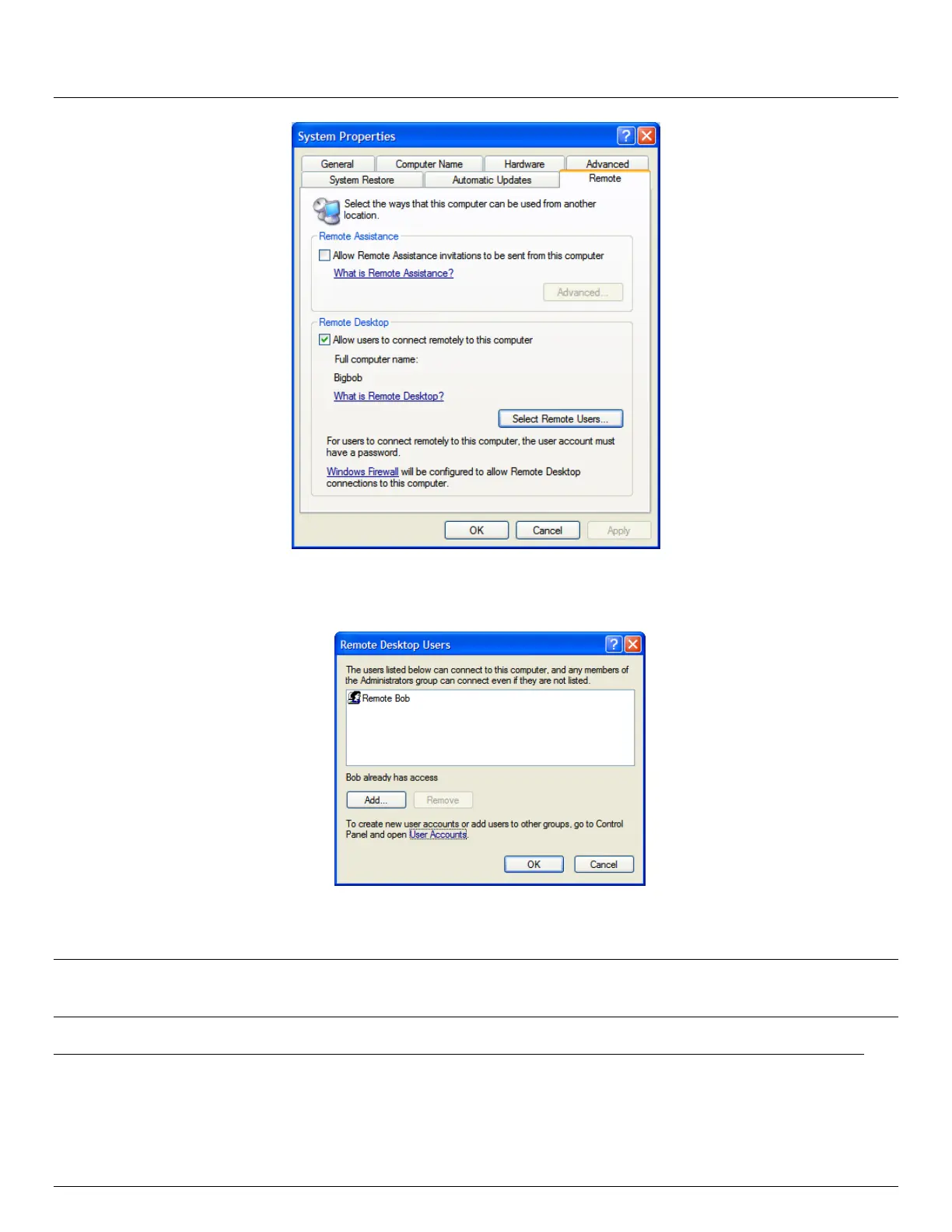
Check Allow users to connect remotely to this computer
Click Select Remote Users
To set the user(s) who can remotely access the system with RDP click Add on the Remote Desktop Users
dialog box
Note If you need to set up new users for Remote Desktop access, open User Accounts in the Control Panel and
proceed through the steps to nominate the new user’s name, password and account type (Administrator or
Limited)
Note With Windows XP Professional and Vista, you have only one Remote Desktop session and it connects
directly to the Windows root console. With Windows Server 2008 you can have multiple sessions (and with
Server 2003 you have three sessions - the console session and two other general sessions). So more than
one user can have active sessions on a single computer.



 To Next Page