User Manual
Advanced Console Server & RIM Gateway User Manual 137
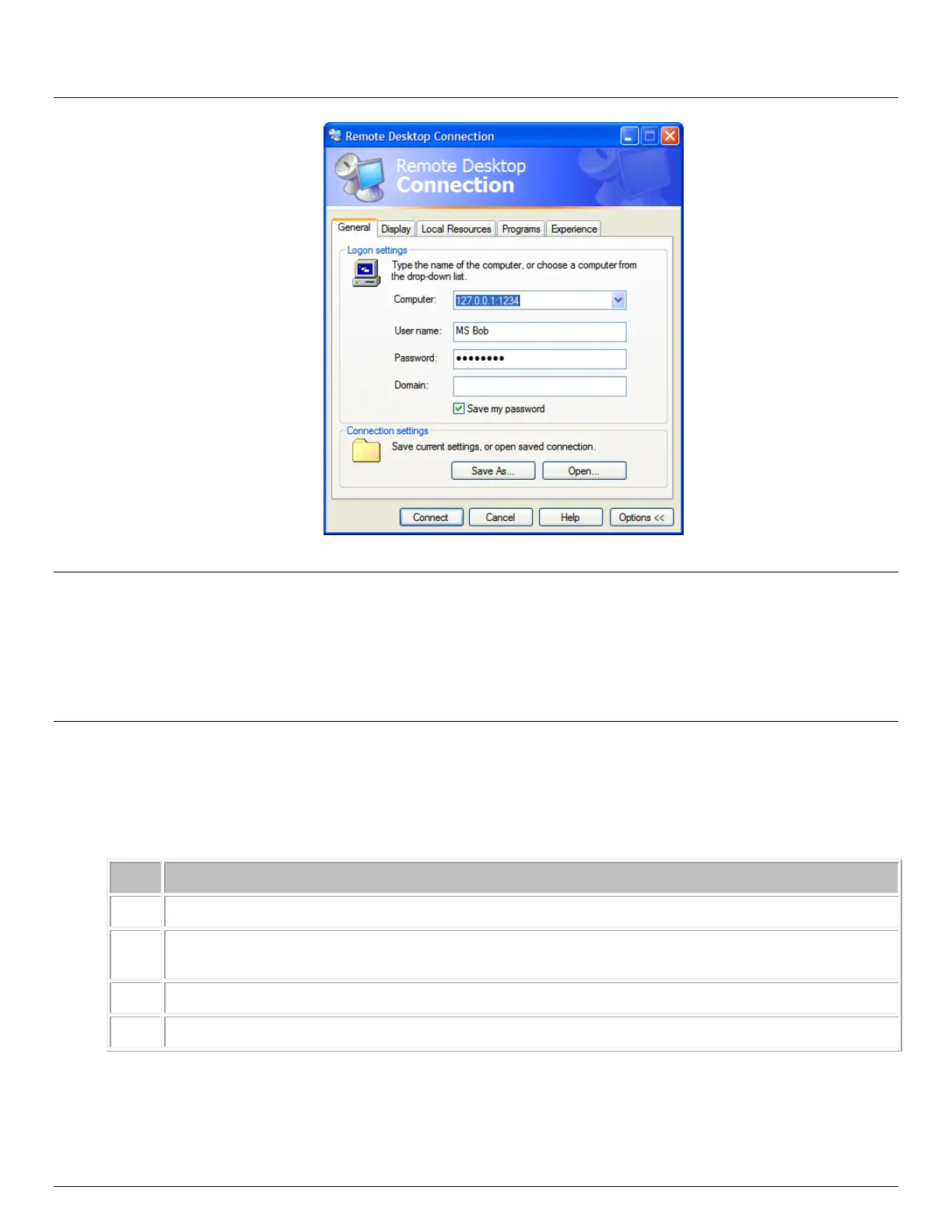
Click Connect
Note The Remote Desktop Connection software is pre-installed with Windows XP, Vista and Server 2003/2008,
however for earlier Windows PCs you will need to download the RDP client:
Go to the Microsoft Download Center site http://www.microsoft.com/downloads/details.aspx?familyid=80111F21-
D48D-426E-96C2-08AA2BD23A49&displaylang=en and click the Download button
This software package will install the client portion of Remote Desktop on Windows 95, Windows 98 and 98
Second Edition, Windows Me, Windows NT 4.0 and Windows 2000. When run, this software allows these older
Windows platforms to remotely connect to a computer running current Windows.
B. On a Linux or UNIX client PC:
Launch the open source rdesktop client:
rdesktop -u windows-user-id -p windows-password -g 1200x950 ms-windows-terminal-server-host-
name
Device redirection. i.e. Redirect sound on remote machine to local device i.e. -0 -r sound (MS/Windows
2003)
Geometry: widthxheight or 70% screen percentage.
Use -p - to receive password prompt.
You can use GUI front end tools like the GNOME Terminal Services Client tsclient to configure and launch the
rdesktop client. (Using tsclient also enables you to store multiple configurations of rdesktop for connection to
many servers)



 To Next Page