Chapter 4: Serial Port, Device and User Configuration
74 Console Server & RIM Gateway User Manual
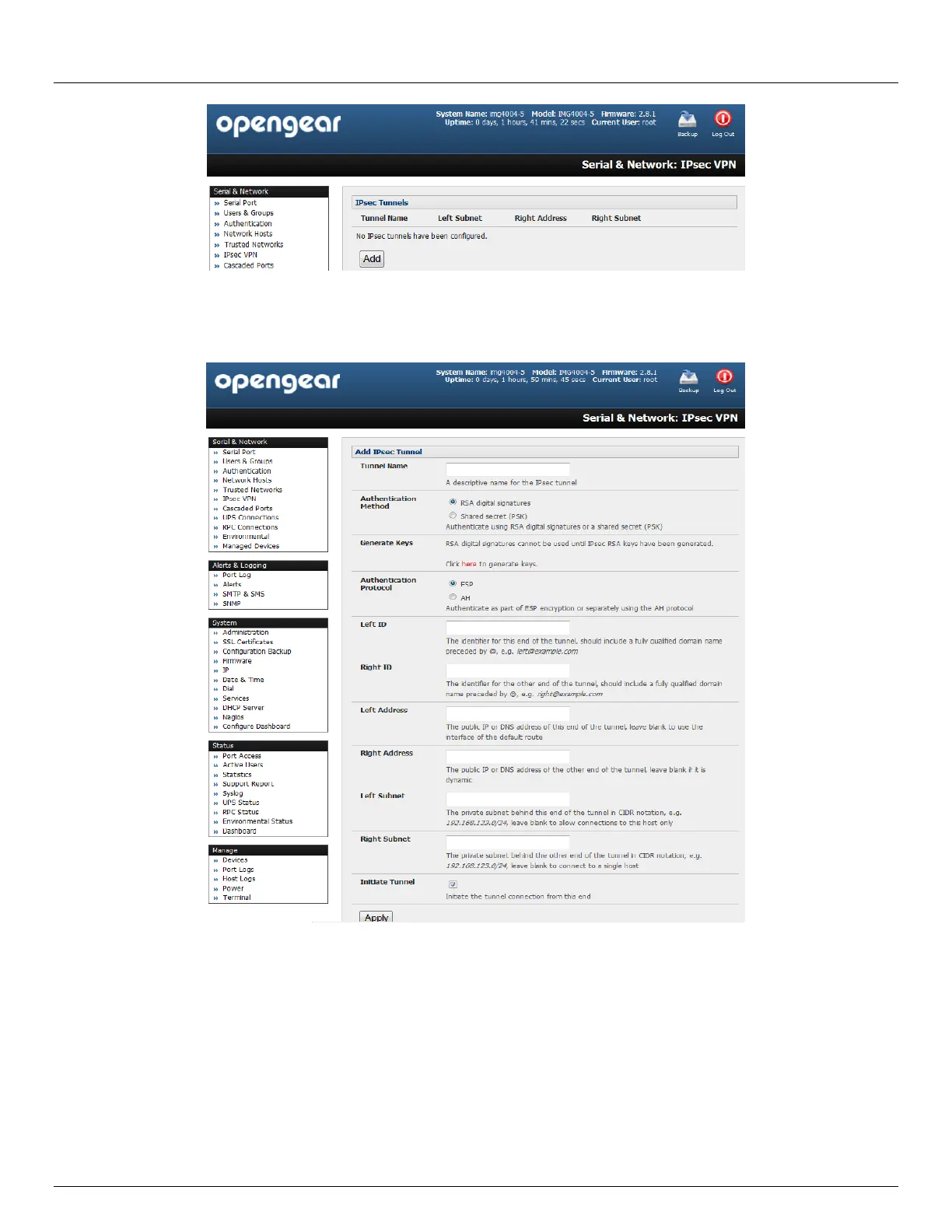
Click Add and complete the Add IPsec Tunnel screen
Enter any descriptive name you wish to identify the IPsec Tunnel you are adding such as WestStOutlet-VPN
Select the Authentication Method to be used, either RSA digital signatures or a Shared secret (PSK)
o If you select RSA you will asked to click here to generate keys. This will generate an RSA public key for
the console server (the Left Public Key). You will need to find out the key to be used on the remote
gateway, then cut and paste it into the Right Public Key



 To Next Page