User Manual
Advanced Console Server & RIM Gateway User Manual 85
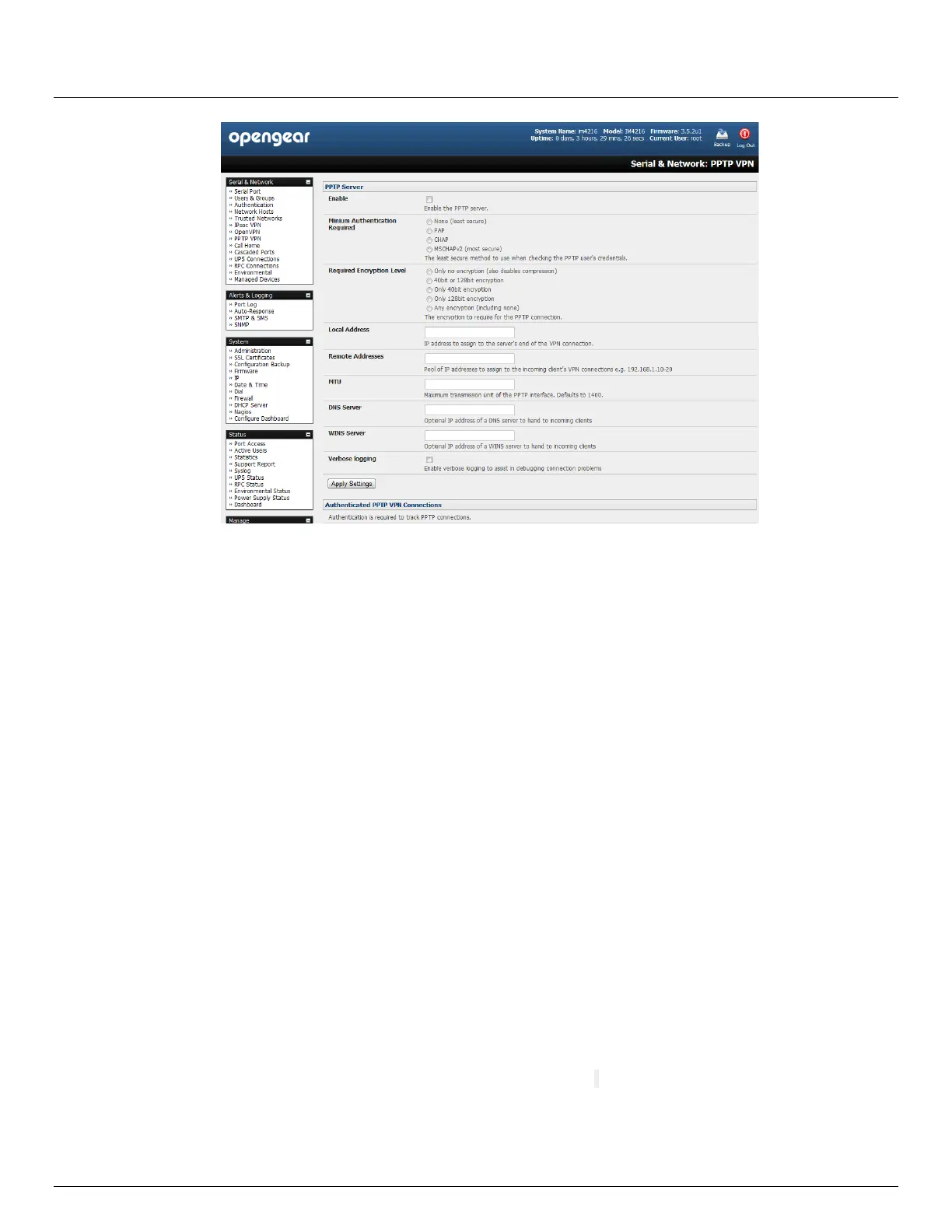
Select the Enable check box to enable the PPTP Server
Select the Minimum Authentication Required. Access is denied to remote users attempting to connect using an
authentication scheme weaker than the selected scheme. The schemes are described below, from strongest to
weakest.
Encrypted Authentication (MS-CHAP v2): The strongest type of authentication to use; this is the
recommended option
Weakly Encrypted Authentication (CHAP): This is the weakest type of encrypted password authentication
to use. It is not recommended that clients connect using this as it provides very little password protection.
Also note that clients connecting using CHAP are unable to encrypt traffic
Unencrypted Authentication (PAP): This is plain text password authentication. When using this type of
authentication, the client password is transmitted unencrypted.
None
Select the Required Encryption Level. Access is denied to remote users attempting to connect not using this
encryption level. Strong 40 bit or 128 bit encryption is recommended
In Local Address enter IP address to assign to the server's end of the VPN connection
In Remote Addresses enter the pool of IP addresses to assign to the incoming client's VPN connections (e.g.
192.168.1.10-20). This must be a free IP address (or a range of free IP addresses), from the network (typically the
LAN) that remote users are assigned while connected to the Opengear appliance
Enter the desired value of the Maximum Transmission Unit (MTU) for the PPTP interfaces into the MTU field
(defaults to 1400)
In the DNS Server field, enter the IP address of the DNS server that assigns IP addresses to connecting PPTP
clients
In the WINS Server field, enter the IP address of the WINS server that assigns IP addresses to connecting PPTP
client
Enable Verbose Logging to assist in debugging connection problems
Click Apply Settings



 To Next Page