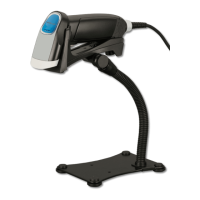
OPI-3601
Specifications Manual
29
11.3. Other Default
Item Default Setting
Read mode Single read
Extended read time Disable
Buzzer duration 75 ms
Buzzer tone 3 kHz
Startup buzzer Enable
Buzzer loudness Loud (70%)
Buzzer timing Before data transmission
Good read LED indicator duration 200 ms
Stand detection Disable
Data buffering Buffered mode
[Data buffering]
Not all output data can be received depending on the host system. Therefore, it is recommended
to use buffered mode for USB-HID and Wedge PS/2 interfaces and Unbuffered mode for RS-
232C and USB-COM interfaces.
Unbuffered mode Buffered mode (default)
@MENU_OPTO@ZZ@D80@ZZ@OTPO_UNEM@
@MENU_OPTO@ZZ@D81@ZZ@OTPO_UNEM@
[Stand detection]
Enable stand detection Disable stand detection (default)
@MENU_OPTO@ZZ@*4@ZZ@OTPO
UNEM@
@MENU
OPTO@ZZ@*5@ZZ@OTPO_UNEM@
* Refer to “OPI-3601 User’s Manual” for supported commands.
11.4. RS-232C Default
Item Default Setting
Baud rate 9600 bps
Parity bits No parity
Data length 8 bits
Stop bits 1 bit
Handshaking No handshake
ACK/NAK ACK/NAK no response
CTS time out Indefinitely
ACK/NAK time out 1 second
Command header ESC or STX
Command terminator CR or ETX
Response to the commands Disable


 To Next Page