Home
OSEE
Monitor
Lilmon 5
Page 87
OSEE Lilmon 5 - Page 87
99 pages
Manual
Save Page as PDF
To Next Page
To Next Page
To Previous Page
To Previous Page
Loading...
MySet
s and T
ools
79
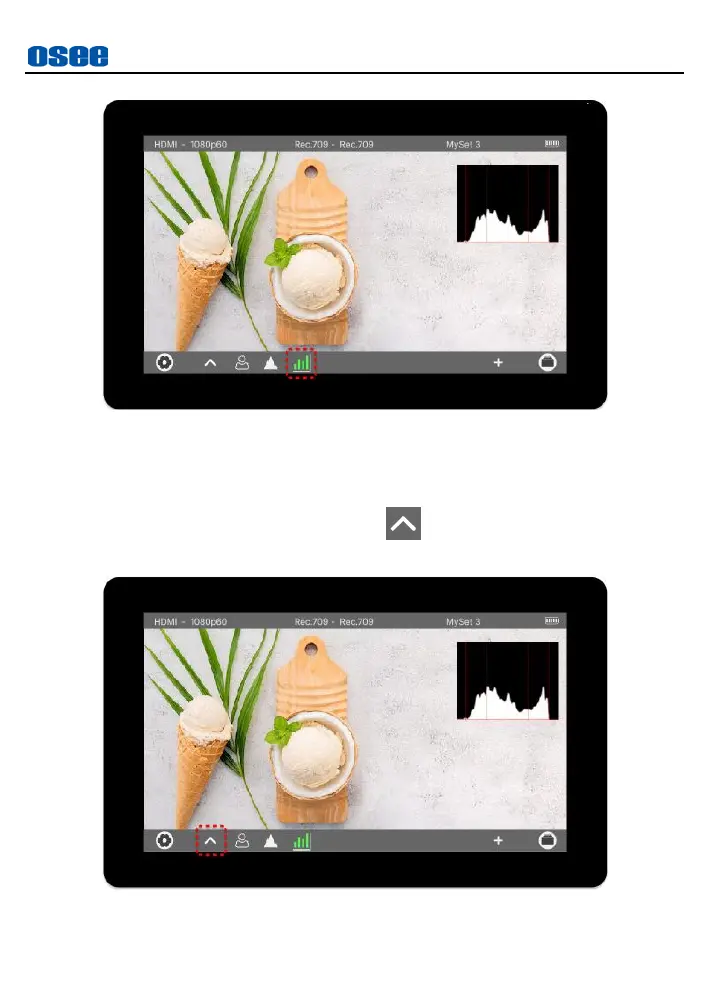
Figure 6.2-
16
Acti
vate Histog
ram
Step 2 Load the
T
ool Settings B
ar
I
n
a
M
ySet,
tap
the
up
ward
arrow
in
too
l
b
ar
after
adding
the
histogram tool, as
shown in
Figure
6.2
-
17
:
Figure 6.2-
17
Expan
d
Arrow
86
88
Table of Contents
Main Page
default chapter
4
Contents
4
Table of Contents
5
Chapter 1 Overview
9
Chapter 2 Safety
11
Chapter 3 Unpack and Installation
15
Chapter 4 Start
19
Parts and Functions
19
Power on
21
Supported Signal Format
21
Zoom&Pan
26
Chapter 5 Swift os Operation
29
Basic Operations
29
Monitor Settings
30
Input
30
Backlight
31
Volume
32
Rotate
33
Status Bar
35
Probe
36
Range
37
Matrix
37
Color
38
User LUT
41
Info
45
Reset
45
Support
48
Chapter 6 Mysets and Tools
51
Tools Settings
51
Frame Tools
53
Expose Tools
57
Focus Tools
66
Look Tool
68
Analysis Tool
72
Meter Tool
74
Mysets and Tools Operations
75
Myset Preview
75
Clear a Myset
77
Add a Tool
79
Load/Close Tool Bar
83
Turn ON/OFF a Tool
84
Tool Settings
85
Delete a Tool
89
Chapter 7 Specifications
93
Product Detailed Information
93
Related product manuals
OSEE T5+
93 pages



 To Next Page