Operation
50
DTX-2200-3000 AC/DC
2200 AC/DC 3000 AC/DC
5 - 220 A 5 - 300 A
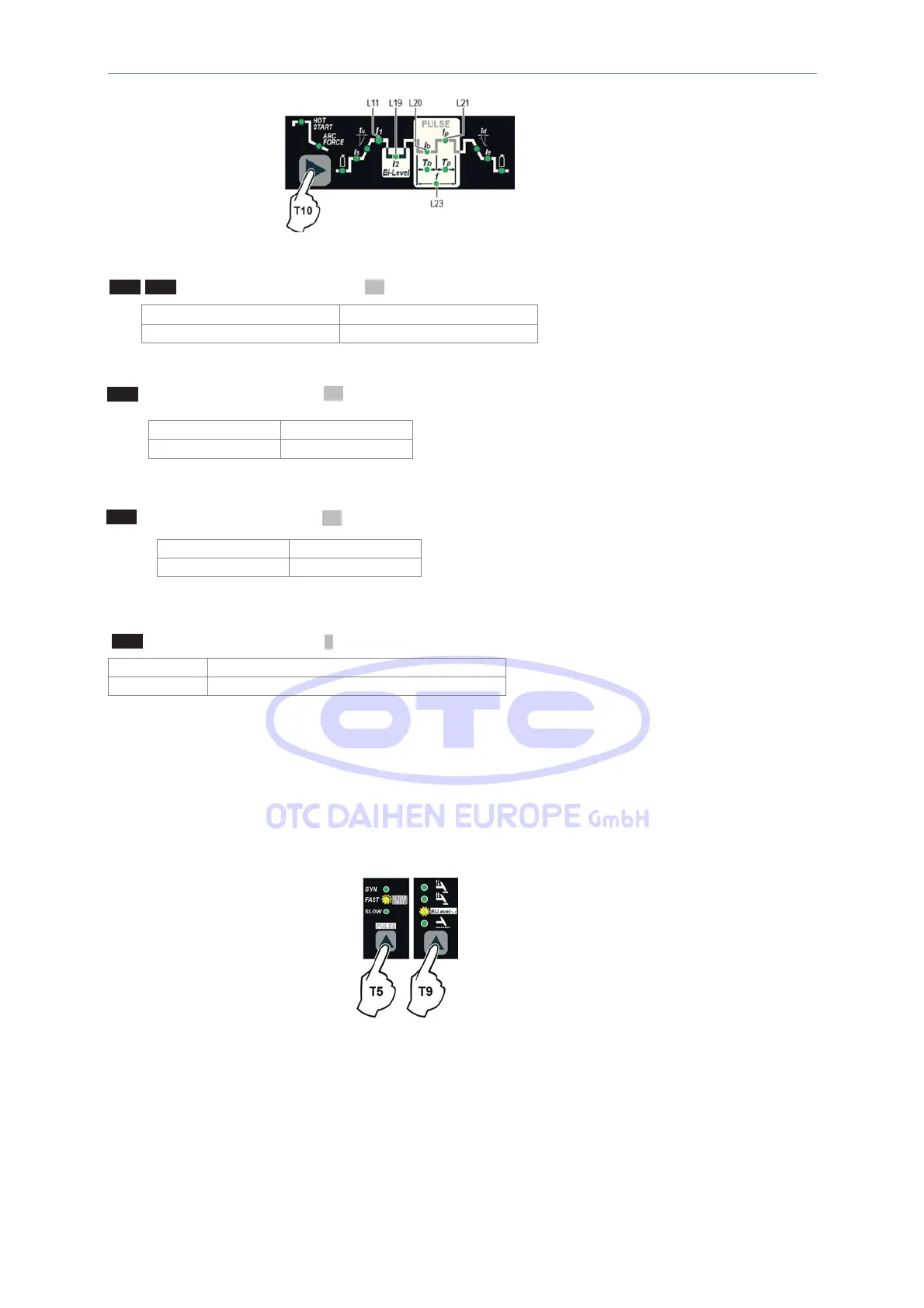
L11 - L21 1
st
LEVEL PEAK CURRENT I
1p
2200 AC/DC 3000 AC/DC
5 - 220 A 5 - 300 A
L19 2
nd
LEVEL PEAK CURRENT I
2p
L20 1
st
LEVEL BASE CURRENT I
1b
2200 AC/DC 3000 AC/DC
5 - 220 A 5 - 300 A
L23 PULSATION FREQUENCY
f
2200 AC/DC - 3000 AC/DC
FAST 0,5 - 500 Hz
To exit the setting phase, hold the WELDING PARAMETERS SE- LECTION key (T10) down for about 1
second
.
ULTRA FAST PULSE +
Bi-Level
Press the PULSE key (T5) until the
requited
pulsation
is
active (ULTRA FAST
LED flashing). Press the WELDING
MODE SELECTION key (T9) until the Bi-Level welding mode is active (Bi-Level LED on).
Press the WELDING PARAMETERS SELEC- TION Key (T10) a number of times to set
the
following
(in
addition
to
the
WELDING
PARAM- ETERS defined as being “BASIC”):



 To Next Page