DIVISION (Y Div)
In Multitrack, Division menu parameters are set per track. This means you can select:
Track Selection to choose which track you are editing on the same screen.
Playback Direction of the track, being Forward, Backward, Pendulum and Random.
Division Randomization of the track, from 0 to 100% of probability each step that the track’s Time
Division is going to change.
Time Division of the track. This is the same value that the Track Menu screen seen above.
You change all track’s Time Division at once by holding the Sequencer button and then press SHIFT +
or to duplicate or split all the Time Divisions by two with each press.
Hold Init and End and any two steps to create a LOOP of all tracks between those steps. The
different time divisions will create rhythmic and melodic variations.
–––––––––––––––––––––
MUTE + double press the Sequencer button will reset all tracks to step 1 following the Punch In
quantization timing selected. If Punch In is Off, the reset is instant.
–––––––––––––––––––––
Another way to reset is pressing SHIFT + MUTE + Sequencer button. To reset all the sequencers at
the same time, remember there is this option available, check the transport section.
Tracks will also be reset/realigned after X bars if the Sequencer Reset parameter is enabled.
STEP PARAMETERS
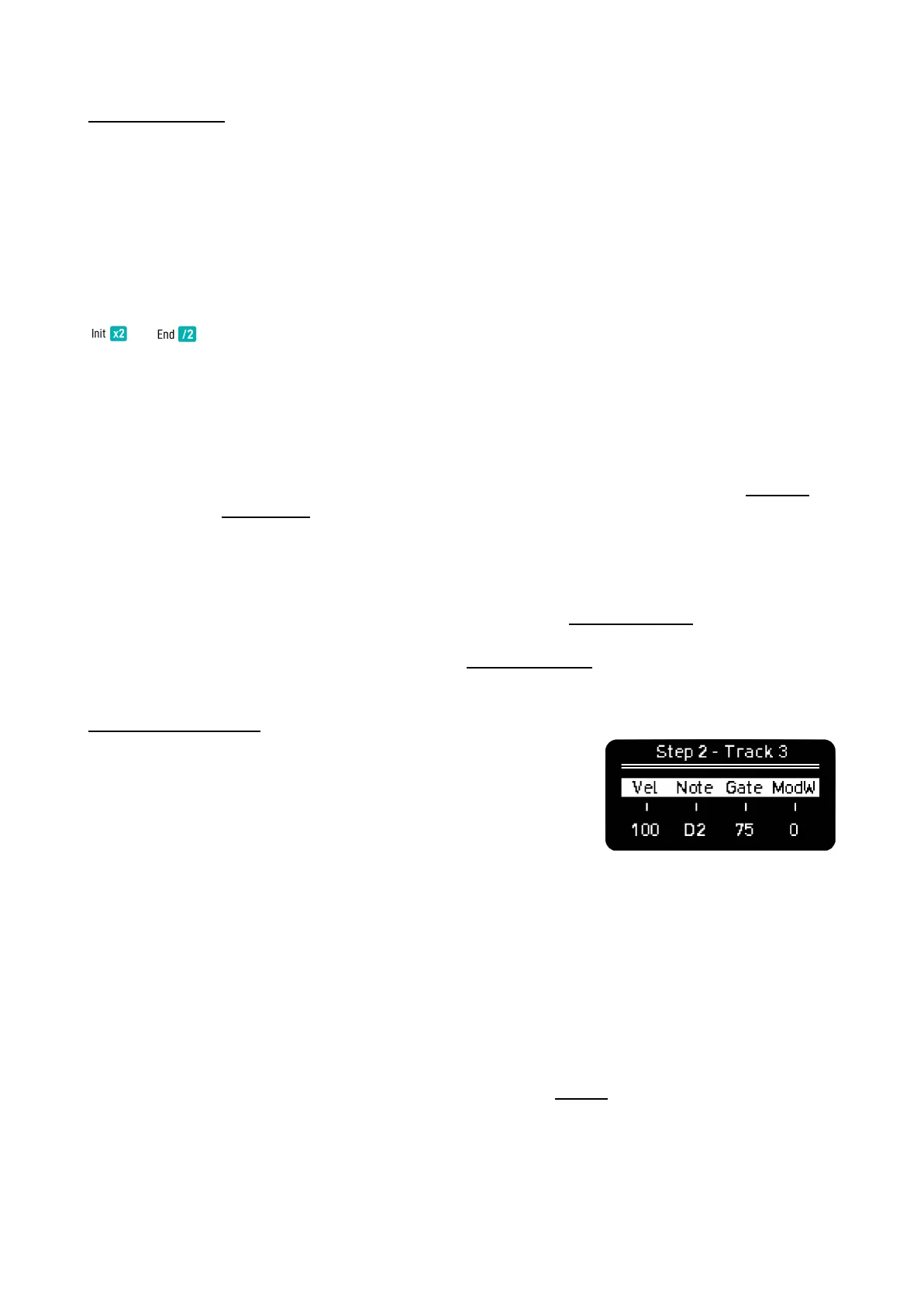
Hold any step of any track to access its parameters. Here you can
modify per step:
Velocity and Gate as in other modes.
Note, as we don’t have a Piano Roll view, you can edit the notes
manually, the values depend on the active scale.
Modulation, here you can change the selected CC on Track Menu screen per step, by default is Mod
Wheel.
When Step-Chord button is active, holding a step will take you to the Step Submenu, here you can
edit:
Tglid or Track Glide. As the name suggests, this is a track parameter. It changes the time it takes for
the continuous pitch to reach the next note.
Note that the sound engine must support pitch bend in order to work.
Prob, or Logic Conditions explained in the Trigger Conditions section.
Retrig sets the times the note is triggered during the step duration, up to 5 times. For better
resolution change the Time Division of the Sequencer or Track.



 To Next Page