16
1. Installation
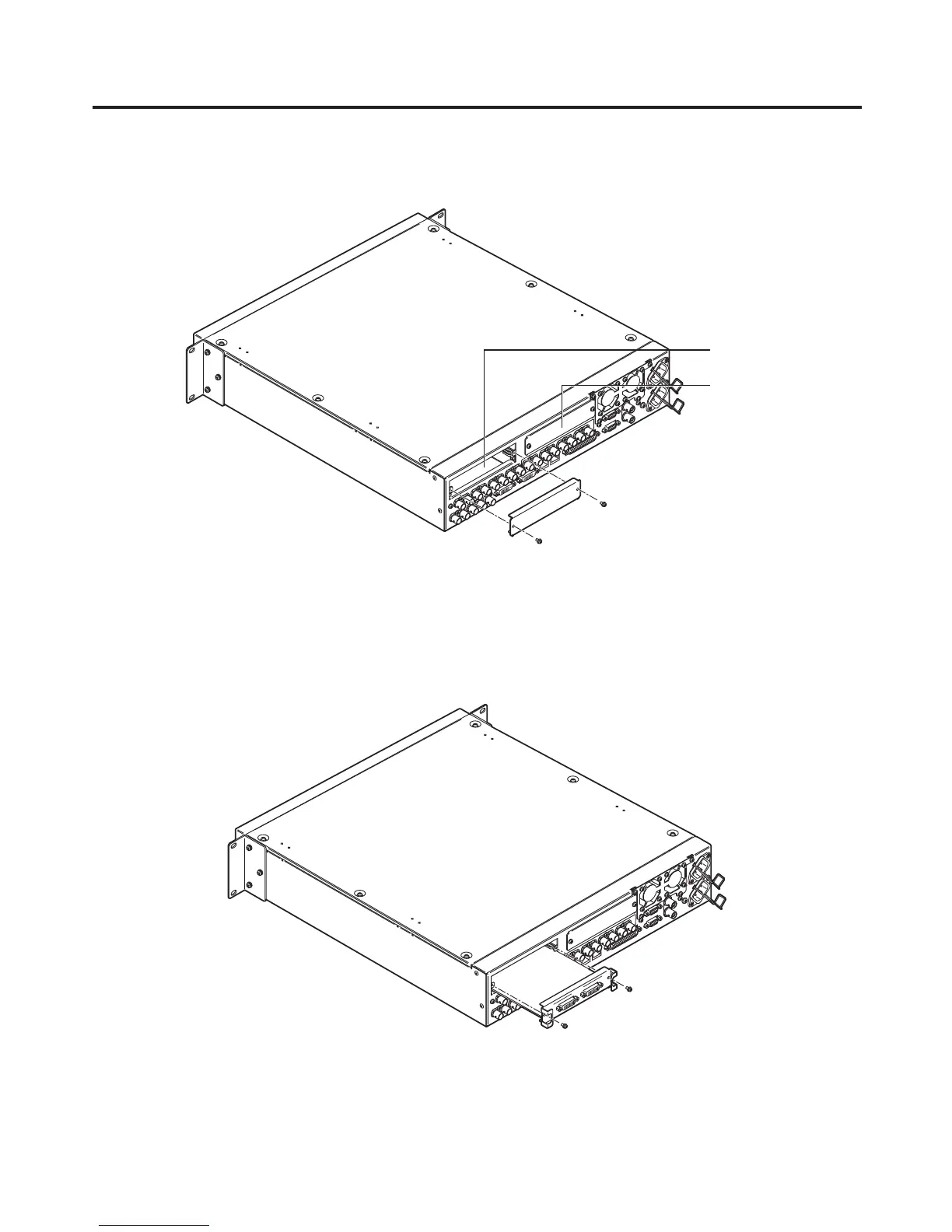
Turn off the power of the mainframe, and disconnect the power cord.
Loosen the two screws of SLOT A or SLOT B at the back of the mainframe, and remove the blank panel.
Screw
Blank panel
Screw
SLOT B
SLOT A
Align the option board with the guide rails, and insert it slowly.
Insert it until it will go no further. Take care not to exert excessive force while doing this since that may damage
the connector inside.
Mount the option board in place using the two screws.
Clamping torque: 0.7 N•m
DVI-D
DVI-D
DVI INP
UTS
Screw
Screw
After connecting the necessary cables, plug the power cord into the power outlet, and turn on the power.













 To Next Page