63
3. Basic operations
3-4-8. Masking the key signals
These steps are taken to mask the key signals using the mask signal of the box pattern.
Press the [KEY] button to light its indicator and display the KEY menu.
Refer to “2-1-5. LCD menu area”.
Turn [F1] to display the Mask sub menu.
<Menu display>
KEY 10
|
Mask
|
Invert
|
|
Mask | Off| Off| |
Manual
4:3
On
Turn [F2], and select the masking method using the Mask item.
Off: The key signals are not masked.
Manual: The area that is set using the MaskAdj sub menu is masked.
4:3: The signals are masked to the 4:3 aspect ratio.
Turn [F3] to set whether to invert the mask signal using the Invert item.
On: The mask signal is inverted.
Off: The mask signal is not inverted.
Turn [F1] to display the MaskAdj sub menu.
<Menu display>
KEY 11
|
Left
|
Top
|
Bottom
|
Right
MaskAdj | −25.00| 25.00| −25.00| 25.00
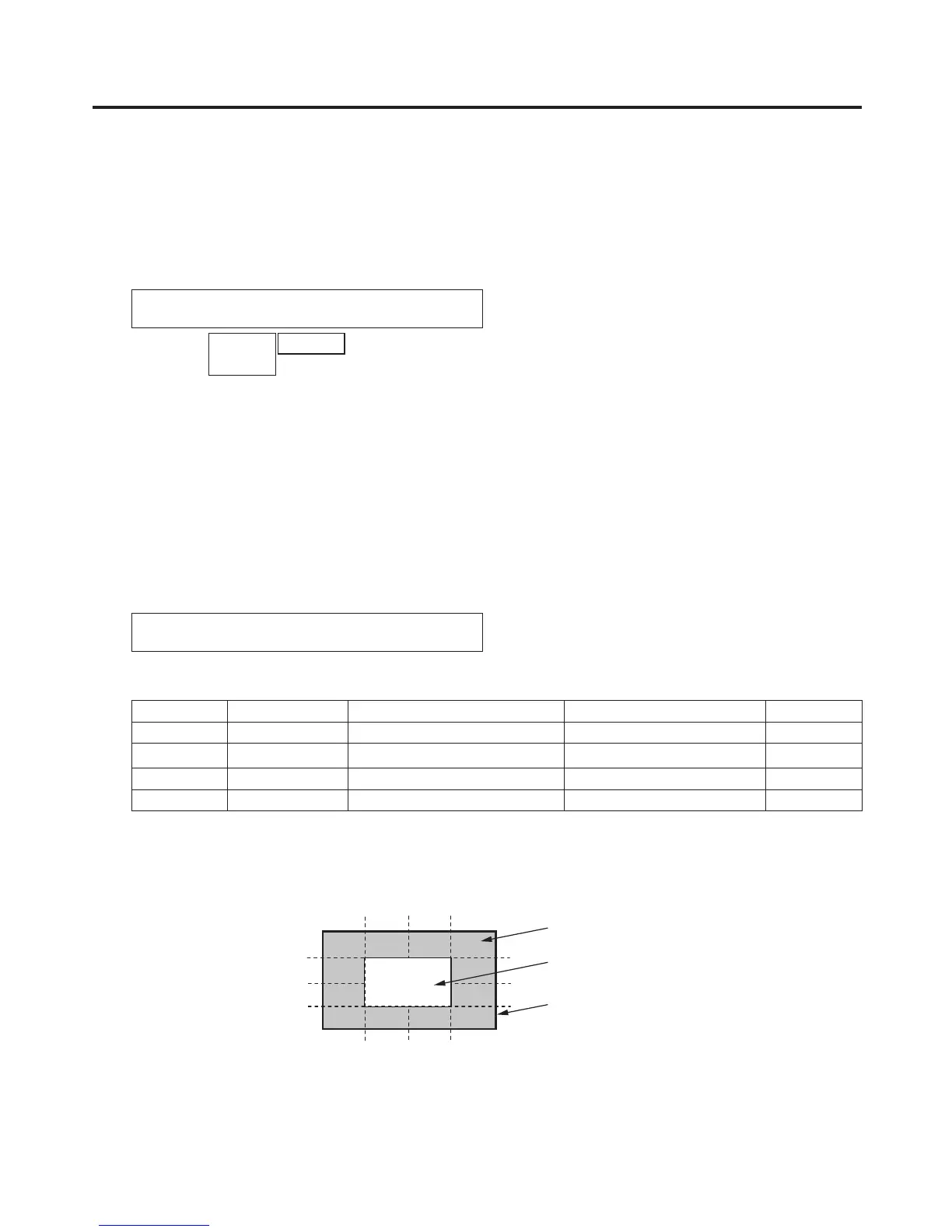
Turn [F2] to [F5] to set the area to be masked.
Operation Parameter Description of setting Setting range Initial value
F2 Left Key left position −50.00 to 50.00 −25.00
F3 Top Key top position −50.00 to 50.00 25.00
F4 Bottom Key bottom position −50.00 to 50.00 −25.00
F5 Right Key right position −50.00 to 50.00 25.00
The Left setting cannot exceed the Right setting (and vice versa) and, similarly, the Top setting cannot
exceed the Bottom setting (and vice versa).
<Key mask setting> (figure shows the default values)
0
50
-50
500-50
TOP (25)
BOTTOM (-25)
(25)
RIGHT
(-25)
LEFT
Area masked
Area where the key signal is
effective
Video signal range













 To Next Page