66
3. Basic operations
3-5-2. Selecting Shape
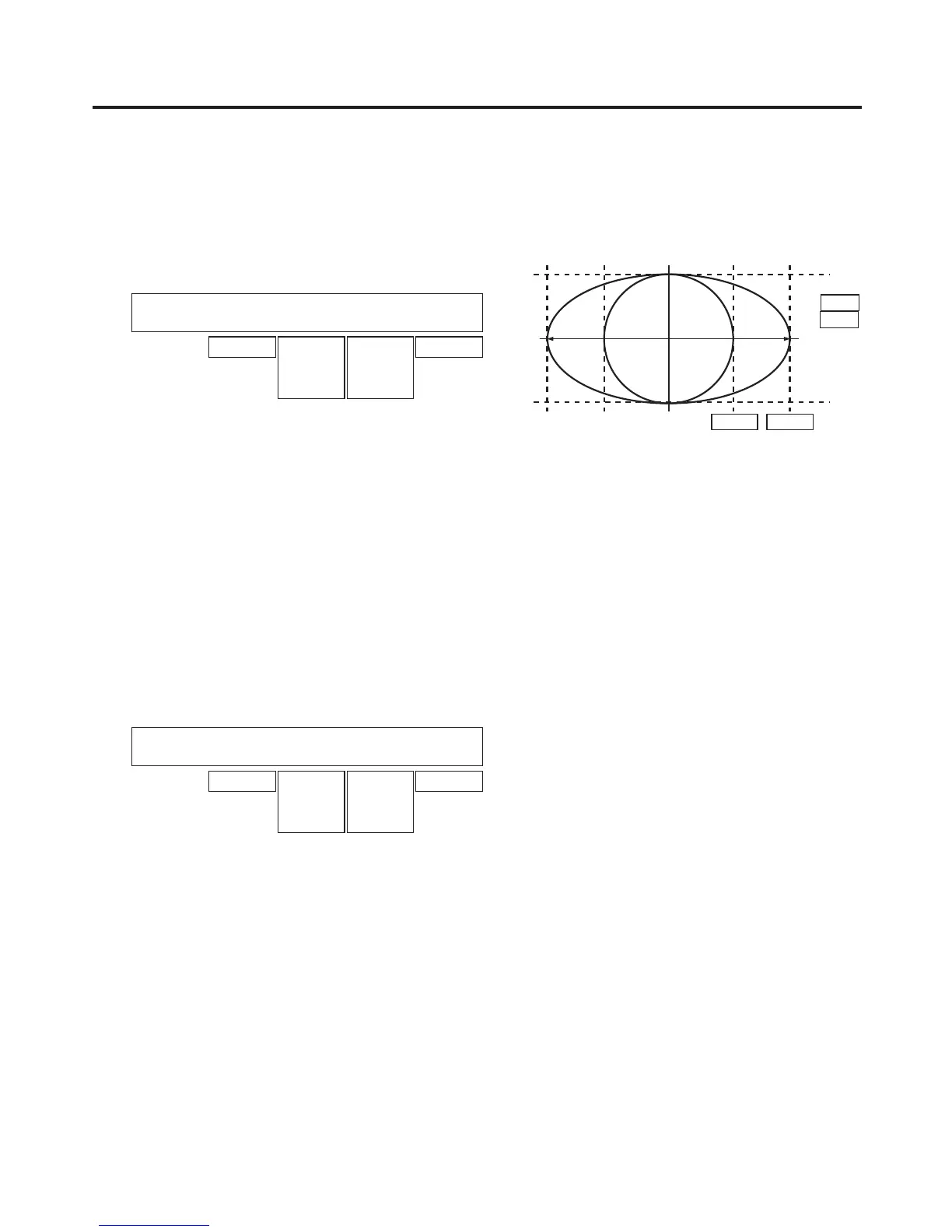
Square or Circle can be selected as the shape used for combining PinP1 images.
PinP2 images are fixed as Square.
Press the [PinP1/PinP2] button to light its indicator and display the PinP1 menu.
Refer to “2-1-5. LCD menu area”.
<Menu display>
PinP1 1
|
Shape
|
CrclAsp
|
Density
|
PVW
PinP1 | Square| 0.0| 100.0| Off
Circle 0.0
|
100.0
0.0
|
100.0
On
0 % 100 %
HD:
16 : 9
SD:
4 : 3
Turn [F2] and, using the Shape item, select the shape used for combining images.
When Circle has been selected using the Shape item, turn [F3] to change the aspect ratio of the circle using
the CrclAsp item.
When Square has been selected using the Shape item, “—” is displayed for the CrclAsp item.
Turn [F4] to adjust the transmissivity (darkness) applying when the images are combined using the Density
item.
3-5-3. PinP preview
Select whether to output the PinP1 and PinP2 preview images to the preview output.
On the PinP1 menu (or PinP2 menu), turn [F5] to set the PVW item.
Settings for the PVW item are the same for both PinP1 and PinP2.
<Menu display>
PinP1 1
|
Shape
|
CrclAsp
|
Density
|
PVW
PinP1 | Square| 0.0| 100.0| Off
Circle 0.0
|
100.0
0.0
|
100.0
On
On: An image with the PinP1 and PinP2 effect added is output to the preview output.
Off: An image without the PinP1 and PinP2 effect added is output to the preview output.
The PVW On and Off settings can be allocated to the user buttons.
Refer to “5-3-1. Setting the user buttons”.













 To Next Page