30
2. Functions in each area
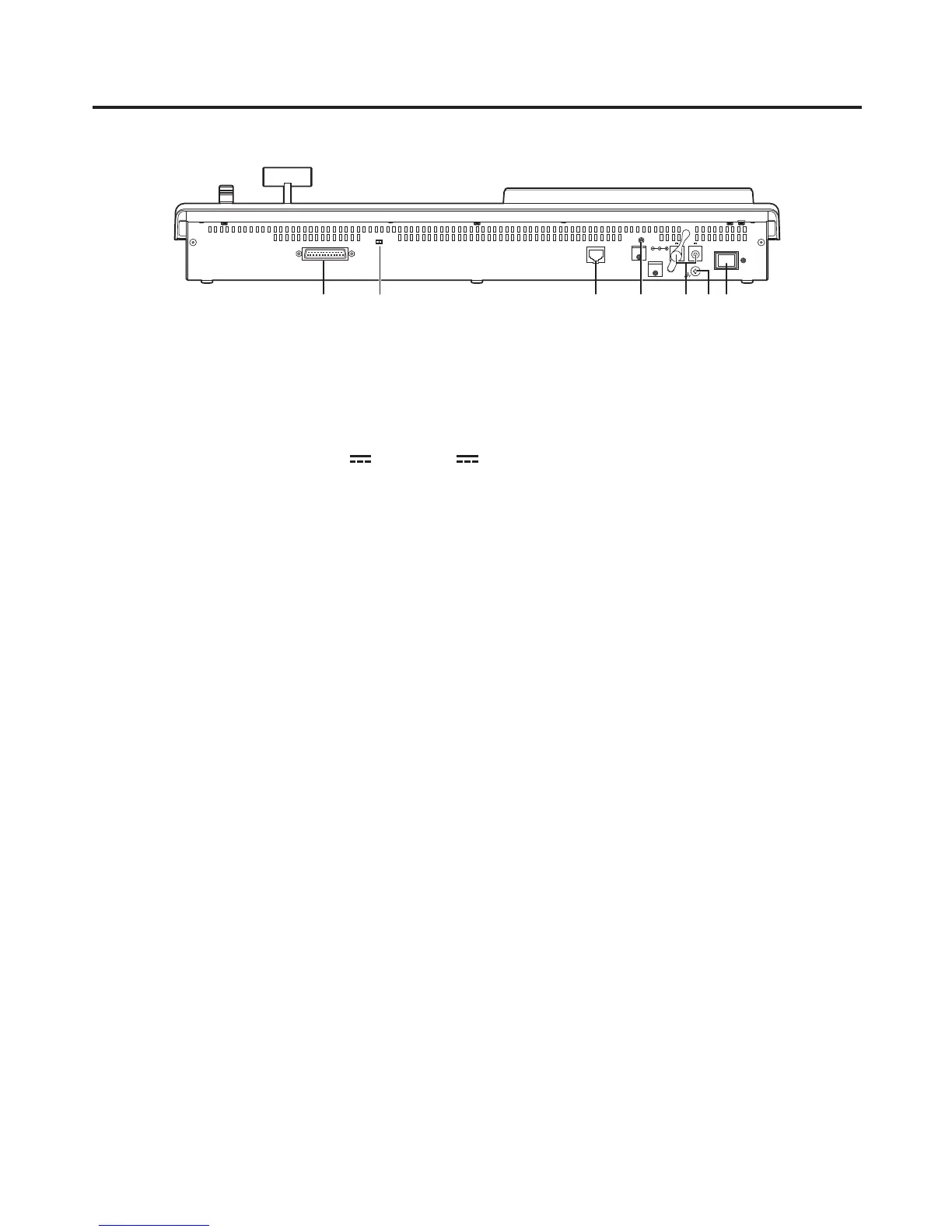
2-1-8. Rear panel connections area
12V IN 1
TALLY / GPI MAINFRAME
ON
12V IN 2
POWER
SIGNAL
GND
LCD CONTRAST
SERVICE
NORMAL
TALLY/GPI input/output connector [TALLY/GPI] (D-sub 25-pin, female, inch screw)
For details on how to connect this connector, refer to “6. External interfaces”.
MAINFRAME connector [MAINFRAME] (RJ-45) (100 Base-TX)
Connect this to the mainframe using the supplied CAT5E cable (STP, straight, 10 m).
DC power input sockets [12V IN1], [12V IN2] (DC 12 V, 0.8 A)
Connect the supplied AC adapters (for the control panel) to these sockets.
Ground connector [SIGNAL GND]
Connect to the system’s earth ground.
Power switch [POWER]
When the power switch is set to ON, the power indicator () lights and control panel operations may be
performed.
SERVICE switch [NORMAL/SERVICE]
This switch is used for maintenance purposes.
For normal operations, select the “NORMAL” position.
LCD CONTRAST adjustment screw
This is used to adjust the contrast of the LCD display.













 To Next Page