46
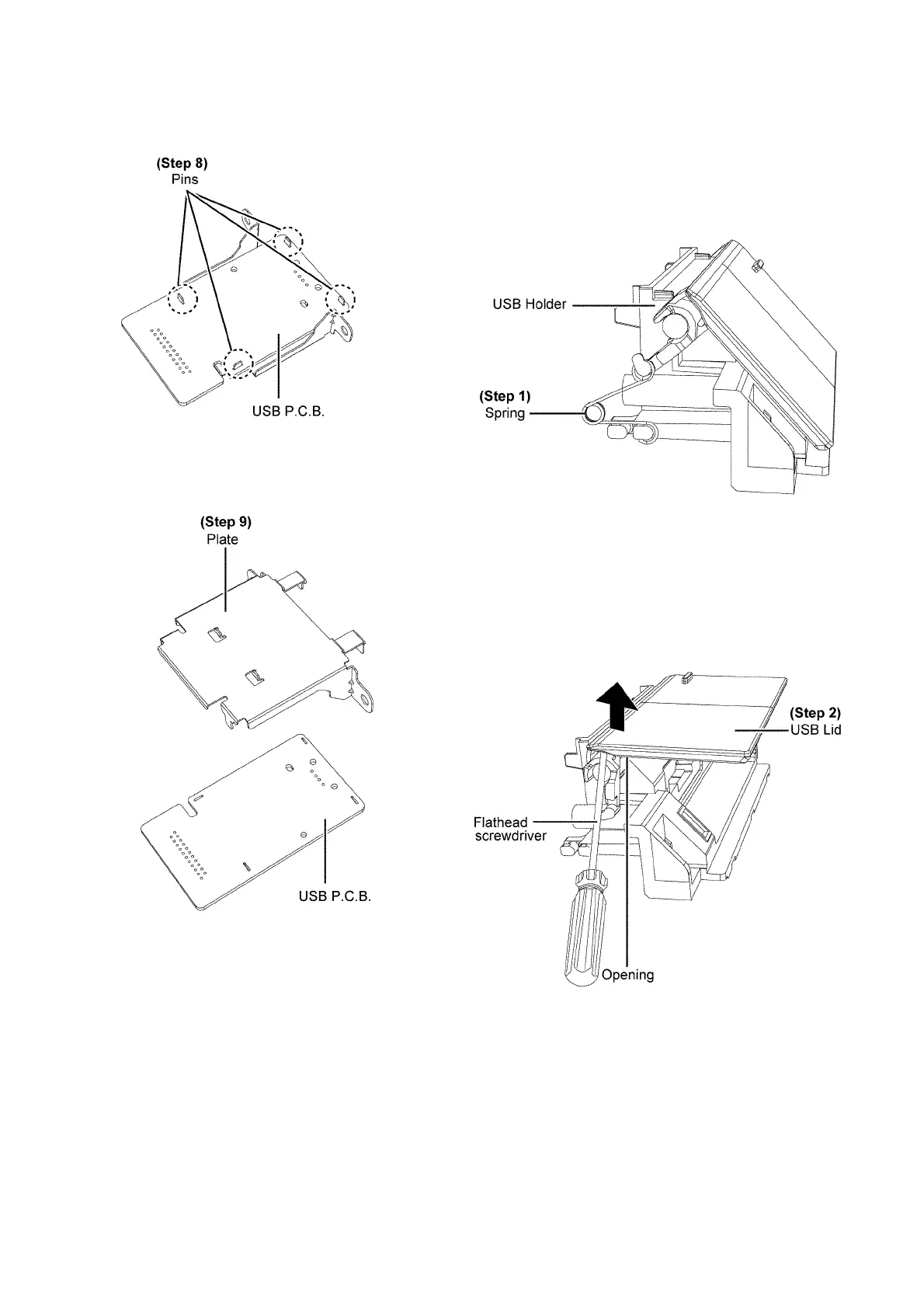
Step 8 : Desolder 4P on USB P.C.B..
Caution : During assembling, ensure the USB P.C.B. is
seated properly on the pins of the plate.
Step 9 : Remove USB P.C.B..
9.20. Disassembly of USB Lid
• Refer to “Disassembly of USB P.C.B.”.
Step 1 : Remove the spring from the shaft.
Caution : Keep the spring in safe place and place them
back during assembling.
Step 2 : Insert a flathead screwdriver in the opening under the
USB Lid and push the USB Lid as arrow shown.


 To Next Page