INTELLIGENT PDU USER MANUAL
Connecting the PDU to a Computer Serial Port
If unable to connect to network, you can change the network setting using the serial
interface.
To configure the network setting, perform the following steps:
1. Serial connect the PDU to a computer’s serial port. Set baud rate for a terminal
emulation program.
2. Using a CLI command to enable DHCP or set a static IP.
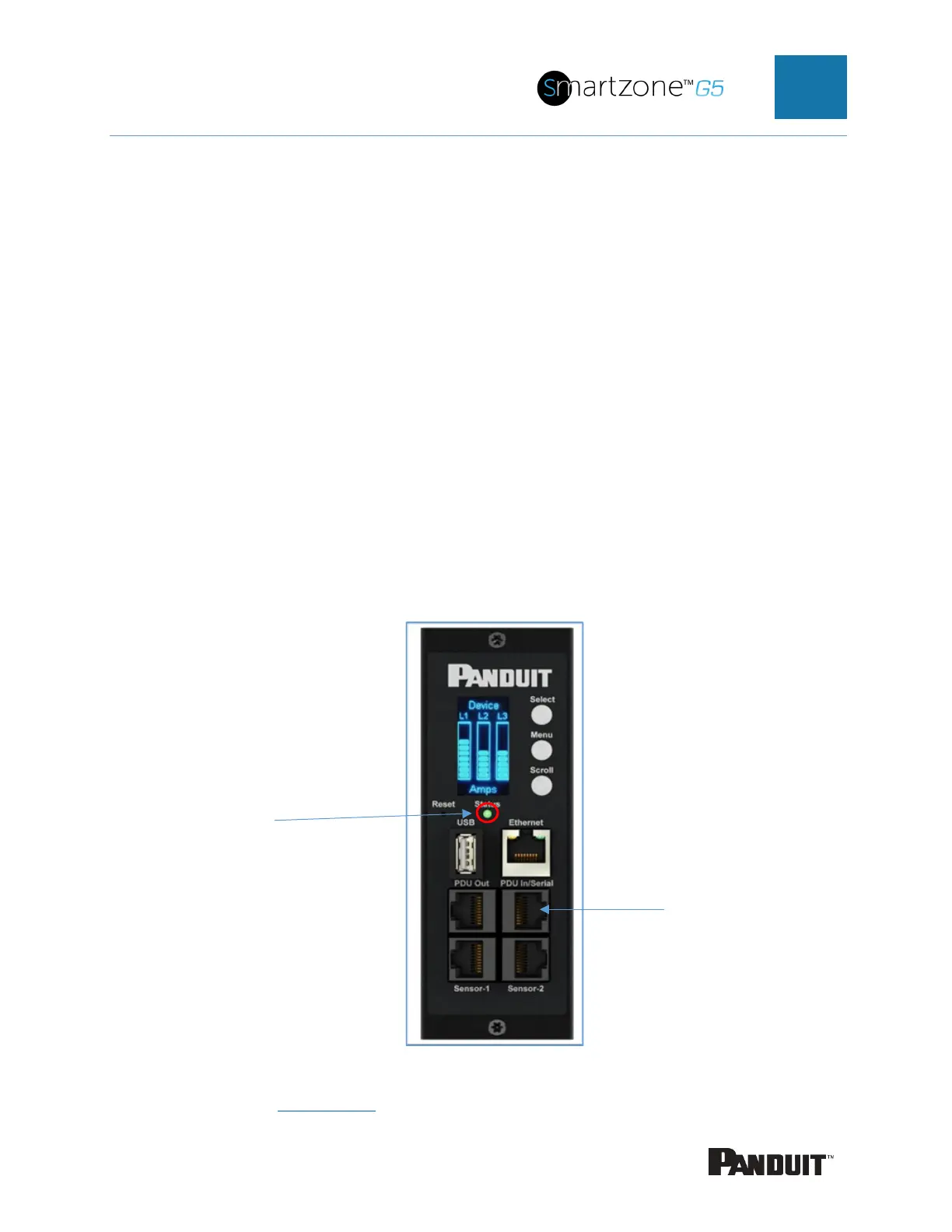
3. Verify access to the Web interface. The Ethernet LED on the PDU front panel
provides communication status by color and display activity (see Figure 2).
Figure 2: Status LED & Serial In Port Identified
Additional details in Appendix G
.


 To Next Page
 Loading...

