INTELLIGENT PDU USER MANUAL
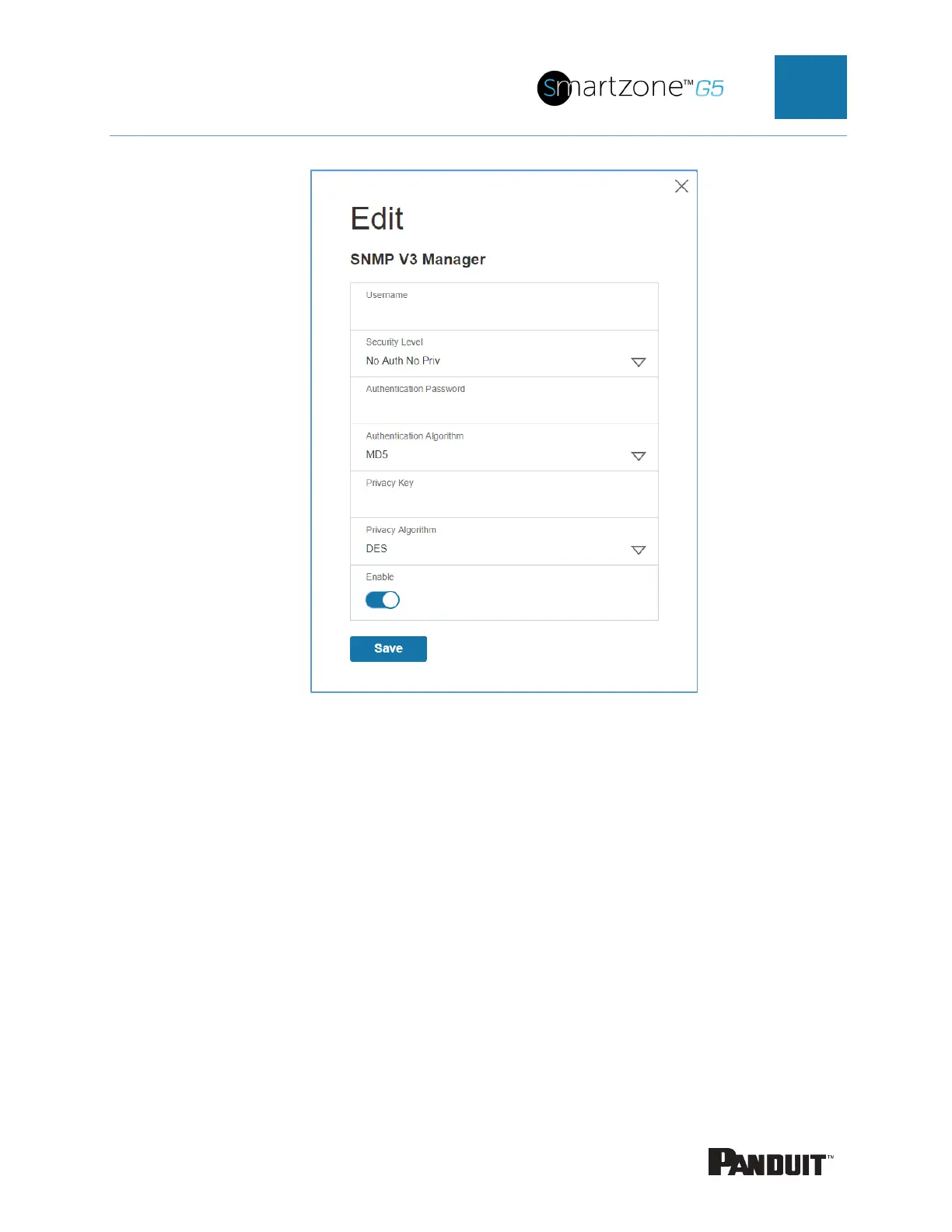
Figure 49: SNMP V3 Edit
5. Configure the SNMP username
6. Choose a Security Level from the dropdown menu
• NoAuthNoPriv: No authentication and no privacy. This is the default.
• AuthNoPriv: Authentication and no privacy.
7. Enter a new unique password to be used for authentication
8. Select the desired authentication algorithm.
• MD5
• SHA


 To Next Page
 Loading...

