SMARTZONE UPS USER MANUAL
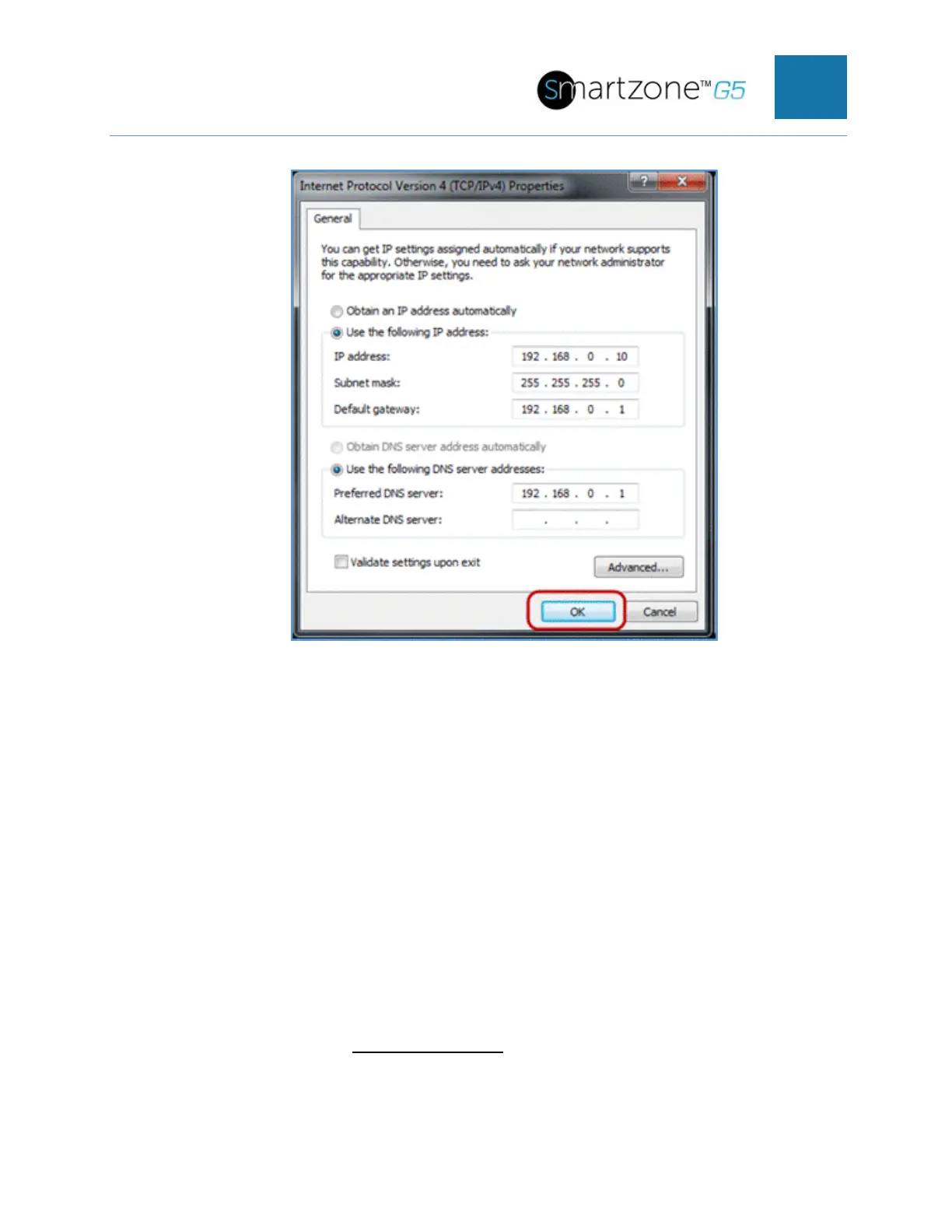
Figure 105: IP Settings for Direct Connection
Enter the following details into the appropriate boxes:
• IP address: 192.168.0.10
• Subnet mask: 255.255.255.0
• Default gateway: 192.168.01
• Preferred SNS server: 192.168.0.1
7. Click OK to accept the entries.
8. Connect the PDU network connection directly to the PC’s Ethernet card using a
patch cable.
9. Power the PDU unit.
10. Open a web browser on the PC.
11. Enter the address bar http://192.168.0.1
into your browser.


 To Next Page
 Loading...

