P350 flexitrax Operation Manual 37
Pearpoint recommends using the mains adaptor for software upgrades. This is to ensure a reliable power source.
NOTE: The system should be completely assembled when attempting to upload new software.
1 Check for new updates at www.pearpoint.com, by selecting Downloads, Inspection, and Software
Downloads. P350 users should select ‘Pearpoint P350 Software Updates’.
2 Download the new software to your computer.
3 Double-click on the file downloaded to extract the update files. They will be a number of files ending with .bin
with names like controller.bin, tractor.bin or drum.bin. There may also be some release notes with the
package.
4 Save files to the root folder (top level) of the memory card you are using (remove any older versions).
5 Insert your removable memory device into your controller and turn it on.
6 Navigate to the MENU > SETUP > MAINTENANCE, select UPDATE SYSTEM SOFTWARE and press OK.
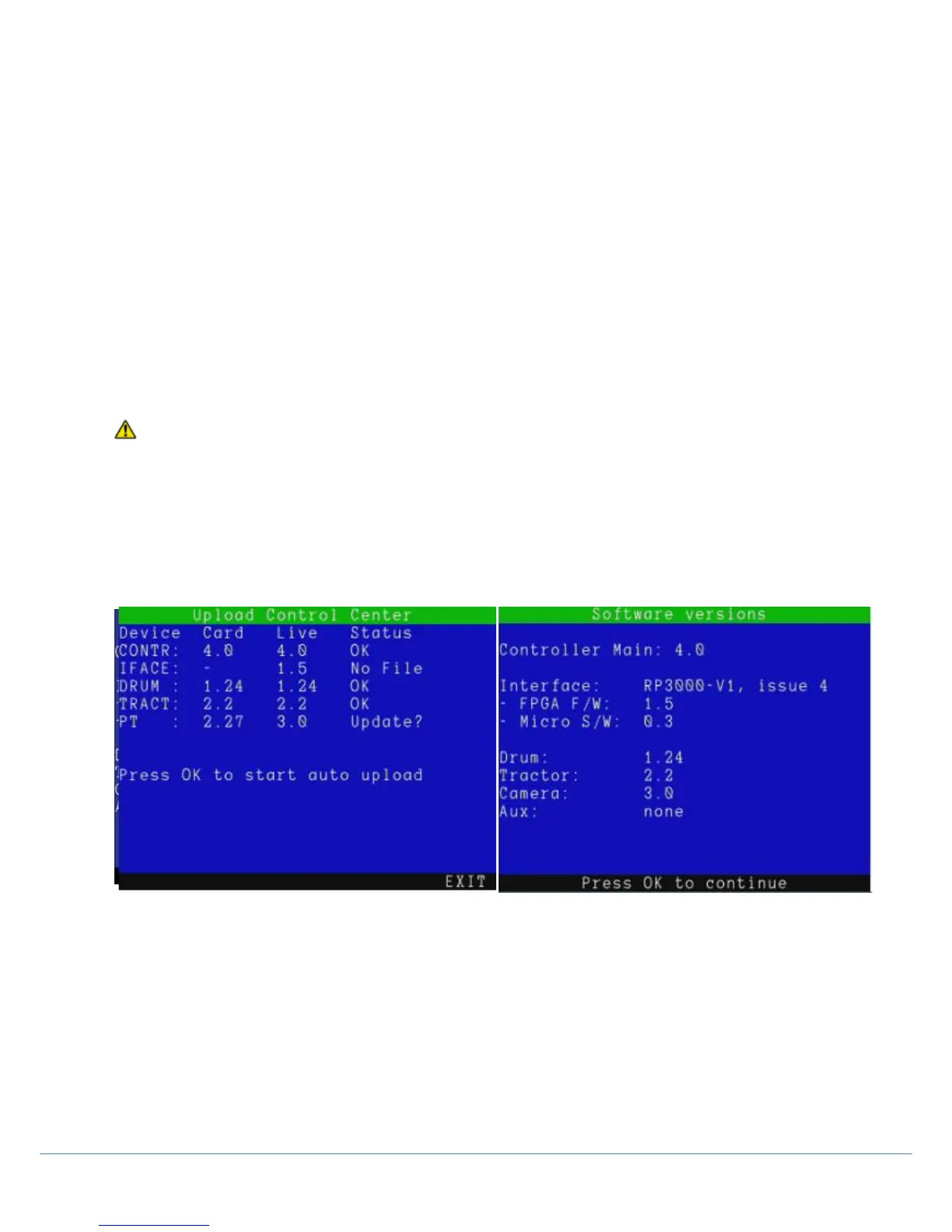
Follow the on-screen instructions to complete the upgrade (see fig 3.20). Status messages may include
OK No Update required
NO FILE No update file (.bin) on storage device
EXPECTED Incorrect software on device
UPDATE Update possible / recommended
7 The controller will now update the software and then prompt you to restart the module by pressing OK. The
update process may take several minutes. Do not remove the memory card or switch off the system until the
update is complete.
The system has now been updated.
CAUTION! Do not remove the memory card or switch off the system while the upgrade is in progress. Failure to
comply may render the system inoperable.
NOTE: Upgrading components with the latest software may take several minutes. If the upgrade is successful, the
command module may prompt you to reboot. Press OK to reboot the system.
NOTE: If you receive any error messages, check that you have copied all .BIN files to the root of the card and then try
again.
Figure 3.20: Update Control Centre
The ‘software versions’ screen can also be accessed by holding FN + pressing F4 on the controller.



 To Next Page