P350 Operation Manual 28
Ethernet
Used for communicating with external third-party reporting applications, such as FlexiSight Manager or Wincan
(Version 8 or above).
You can connect the P350 command module to a PC running compatible reporting software to control OSD and text
position as well as retrieving telemetry data.
Ensure that you have the latest software installed (please note that the boot-up time for the command module will be
longer if no Ethernet connection is present).
To connect to a PC you may use a standard or a crossed patch RJ45 leads connected to the RJ45 receptacle in the
command module I/O panel. Use the standard RJ45 straight lead if you are connecting through a network hub or a
router.
Use the crossed-patch lead if you are connecting to a PC directly.
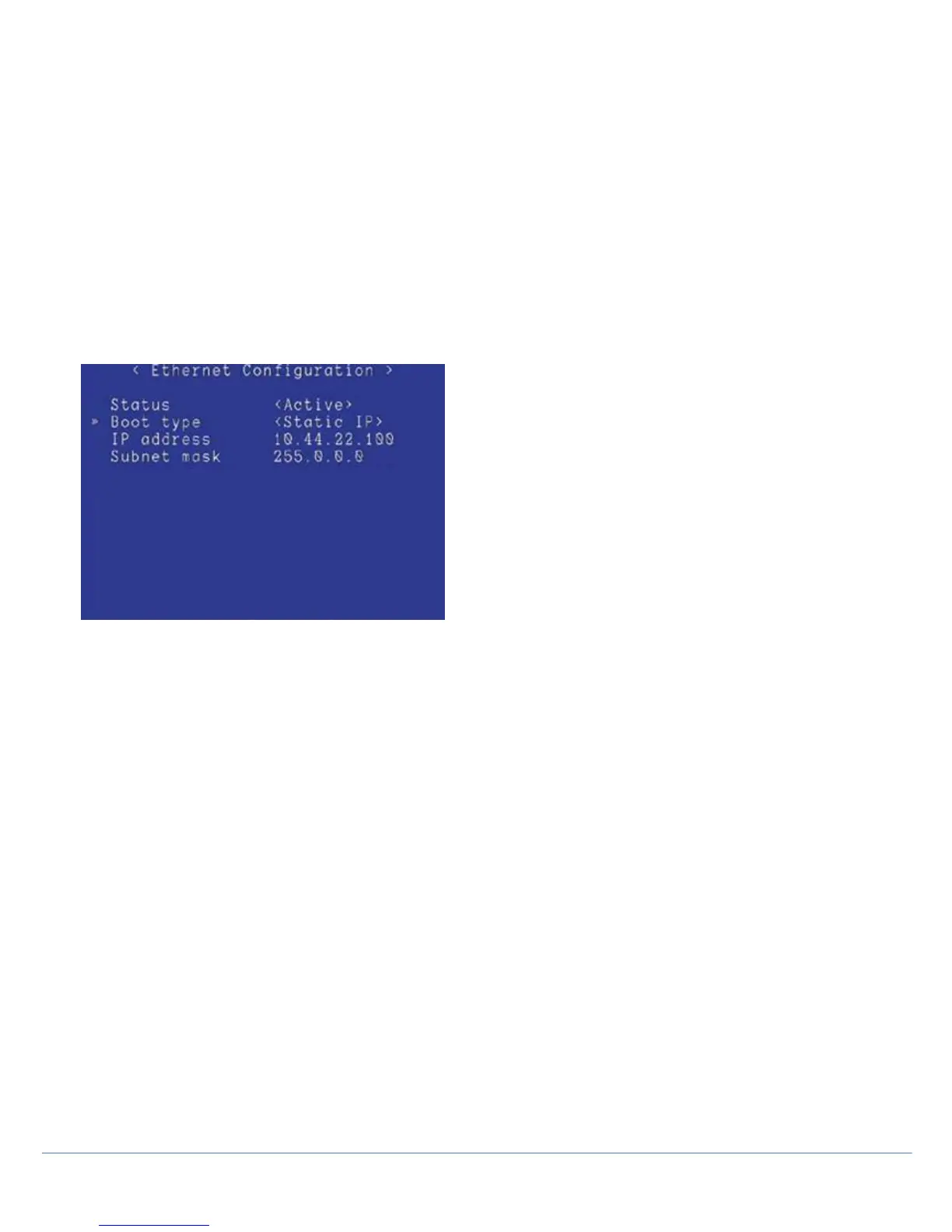
To configure the Ethernet port MENU > SETUP > CONTROLLER > COMMUNICATIONS > ETHERNET.
Figure 3.9: Ethernet configuration
Status indicates if the P350 system is connected or not. Use the ▲ and ▼ arrows to select a setting and press
OK to edit.
Boot Type: Choose between DHCP and Static IP. If you choose Static IP you have to configure the following
three parameters:
• IP address: enter a valid IP address
• Subnet mask: enter a valid Subnet Mask
You will need to switch the system OFF then ON to make the settings active.
The latest P350 and Wincan V8 systems are configured at the factory to connect automatically. It is not recommended
to change network settings unless you are an experienced user or IT professional.
3.5.3 Recording
FILE NAMES > PREFIX
You can enter a prefix (7 characters maximum) to be automatically added to all your recording filenames. Use this to
help you to identify files created by a specific crew or operator.
New file names will have the following structure:
Prefix_filename_scheme_xxx.ext.
For example, Crew1_30Nov_001.MP4 where Crew1_ is the prefix and 30Nov is the file name scheme chosen, see
below. 001 is the numeric counter.
NOTE: no spaces are allowed in the prefix.
FILE NAMES > SCHEME
Date or current job information, such as client name, site address and survey start and finish references can be chosen.
See Reviewing your work, for more details about Jobs and how to set them up.



 To Next Page