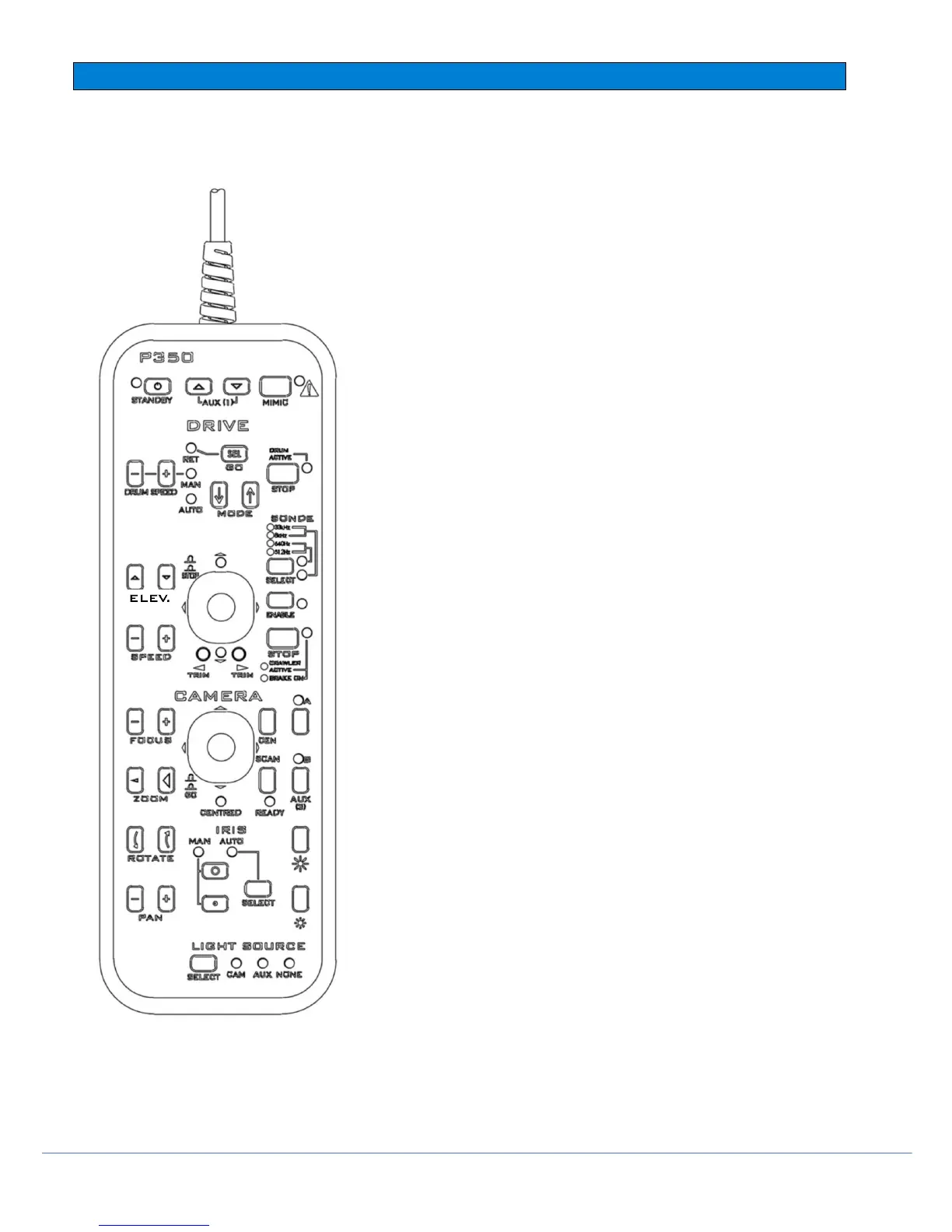
Connections:
The P350 pendant lead connects to the Pendant socket on
the powered drum or manual PSU.
NOTE: Do not connect or remove the pendant controller when
the P350 system is turned on.
STANDBY
Start the pendant is enabled by pressing and holding the
[STANDBY] key (top left). The‘ON’ light will turn green and
the word ‘pendant’ will appear on the controller display.
The ‘ON’ indication light will turn red when inactive.
NOTE: To prevent accidental operation of the P350 system,
the P350 controller is disabled whilst the pendant is active.
However, it is still possible to record.
Camera controls:
PAN
Using these keys, the camera head can be moved left and
right. This will depend upon the rotate position of the camera.
NOTE: On FW cameras, this is provided digitally instead.
ROTATE
Rotate camera clockwise and anti-clockwise.
NOTE: On FW cameras, this is provided digitally instead.
ZOOM
Zoom in [+] or Zoom Out [-].
NOTE: On FW/PT cameras, this is provided digitally.
FOCUS
To focus on distant objects, press [+]. To focus on near
objects, press [-].
NOTE: Continuous pressing of either [+] or [-] key will result
in ‘wrap around’ of camera focus i.e. in focus – out of focus
– in focus



 To Next Page