P350 Operation Manual 32
3.5.4 Pitch Profiler
The Pitch Profiler is a crawler-based sensor that monitors crawler distance, inclination and can then use this
information to work out the pipe profile. This information can then be used by FlexiSight Manager (paid option) to map
the pipe.
CAUTION: Be aware it assumes the crawler travels perfectly along the floor of the pipe. Debris, driving up the sides,
component tolerances and other factors might affect the accuracy of your data, please review carefully.
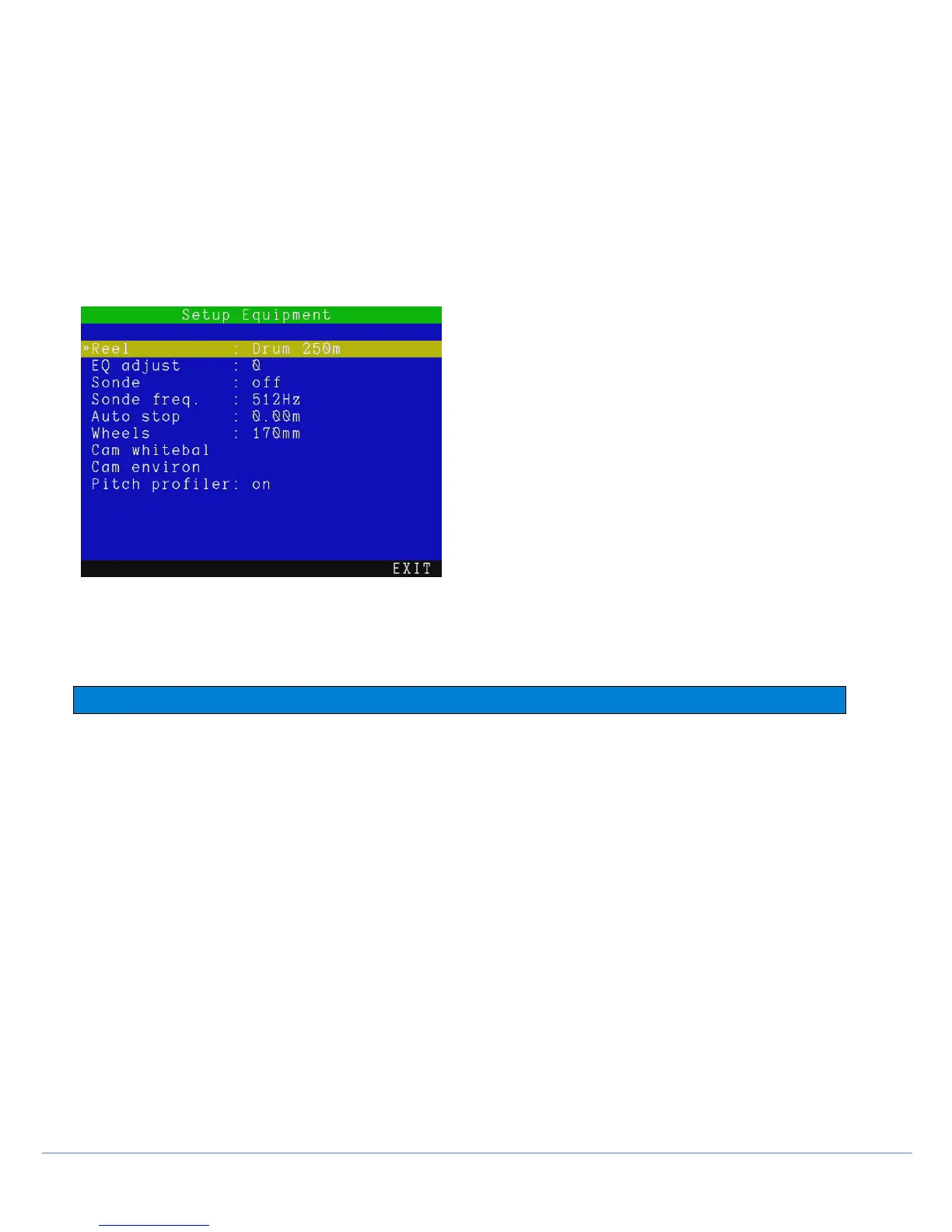
By default the pitch logger is turned on. To turn it off go to MENU > SETUP > EQUIPMENT and set the Pitch Profiler:
Status to “OFF”. Every time you create a survey, this will automatically store the pitch profile log file in the survey
folder, for use with FlexiSight Manager at a later date.
You will receive an on-screen message to confirm your selection. A USB memory drive or a Compact Flash Card
must be installed.
Fig 3.13a Pitch Profiler activation screen.
CAUTION: We cannot accept any liabilities for inaccurate data, or consequential decisions made following the use of
the pitch profiler.
NOTE: Do not remove the USB/Compact Flash card while surveying a system as the pitch profiler may be corrupted.
3.6 Crawler and reel settings
From SETUP > EQUIPMENT > REEL, enter the Reel menu to select your correct reel type and/or drum length.
NOTE: Do this every time you use a different reel with your controller. Having the wrong reel/length selected will affect
the accuracy of the distance counter (if using a pushrod system) and video quality. If you are using a drum system
with a non-standard length choose the nearest length settings.
Select between:
P341 Plumbers 100ft/30m or 200ft/60m, Plumbers MK2 100ft/30m or 200ft/60m
P341 (P331) 120ft/35m
P342 (P332) 200ft/60m or 400ft/120m
P343 (P333) 500ft/150m
Drum 150 / 200 / 250 / 305m - 500 / 650 / 850 / 1000ft.
NOTE: The settings below are not available when using a pushrod system.
EQ Adjust: Manual adjust the video equalization setting from numeric options, this may improve the image.
Sonde: Activate Sonde when available
Sonde Freq.: Select the Sonde frequency suitable for your survey and Radiodetection locator. 512Hz, 640Hz, 8kHz
and 33kHz frequencies available.
Auto-stop: Set the distance where to stop the crawler when retrieving.
Wheels: Set the wheel size and type, used for accurate distance measurement and safe, efficient drum retrieval
(wheel size affects crawler and drum speed, a mismatch may cause damage).



 To Next Page