P350 Operation Manual 60
Observation popup
When entering observations, you can set up the controller to display (popup), if recording, the observation you have
just entered automatically in the middle of the screen for duration of 4 seconds when resuming your survey.
Defect code list
By default the P350 controller uses the WRC MSCC 3 Condition Codes. The Condition Codes list is also available to
browse and use when you edit text pages.
You can change the built-in defect code list, for example by replacing it with the PACP defect code list, or create and
customize it to better suit your specific needs. See the Appendix for more details on how to do this by using FlexiSight
Manager and transferring the memory card files to your computer.
Structure
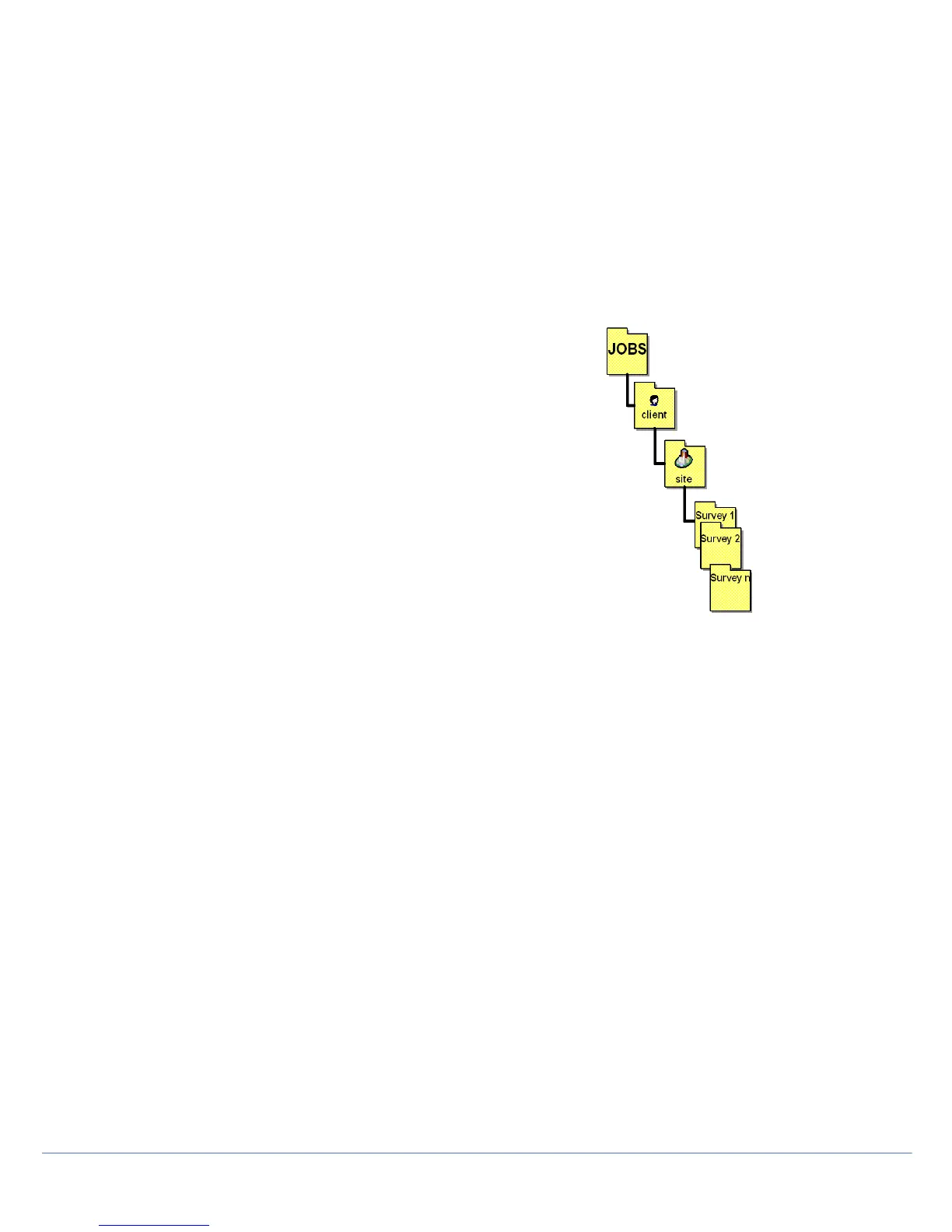
The system stores reports in folders arranged by Client, site and survey. See
Figure Default JOBS Structure. This helps to keep work separate when
working on many sites. By default, file names will be stored in the format:
S_F_110129_1200
This identifies a survey done at 12:00 on 29-January-2011.
Editing Client, Site or Survey details
After completing a site, you may wish to add extra information to your survey.
From the main display window, press MENU > JOBS and scroll down to the
survey recently created. Press OK, scroll to Client, Site or Survey, press OK
again and you will find the extra information fields.
Client fields
1. Name: Client’s company name or personal name if the client is an
individual (30 characters).
2. Client reference: Client’s reference (30 characters).
3. Address: Client’s address if different from the site address (30
characters).
4. Town: Client’s town name (30 characters).
5. State/County: Client’s state/county location (30 characters).
6. ZIP/Postcode: Client’s ZIP/Postcode (10 characters).
7. Telephone: Telephone number (20 characters).
8. Email: Email address (30 characters).
Site fields
1. Address: Address of the site under survey (30 characters).
2. Town: Site’s town name (30 characters).
3. State/County: Site’s state/county location (30 characters).
4. ZIP/Postcode: Site’s ZIP/Postcode (10 characters).
5. Telephone: Telephone number (20 characters).
6. Email: Email address (30 characters).
7. Contact: Name of the site’s contact (30 characters).
8. Site Reference: Site’s reference (30 characters).



 To Next Page