2
Getting Started
31
1 Press F.
The A1 menu appears.
2 Use Q or R to display D4 menu.
3 Use AB to select [Format] and press D.
The [Format] screen appears.
4 Use AB to select the
memory card slot in which
the memory card to format
is inserted and press D.
5 Press A to select [Format]
and press E.
Formatting starts. When
formatting is completed, the D4
menu reappears.
u Caution
• Do not remove the memory card while formatting, or the card
may be damaged.
• Formatting deletes all data, both protected and unprotected.
t Memo
• When a memory card is formatted, the volume label assigned
to the card is “K-3”. When this camera is connected to a
computer, the memory card is recognized as a removable
disk with the name “K-3”.
Take pictures in T mode in which the camera automatically
sets the optimal exposure.
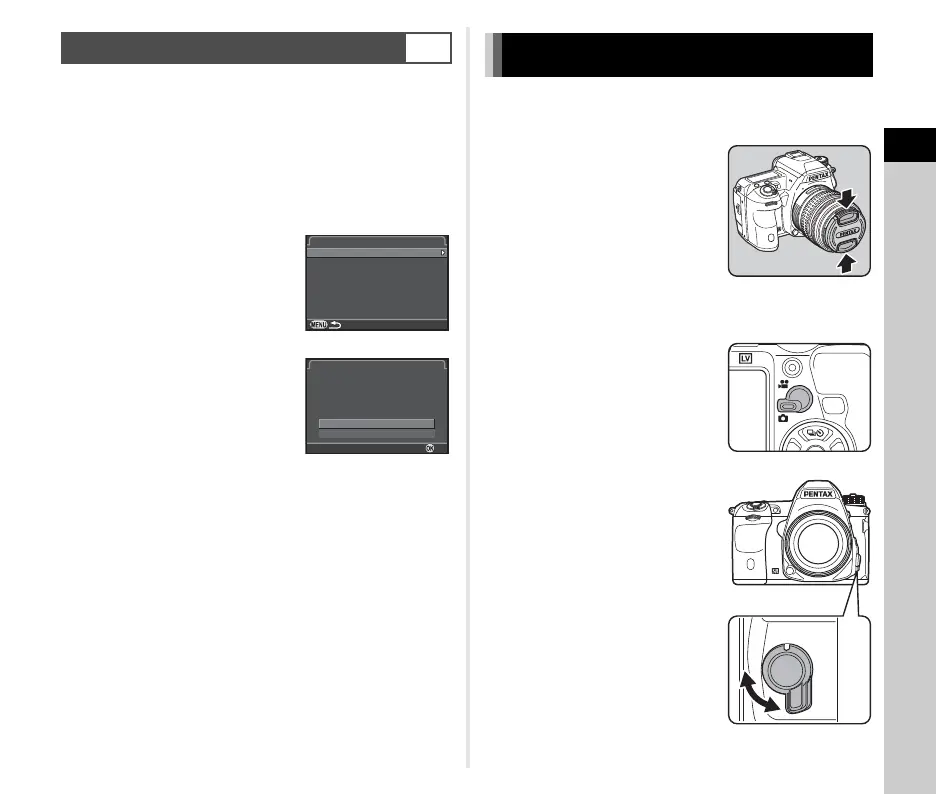
1 Remove the front lens cap
by pushing the top and
bottom portions as
indicated in the
illustration.
2 Turn the camera on.
3 Turn the Stills/Movie
switch to A.
4 Set the focus mode switch
to v.
Formatting a Memory Card
D4
Format
SD1
SD2
Format
OK
Cancel
All data on SD1 memory
card will be deleted
Format
Basic Shooting Operation
AF
MF



 To Next Page