AS-i 3.0 EtherNet/IP+Modbus TCP Gateway
System startup using AS-i Control Tools
26.9.2013
89
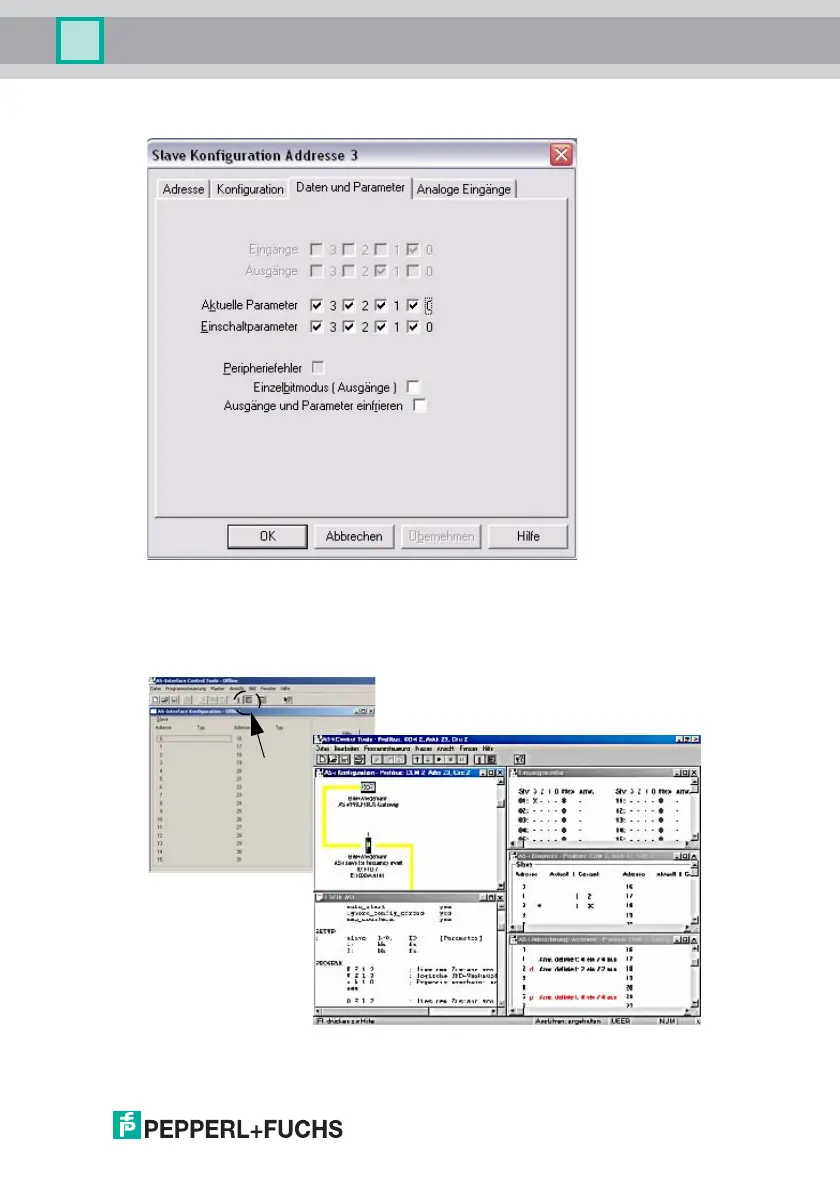
8. Click on a slave to open the dialog window 'slave configuration'.
This window enables the user to edit a slave address and to set AS-i param-
eters or AS-i configuration data. Additionally, inputs and outputs can be
tested.
9. Click the second button on the right side of the tool bar to get a graphical
display of "AS-i Control Tools".


 To Next Page