116 KENR6933
Troubleshooting Section
g01208545
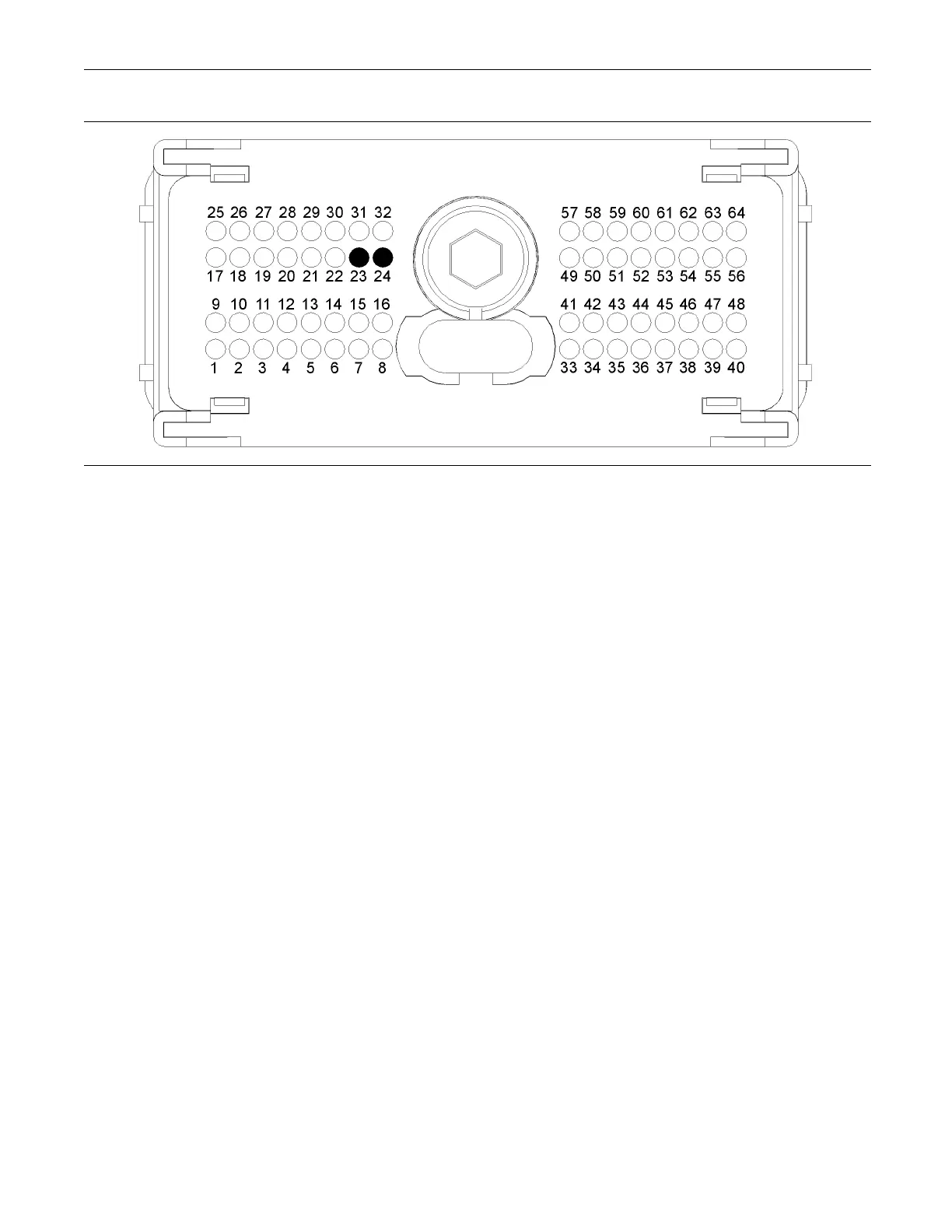
Illustration 29
Typical view of the P1 pin loca tions for th e diagnostic a nd data link connectors
(23) D ata link + (24) Data link -
Test Step 1. Insp ect Electrical Connectors
and Wiring
A. Thoroughly inspect the following electrical
connectors:
•
P2/J2 ECM connector
•
P1/J1 ECM connector
•
Pin D for the data link connector
•
Pin E for the data link connector
•
Electronic service tool connectors
Refer to Troubleshooting, “Electrical Connectors -
Inspect” for details.
B. Perform a 45 N (10 lb) pull test on each of the
wires in the ECM connectors that are associated
with the data link.
C. Check the screw for the ECM connectors for
correcttorqueof5.0N·m(44lbin).
D. Check the harness for abrasion and pinch
points from the wires that connect the diagnostic
connector to the ECM.
Expected Result:
All connectors, pins and sockets should be completely
coupled and/or inserted. The harness should be free
of corrosion, abrasion and/or pinch points.
Results:
•
OK – Proceed to Test Step 2.
•
Not OK
Repair: Perform the following repair:
Repair the connectors and/or the harness, or
replace the connectors and/or the harness. Ensure
that all of the seals are correctly in place and
ensure that the connectors are completely coupled.
Use the electronic service tool in order to clear all
logged diagnostic codes and then verify that the
repair eliminates the fault.
STOP.
Test Step 2. Determine the type of Fault
withtheDataLink
A. Connect the electronic service tool to the
diagnostic connector that is on the engine harness
or on the application.
B. Turn the keyswitch to the ON position.
Expected Result:
The power lamp should illuminate on the
communications adapter. The power lamp on the
communications adapter may illuminate when the
keyswitch is in any position.










 To Next Page