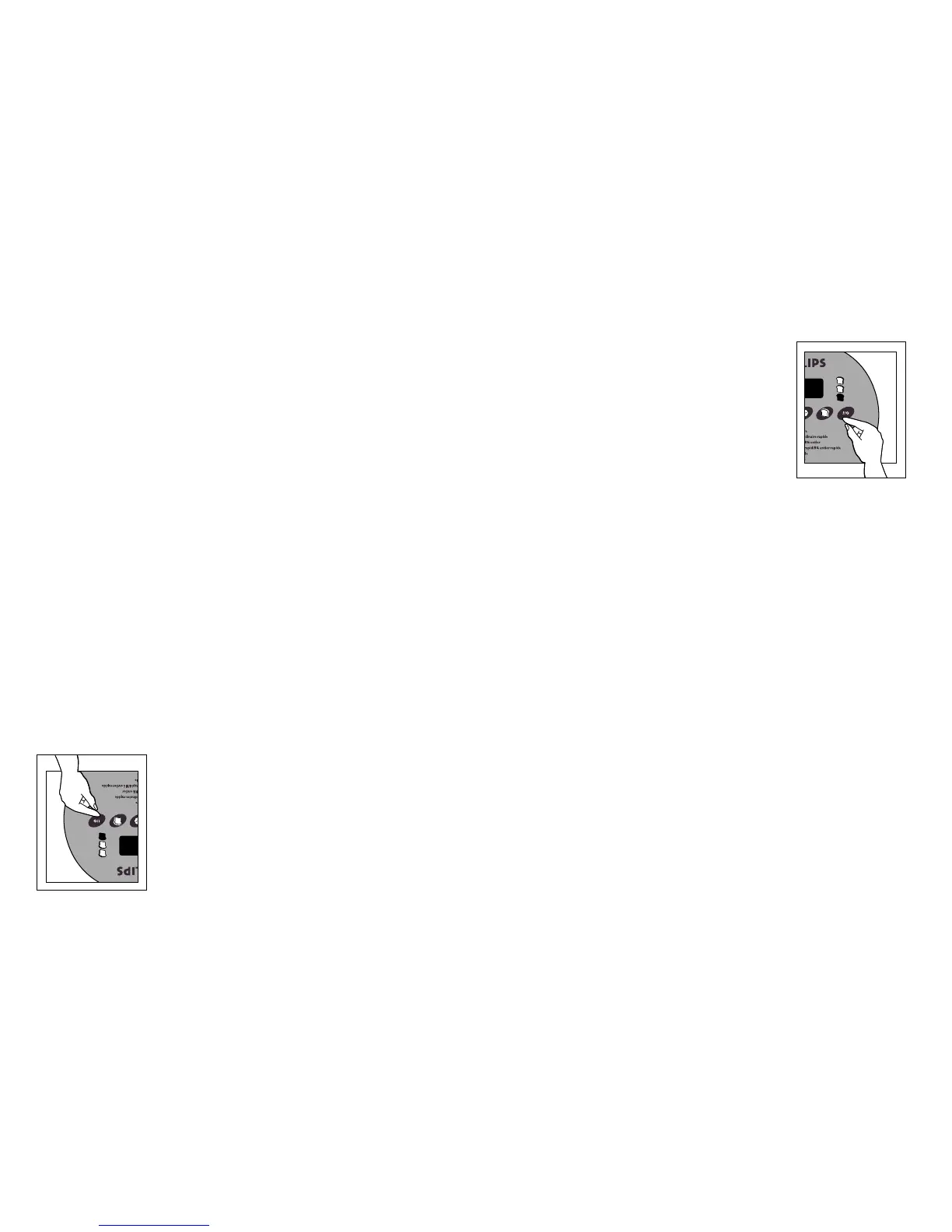
Appuyer sur la touche «I/O» (début/arrêt). La durée de
cuisson en heures et en minutes apparaît à l’écran. Par
exemple, si on choisit une recette demandant le programme
«Ordinaire» pour un pain de 1,5 lb dont la croûte est de col-
oration moyenne, on voit «3:03» à l’écran. Jusqu’à ce que le
pain soit prêt, l’écran affiche le temps résiduel, qui court
minute par minute (3:02, 3:01, etc.). Une fois le cycle terminé,
on entend un «bip», et «0:00» s’affiche à l’écran.
Il est possible de changer la durée des cycles de levée et de
cuisson. Cinq minutes avant la fin de la dernière levée ou de
la cuisson, le boulangeur fait entendre un «bip» continu per-
mettant de prolonger les cycles de levée et de cuisson de 20
minutes.
Pour prolonger le dernier cycle de levée de 10 minutes,
appuyer une fois sur la touche MICHE après que le «bip»
commence à se faire entendre et avant le début du cycle de
cuisson (environ 5 min). Il y a une autre possibilité ici d’a-
jouter une période supplémentaire de 10 minutes. Si on ne
tient pas compte de cette option, l’appareil passe au prochain
cycle.
Pour prolonger le cycle de cuisson au moment où le «bip» continu se fait entendre,
appuyer sur la touche CROÛTE après que le «bip» commence à se faire entendre et
avant le début du cycle de réchaud (environ 5 min). Le cycle de cuisson sera prolongé de
10 minutes. Il y a une autre possibilité ici d’ajouter une période supplémentaire de 10
minutes. Si on ne tient pas compte de cette option, l’appareil passe au prochain cycle.
NOTA : Pendant le cycle de pétrissage, vous pourriez entendre un «clic». Ceci est normal.
Le boulangeur est doté d’une fonction «réchaud» qui s’amorce automatiquement
une fois le temps de cuisson écoulé. Les deux-points du «0:00» continueront de
clignoter jusqu’à 60 minutes après la fin de la cuisson, et l’appareil conservera le
pain chaud pendant cette période. À la fin des 60 minutes, les deux-points cesseront de
clignoter, mais le «0:00» demeurera affiché à l’écran. On peut retirer le récipient à cuis-
son en tout temps pendant le cycle «réchaud».
Pour désactiver cette fonction avant la fin des 60 minutes, il suffit d’appuyer sur la touche
«I/O» (arrêt/début) et de la maintenir enfoncée jusqu’à ce qu’un «bip» se fasse entendre.
Le «0:00» disparaît et l’écran est vide. Débrancher l’appareil une fois l’utilisation ter-
minée.
NOTA : La fonction «réchaud» n’est pas comprise dans le programme PÂTE. Une pâte
terminée laissée dans l’appareil trop longtemps peut trop lever et produire de piètres
résultats. Pour obtenir de meilleurs résultats, retirer la pâte à la fin du cycle et suivre les
consignes de la recette pour le façonnage, le repos et la cuisson.
17 Using Your Breadmaker
The baking time in hours and minutes appears in the
LED display. For instance, if you choose a recipe using
the Basic Bread program for medium crust and 1.5 lb.
size, the display shows 3:05. Press the “I/O” (Start/Stop)
button. It will count down the remaining processing time in
one-minute increments (3:04, 3:03, etc.) until the bread is
done. When the baking time is completed, a signal beep
sounds and the display window reads “0:00”.
There is a time adjustment available for both the rising and
baking cycles. Five minutes before the completion time of final
rise or bake, the breadmaker beeps continuously to allow you
to extend the rise or bake for up to an additional 20 minutes.
To extend the final rising time, press the LOAF button once
any time after the beeps begin and before the start of the
bake cycle (approx. 5 mins.).The rise time is extended for 10
minutes.There is one more opportunity for an additional 10-
minute rising extension. You can choose to ignore this
feature, and the unit will continue on to its next cycle.
To extend the bake cycle when you hear the continuous
beeps, press the
CRUST button once any time after beeps
begin and before the start of the keep warm cycle (approx. 5
mins.). The bake time is extended for 10 minutes. There is
one more opportunity for an additional 10-minute baking
extension.You can choose to ignore this feature, and the unit
will continue on to its next cycle.
NOTE: During the kneading cycle, you may hear a “clicking”
sound.This is normal.
This breadmaker is designed with a “keep warm”
function that begins automatically when baking time
is done.The colon in the “0:00” continues to flash for
up to 60 minutes after baking is completed and keeps bread
warm during that time. At the end of the hour, the colon
stops flashing, but the “0:00” remains in the display window.
You may remove the bread pan any time during the “keep
warm” cycle.
To turn off the “keep warm” feature before the 60 minutes
are up, simply press the “I/O” (Stop/Start) button and hold
it until it beeps. “0:00” disappears and the display window
is empty. Unplug the unit when finished.
NOTE: The “keep warm” feature is not provided for the
DOUGH setting. If you leave finished dough in the unit too
long, it may over-rise and produce poor results. For best
results,remove dough at the end of program and follow the
recipe directions for shaping, resting, and baking.
9
10
17 Comment utiliser le boulangeur
9
10



 To Next Page