7-2
High flow therapy
High flow nasal
cannula setup
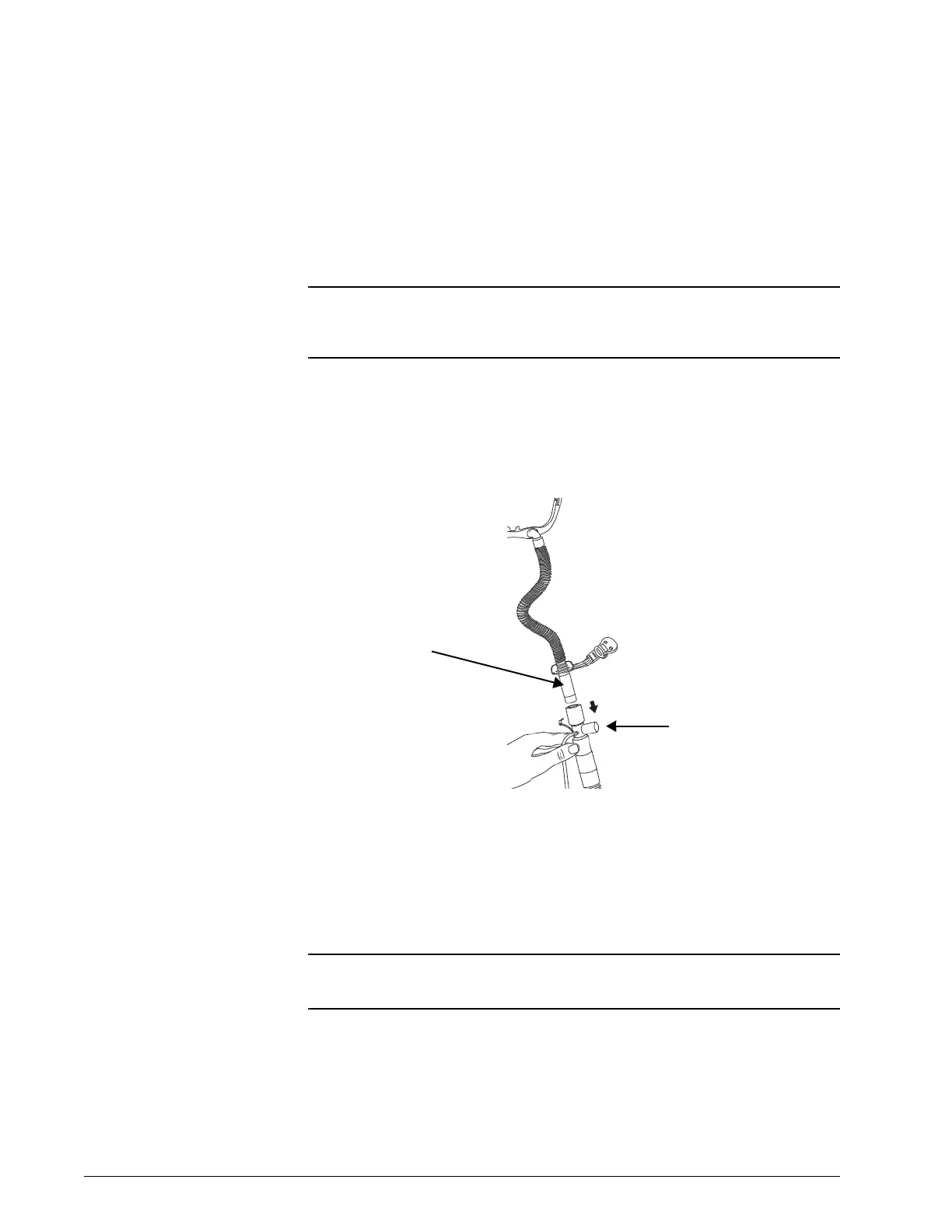
Use either the AC611 high flow nasal cannula with FEP Connector (Figure 7-1)
or the AC611
high flow nasal cannula 22 mm (Figure 7-3), which connects
directly to the patient circuit.
Using the FEP Connect for high flow therapy
NOTE: This section applies only if you are using the AC611 high flow nasal
cannula with filter exhalation port (FEP) connector (“FEP Connect”)
to administer high flow therapy.
High flow nasal cannula setup
1. Insert the AC611 high flow nasal cannula with FEP Connector into the
FEP, making sure the perforations in the port are completely blocked.
Figure 7-1: High flow nasal cannula using the FEP Connect
2. Disconnect the proximal pressure line from the ventilator port.
3. Leave the other end of the proximal pressure line connected to the
FEP and anchor the tubing to the breathing circuit using several
tubing clips (included with most circuits), as shown in Figure 7-2.
NOTE: Follow your institutional guidelines for infection control and
single-patient use interfaces.
FEP Connect
blocking insert
Filter exhalation port
(FEP)











 To Next Page