10-6
Care and maintenance
Replacing the air inlet filter
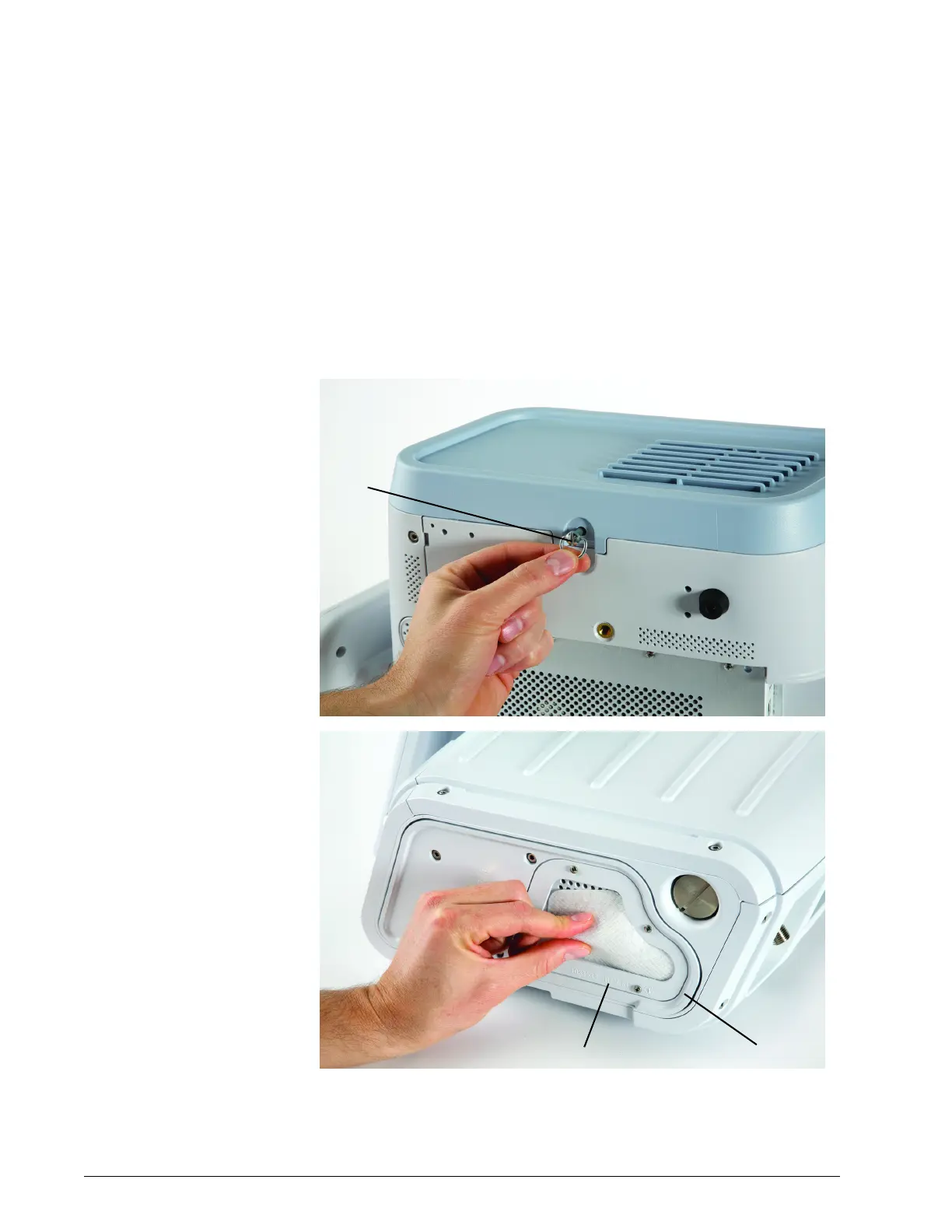
Replace the air inlet filter as follows, referring to Figure 10-1.
1. Power down the ventilator and disconnect it from AC power. Remove
ventilator from cart, if applicable.
2. Turn the captive D-ring fastener counter-clockwise one-quarter turn
and release. Remove the side panel.
3. Remove the inlet filter by pinching it out of the recess in the bracket.
4. Install a new air filter by tucking it into the recessed area. Replace the
side panel, and push in and turn the D-ring fastener one-quarter turn
until it locks.
Figure 10-1: Replacing the air inlet filter
Air inlet filter
Bracket
Captive
fastener











 To Next Page