7-6
High flow therapy
Changing from high
flow therapy to an NIV
mode
1. Verify that the high flow nasal cannula is removed from the patient
and disconnected from patient circuit.
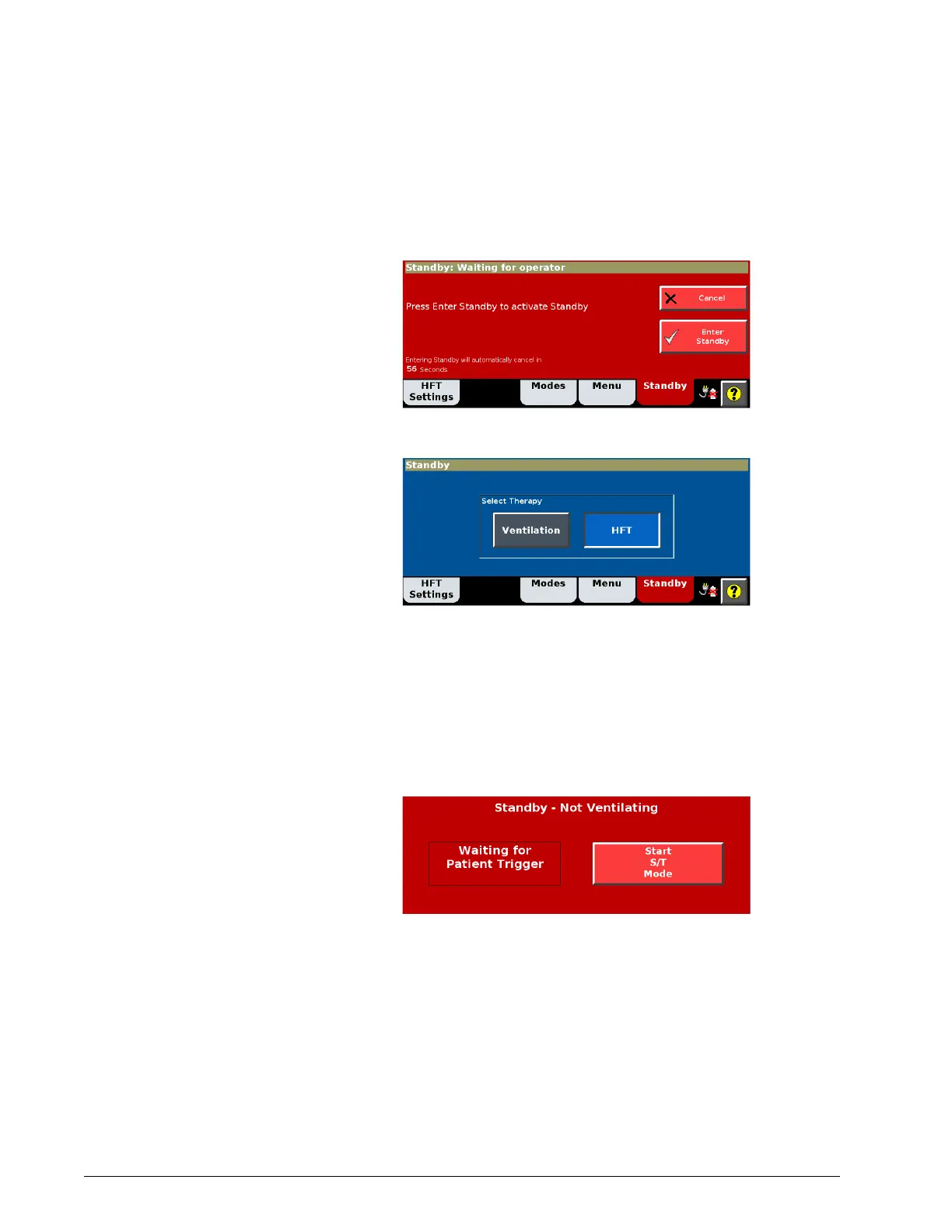
2. Select Standby to open the Standby window.
3. Press the Enter Standby button.
4. In the Select Therapy window, press Ventilation.
5. Replace the high flow patient interface with a Philips-approved NIV
mask.
6. Review patient settings and alarms.
7. Install the appropriate interface on the patient.
8. Verify that the ventilator detects the patient's breath to activate
ventilation, or press the Start Mode button.
HFT alarms and
messages
Table 7-1 is a list of alarms and other messages displayed by the ventilator,
along with descriptions, suggested corrective actions, and other information.
The ID (identifier) listed with the priority type is the priority number of the
alarm. This priority number determines the order of alarm message display.
Unless otherwise indicated, alarms listed.











 To Next Page