8-1
Chapter 8. Patient monitoring
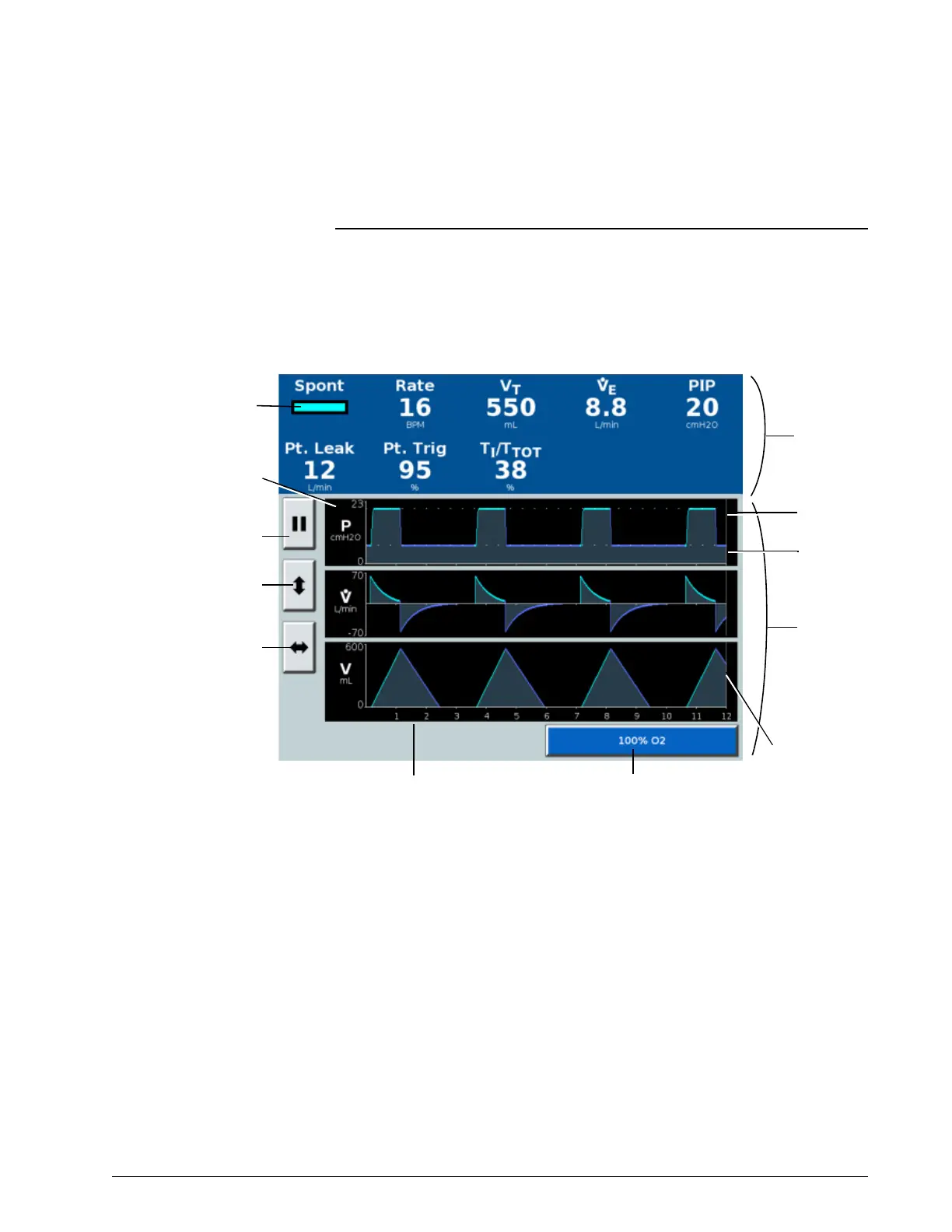
The ventilator displays numeric patient data in the patient data window and
real-time graphics in the waveform window (Figure 8-1). Numeric patient data
is updated every breath. Table 8-1 on page 8-2 lists the ventilator’s monitored
parameters.
Figure 8-1: Patient data and waveform window
Display conventions The following symbols may be displayed in place of numeric values:
*** Data is not valid, and/or ventilator is in standby mode or disconnected
+++ Data is over range
- - - Data is under range
Numeric
patient data
window
Vertical
autoscale
button
Pause button
Time base adjust
button
Waveform
window
Cursor
Time scale (adjustable)
Breath
phase/trigger
indicator
Airway pressure
(P), flow ( ), and
volume (V)
waveforms
IPAP
EPAP/
CPAP
100% O
2
button











 To Next Page