Setting up the ventilator for use
5-7
NOTE: This circuit setup is recommended for both noninvasive and invasive
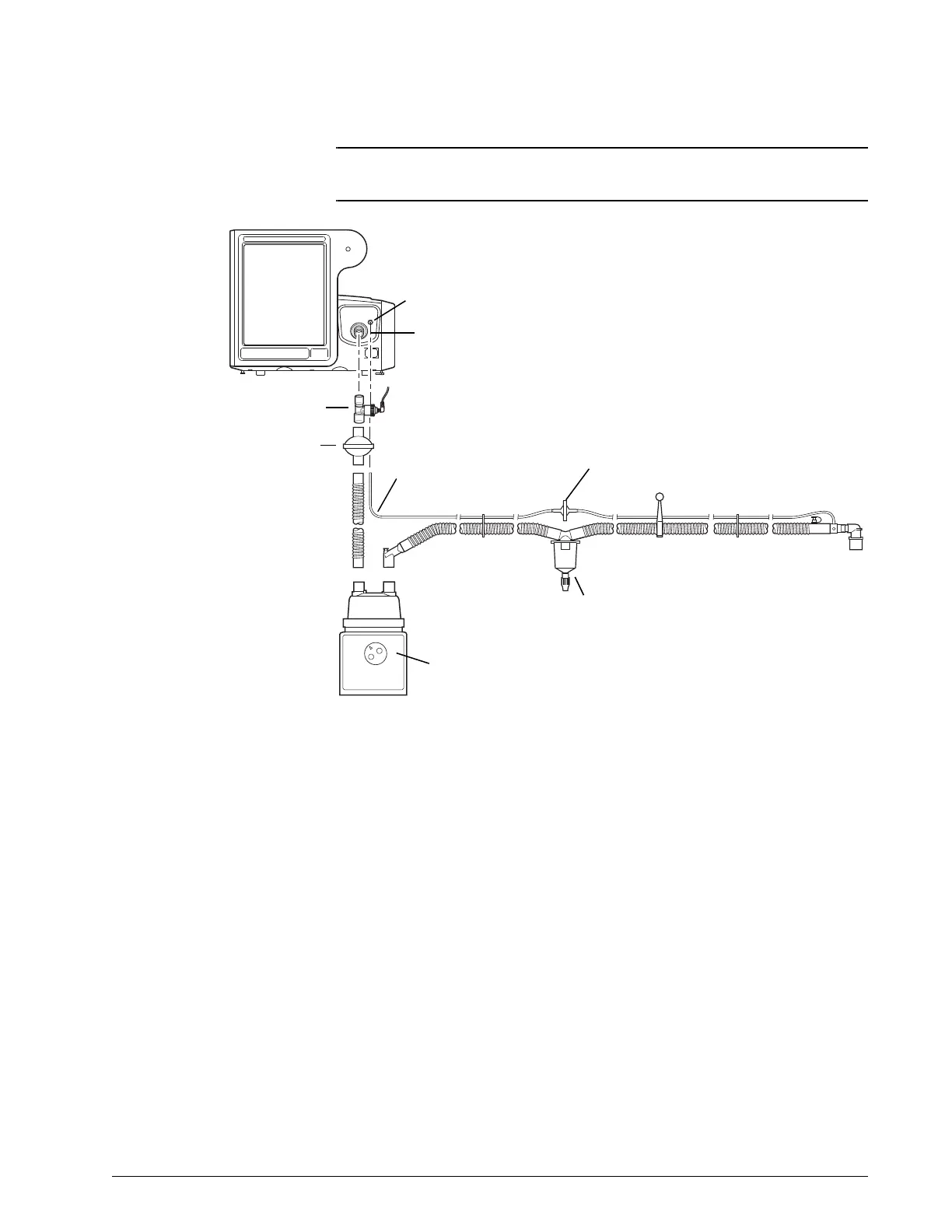
ventilation. Figure 5-3 shows an invasive circuit as an example.
Figure 5-3: Invasive patient circuit, with humidification
Connecting external
devices
Connect the ventilator to a remote alarm (nurse call) device and a patient
monitor or other external device, if applicable.
The Respironics V60/V60 Plus Ventilator can communicate with a Philips
patient monitor using the IntelliBridge Open Interface. See “Using Philips
monitors and the IntelliBridge or VueLink Open Interfaces” on page B-2. The
ventilator also supports the VueLink Open Interface. VueLink has been
replaced by IntelliBridge, but information is included in this manual for
backwards compatibility. See “Data display” on page B-3.
For more information about connecting with non-Philips systems, contact your
Philips representative.
Ventilator
outlet
Proximal pressure line
Water trap
Humidifier
Proximal filter
Bacteria filter
Proximal
pressure
port
Oxygen sensor tee











 To Next Page