Operation
6-19
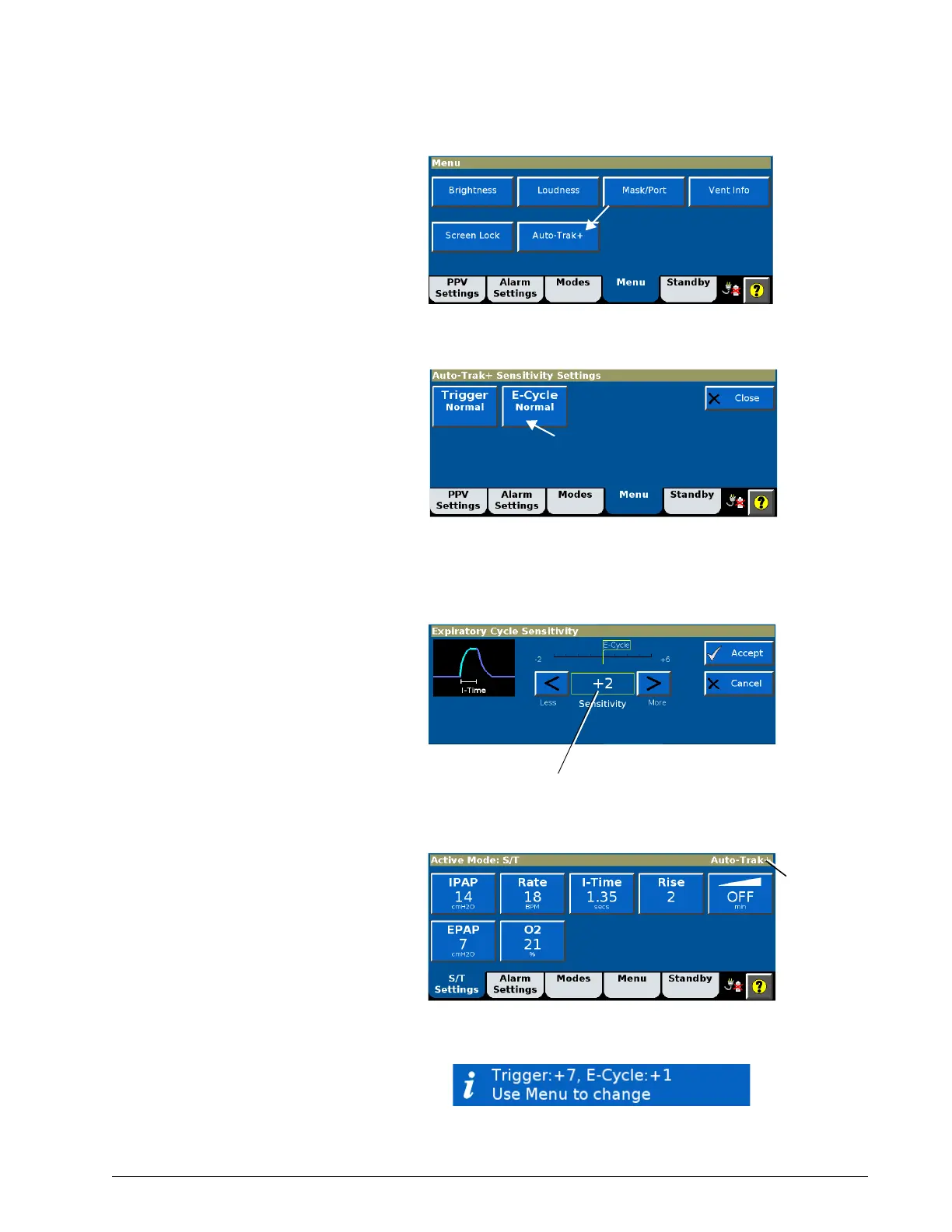
2. Select the desired adjustment. As an example, the E-Cycle adjustment
is shown below.
3. The setting window opens. Adjust the setting, referring to the
pressure-time graphic which represents the effect on I-Time. Select
Accept to apply.
When Auto-Trak+ is active (when either Trigger or E-Cycle is set to a value
other than Normal), the ventilator setting window displays Auto-Trak+.
Additionally, after power-on the Messages list displays the Auto-Trak+ settings
for 5 minutes.











 To Next Page