ENERGY SAVING
Function Action Display message
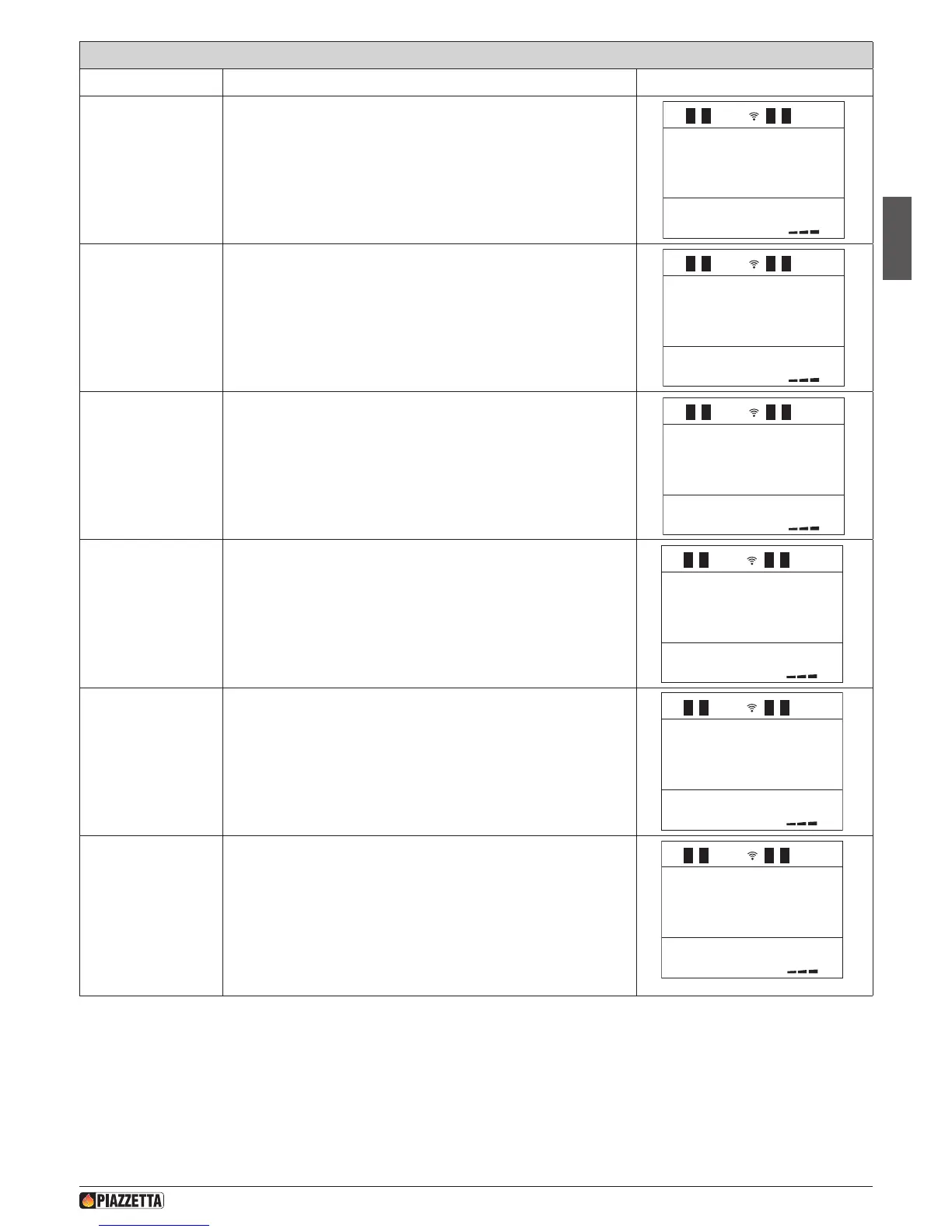
Selecting the ENERGY
SAVING menu
Press the MENU key, then using the SELECT MENU key select the ENERGY
SAVING function and conrm by pressing the SET key.
ENERGY
S AVING
ENERGY
S TOP
1
.
c
ENERGY
S TART
off
ENS P2
LEVEL
12:0022
.
c
Select the value to be
set for the shutdown
temperature
Press the SELECT MENU key and then select the temperature set point
between 1 and 3 or disable the function by selecting OFF
Conrm by pressing SET.
ENERGY
S TART
off
ENS P2
LEVEL
12:0022
.
c
1
Select the value to
be set for the start
temperature.
Press the SELECT MENU key and then select the temperature set point
between 1 and 3 or disable the function by selecting OFF
Conrm by pressing SET.
ENERGY
S AVING
ENERGY
S TOP
1
.
c
After conrmation using the SET key, the readout FUNCTION ENABLED is
displayed and the readout ENS (ENERGY SAVING) appears on the main
menu.
ENERGY
S AVING
ENERGY
S TOP
1
.
c
ENERGY
S TART
off
The stove enters the shutdown phase when it reaches the temperature set
in the STOP function.
The display shows the message ENERGY OK.
ENERGY
S AVING
ENERGY
S TOP
1
.
c
ENERGY
S TART
off
ENS P2
LEVEL
12:0022
.
c
1
1
1
1
ENERGY OK
12:0022
.
c
1
This indicates that the product has been shut down manually with the
STOP mode enabled.
a In this case if the product is to be restarted, this must be done
manually.
OFF
E
1 2:0022
.
c
1
DT2040104-02
H072047UK0 / DT2001513 – 04
47



 To Next Page