MULTICOMFORT
This function is used to choose the sensor for reading the room temperature, from the stove or the remote control. To maximise the
potential of the Multifuoco fan functions, read the sections MULTIFUOCO SYSTEM and MULTICOMFORT OPERATION.
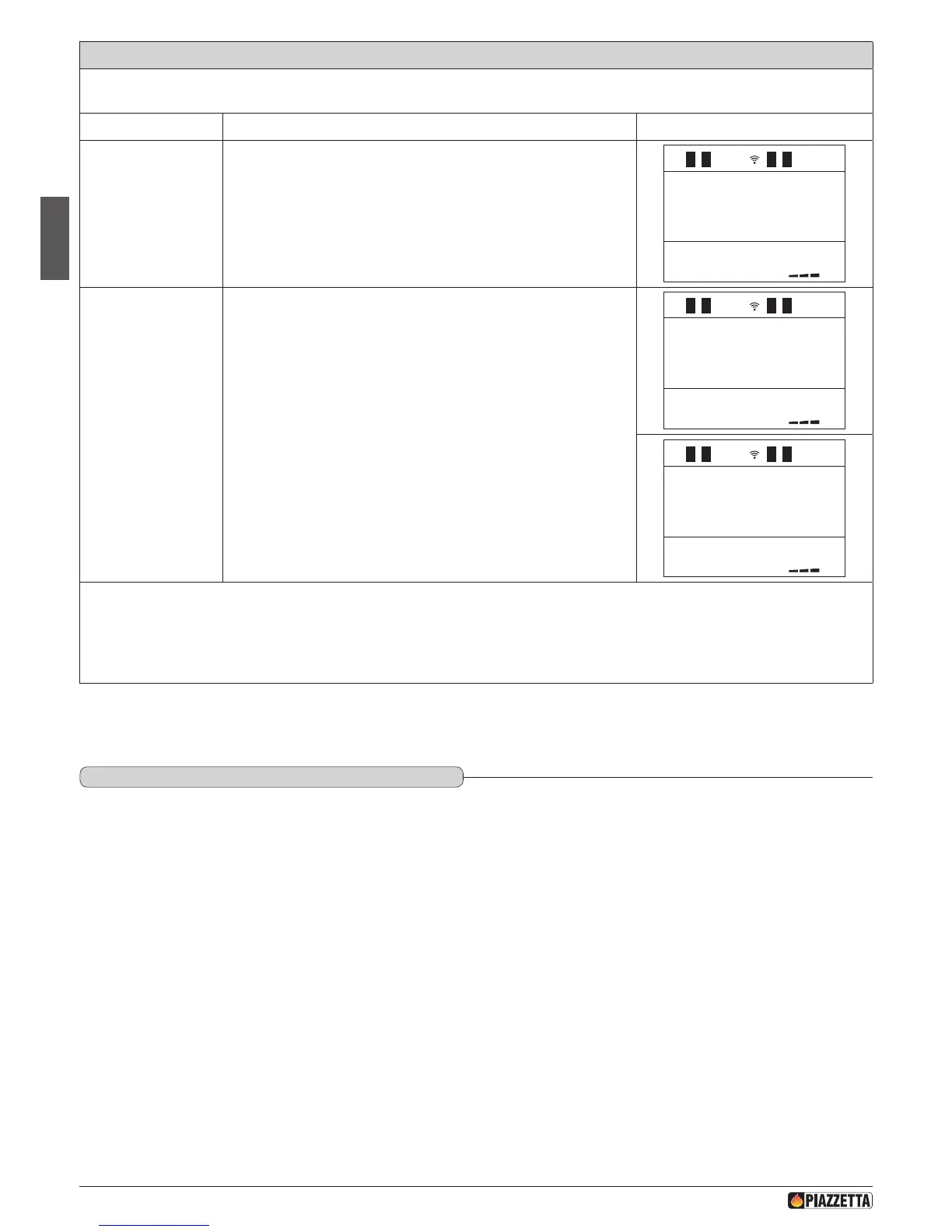
Function Action Display message
Select the
MULTICOMFORT
menu
Press the MENU key, with the SELECT MENU key select MULTICOMFORT
and conrm by pressing the SET key.
1
Select the STOVE
sensor or REMOTE
CONTROL sensor
Press the SELECT MENU key and select RRC to read the room temperature
from the remote control or STOVE to read the room temperature from
the stove, conrm by pressing the SET key. Once conrmed the readout
FUNCTION ENABLED will appear on the display and the remote control will
automatically return to the initial display.
SELECT
STOVE
a If the MULTICOMFORT function is set on the remote control and for some reason there is no communication between the remote control
and the stove, after approximately 2 minutes the reference sensor will automatically change to become the sensor installed on the stove.
Remember that if the stove status is OK (power 1) as a result of the room temperature reading of the remote control, it may not be OK
according to the temperature reading from the actual stove which will consequently go to the power level set by the user. In all cases of
lack of communication between the remote control and the stove, the emergency display is used.
DT2040106-00
DT2012019-03
6.14 ENERGy SAvING
Enabling the ENERGY SAVING mode activates automatic stove start and stop at temperature values dened by the functions STOP and START.
The work principle is as follows:
When the temperature detected by the sensor reaches the temperature programmed by the user, the unit will automatically switch to power 1.1
(Readout “OK” on the display).
If the temperature continues to rise until it reaches the value set on the STOP function (e.g. + 2° C above the set temperature) while the stove is
running in power 1, the unit will turn off and go into a stand-by state.
When the room temperature detected by the remote control or stove drops to the temperature value set by the user on the START function (e.g. - 3°
C compared to set temperature), the stove enables a new start phase and returns to the power previously set by the user.
a The stove will re-start only when the temperatures detected by the appliance allow safe operation.
If the STOP function is in OFF, upon reaching the set temperature the stove will operate in the traditional way modulating power 1 without shutting down.
In a similar manner if the START function is in OFF, the stove will not enable the start phase after automatic stop and will remain off.
If the ENERGY SAVING has been set, the CHRONO mode only handles the start and stop of the programmed time slots.
a This function cannot be handled by the external thermostat, but only from the supplied remote control.
H072047UK0 / DT2001513 – 04
46



 To Next Page