Symptoms, Possible Causes and Solutions
Planar UltraRes User Manual 145
Symptom: Can’t Get PC to Output 4K @ 60Hz
Solution
Change the Input Source setting to one of the other quadrant inputs. For example, if
you are using HDMI 1-4 and the current Input Source is HDMI 1, change it to HDMI 2.
Possible Cause
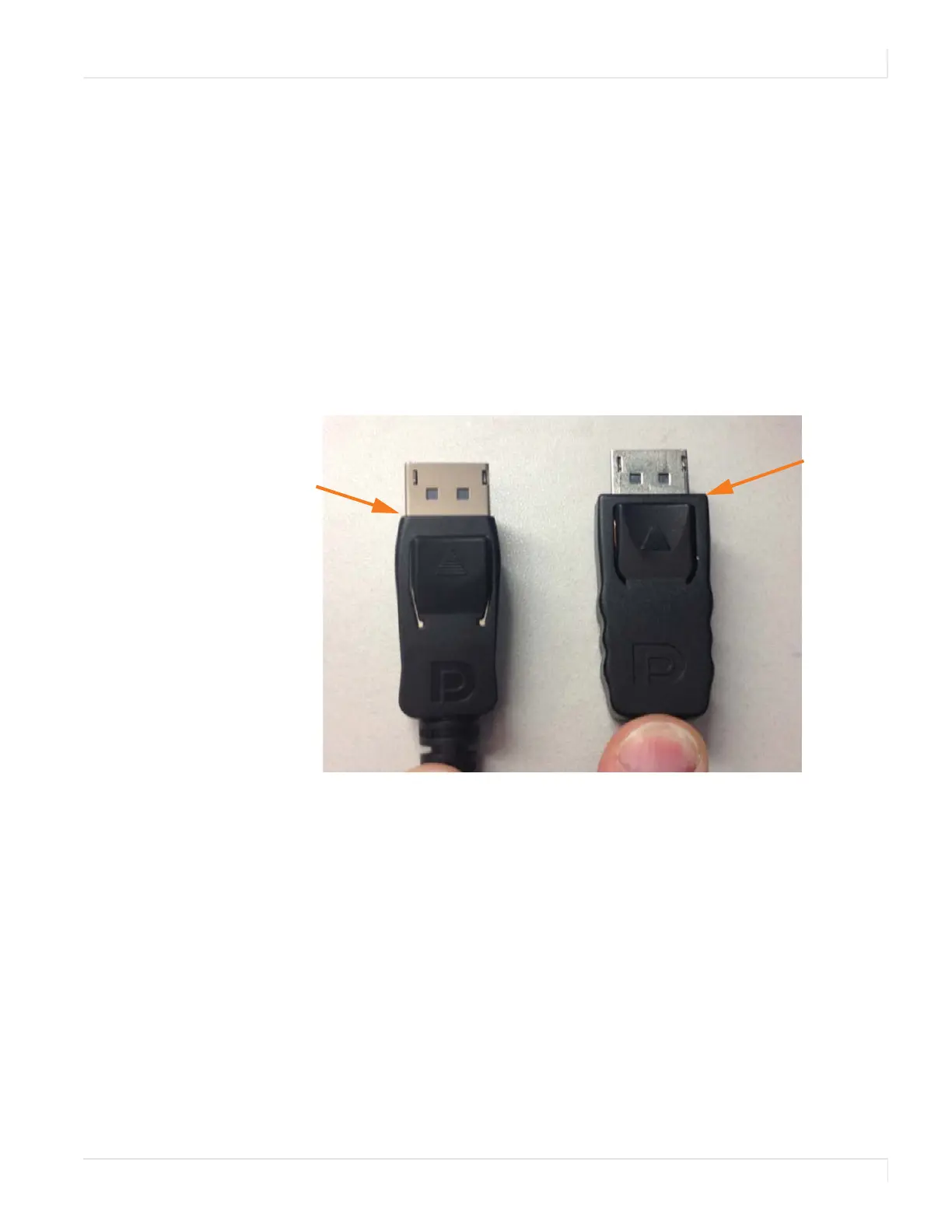
The connector overmold is too large, which can cause the pins not to contact
properly on some cards.
Solution
If using DisplayPort, make sure the connector overmold isn’t too large.
Overmold
is too wide
Overmold is
within
specification














 To Next Page