Supported Graphics Cards
Planar UltraRes User Manual 22
Setting Up NVIDIA Graphics Cards for 3D Content
Note: A more detailed explanation of NVIDIA card setup is given in "NVIDIA Graphics Card
Setup for Single Output" on page 53 or see "NVIDIA Graphics Card Setup for Quadrant
Output" on page 59.
1
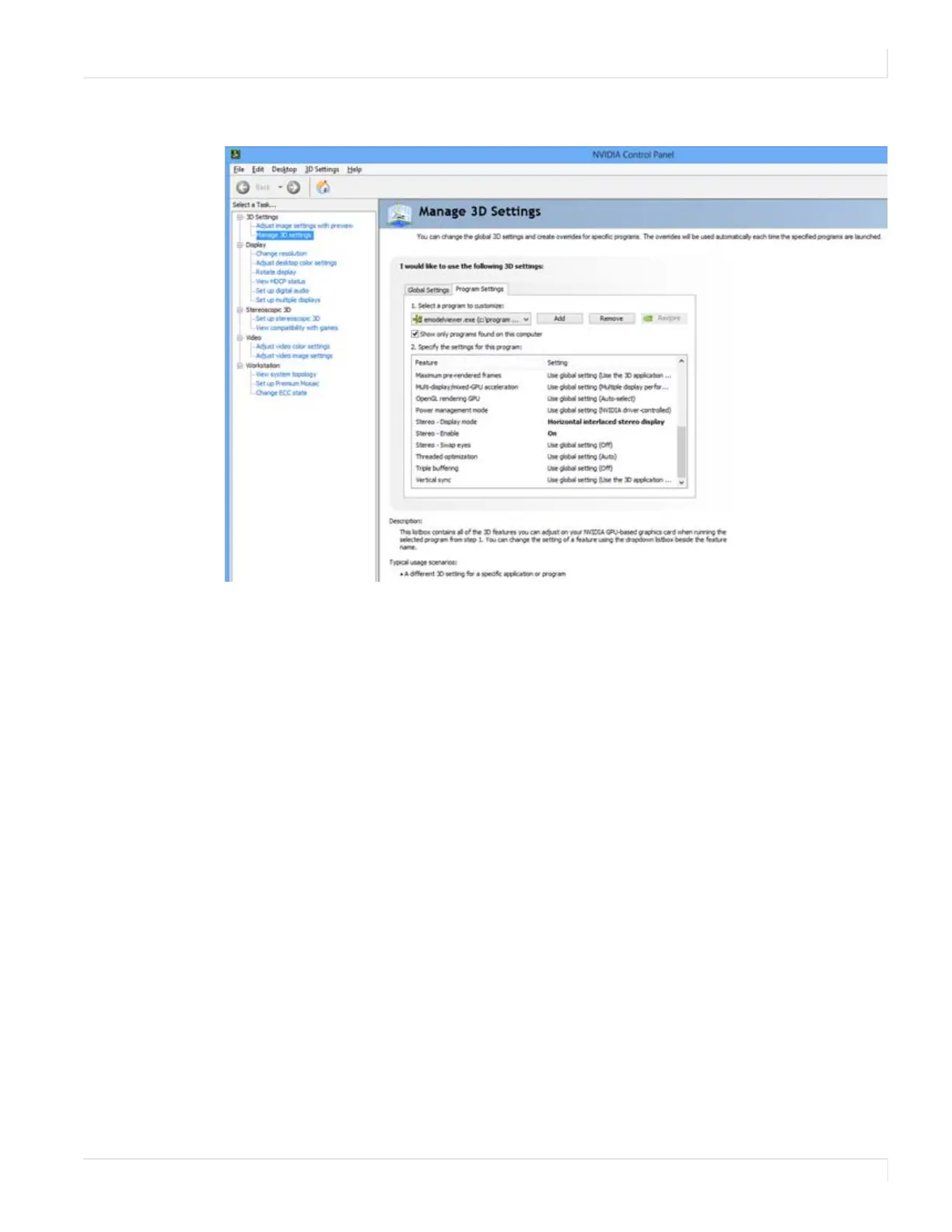
Right click on the desktop and select NVIDIA Control Panel.
2 Under 3D Settings, select Manage 3D Settings.
3 Select the Program Settings tab.
4 In section 1, select the program for which its 3D capabilities will be used. If the
program is not listed, click Add and search for the program’s
.exe file.
5 In section 2, use the following settings:
a Stereo – Display mode = Horizontal interlaced stereo display
b Stereo – Enable = On
6 Repeat steps 4 and 5 for each 3D-enabled application that you wish to use.
7 Click Apply.
8 Open the 3D application and perform application-specific 3D setup.














 To Next Page