DHCP Network Setup
Planar UltraRes User Manual 80
Network Settings
DHCP Network Setup
1 Turn on the display.
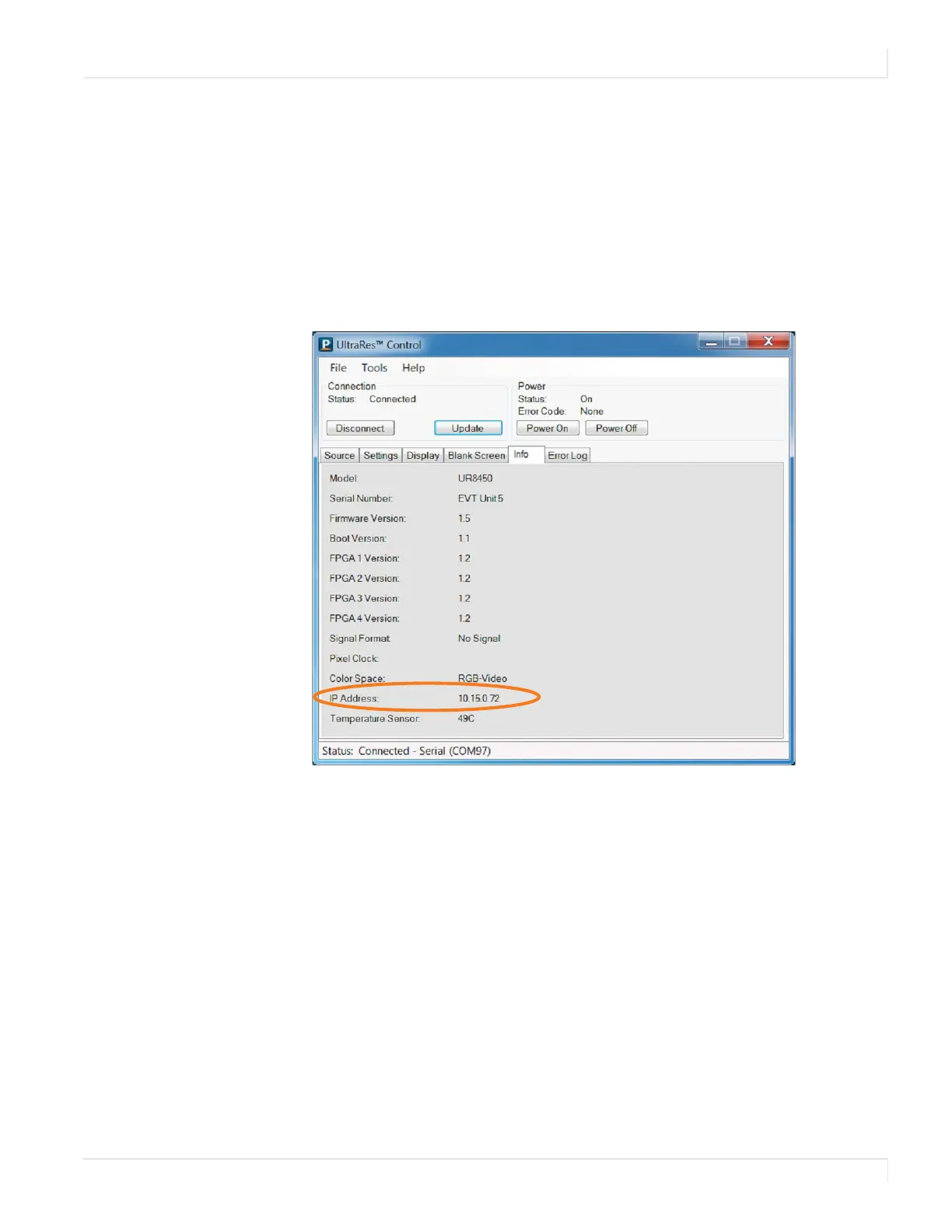
2 Open the UltraRes Control tool and connect to the display.
3 Select the Info tab. The IP address is shown towards the bottom of the tab.
4 One of the following will occur:
• If the IP address is 192.168.12.12, then DHCP failed. Use the Static IP
Network Setup instructions in the following section.
Note: Fast Startup mode is required if you are using the network connection.














 To Next Page