Connecting Sources
Planar UltraRes User Manual 46
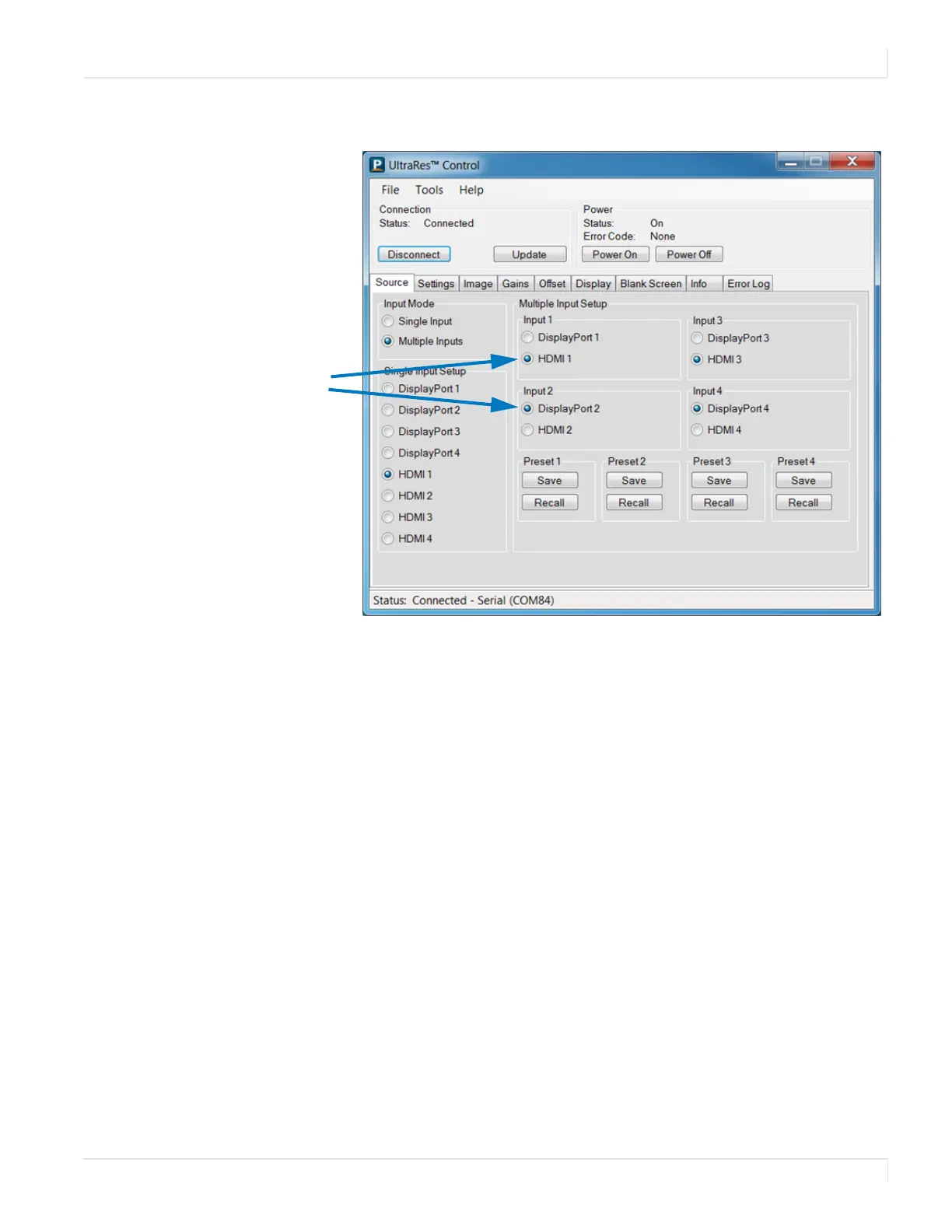
4 When you have finished, click Update.
Setting up for 4K Support
Setting up the EDID information
The Planar UltraRes defaults to an EDID that indicates it is 1080p/60Hz display. Many
graphics cards can’t handle 4K timing, so you must setup the EDIDs to indicate 4K
timing. You must do this for each of the sources.
1 Connect with UltraRes Control
2 Select the input source
Example of
designating
different
connectors for
each source.














 To Next Page