Planar UltraRes User Manual 39
Connections
To get the UltraRes display up and running, you need to make three main
connections: AC power, the wired IR module and your sources.
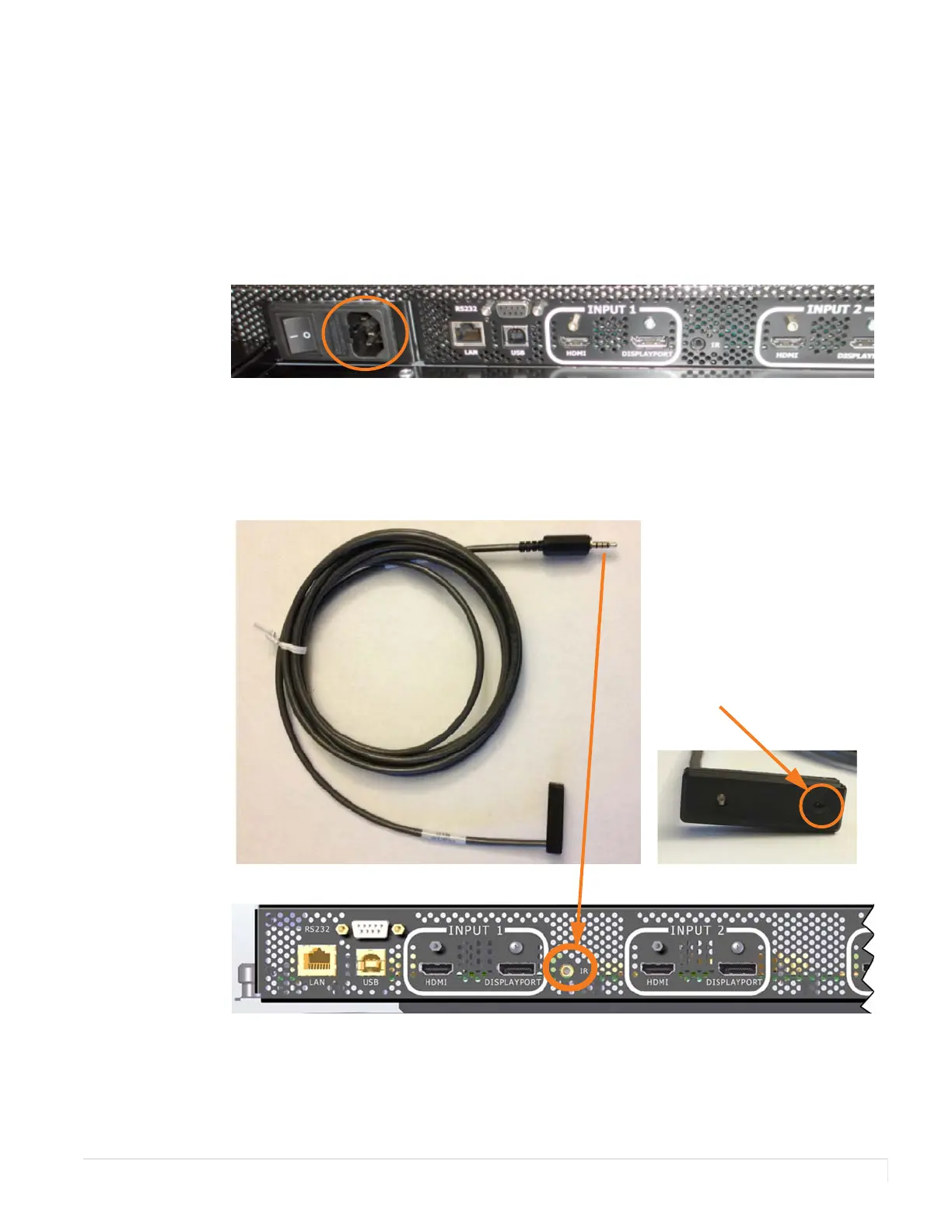
Connecting AC Power
Using the supplied AC power cord, connect one end to a grounded outlet and the
other to the AC power input next to the I/O panel the bottom of the UltraRes display.
Connecting the Wired IR Module
In order for the remote control to work, you need to connect the wired IR module to
the display, also on the bottom of the I/O panel. Then place the IR receiver in the
desired place on or near the display.
IR receiver














 To Next Page