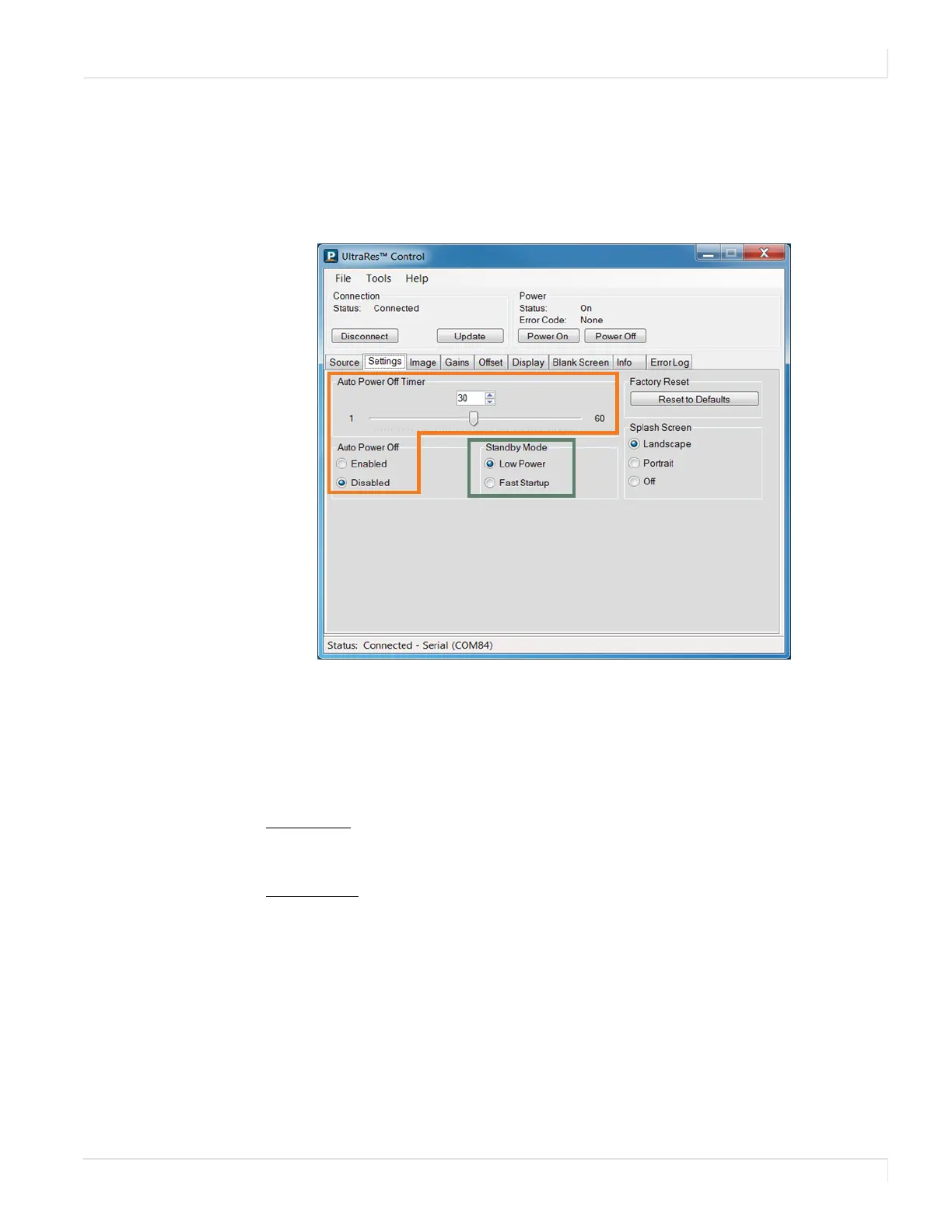
Auto Power Off Timer
Planar UltraRes User Manual 68
Auto Power Off Timer
If there is no incoming source for a certain amount of time and you want to turn
power off automatically, use the
Auto Power Off Timer slider on the Settings tab and
select between 1-60 seconds.
Standby Mode
Standby Mode allows you to choose between a low power setting, which saves
energy, or a “fast startup” mode that keeps the AC power supplies running. Each
option is described below.
•
Low Power - Powers off every component and board possible, which helps
conserve energy. In standby mode, the low power option only uses 0.5W of
power.
•
Fast Startup - Keeps AC power supplies running and takes a little less time to
power up. If you intend to continually use networking capabilities, select this
option.
Note: Fast Startup mode is required if you are using the network connection.














 To Next Page