Planar UltraRes User Manual 53
NVIDIA Graphics Card Setup for Single Output
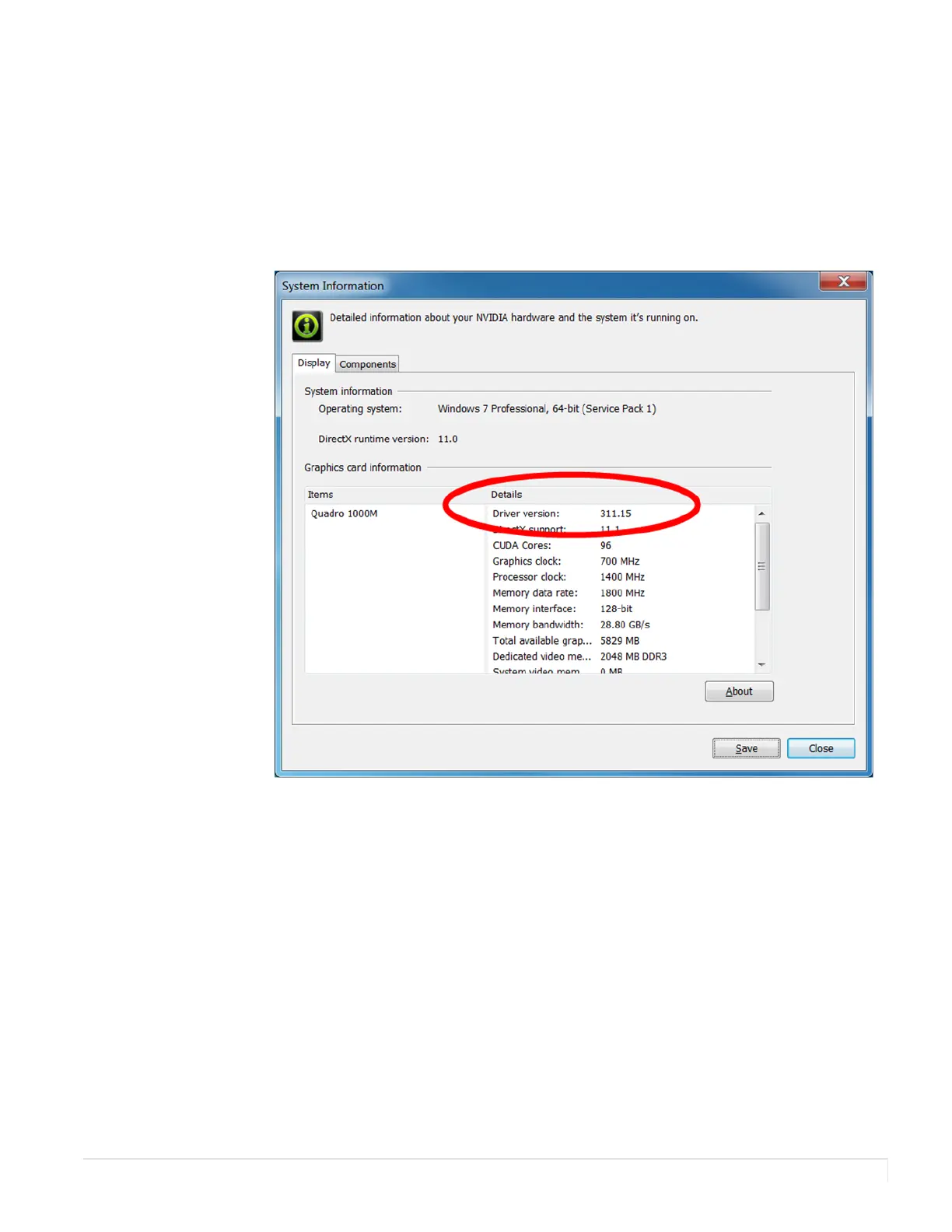
Note: Older versions of the NVIDIA drivers do not support 4K. To see the version of your
current card, right click on the desktop and select NVIDIA C
ONTROL PANEL.
Now go to Help System Information. Check the Driver version field. It should be
311.15 or later. We recommend using the latest version, 340.66 as of 12 September
2014, because newer versions make 4K output easier to set up.
If you do not have a version beyond 311, do these steps:
1 On the desktop, right click and select NVIDIA Control Panel.














 To Next Page