Connecting Sources
Planar UltraRes User Manual 47
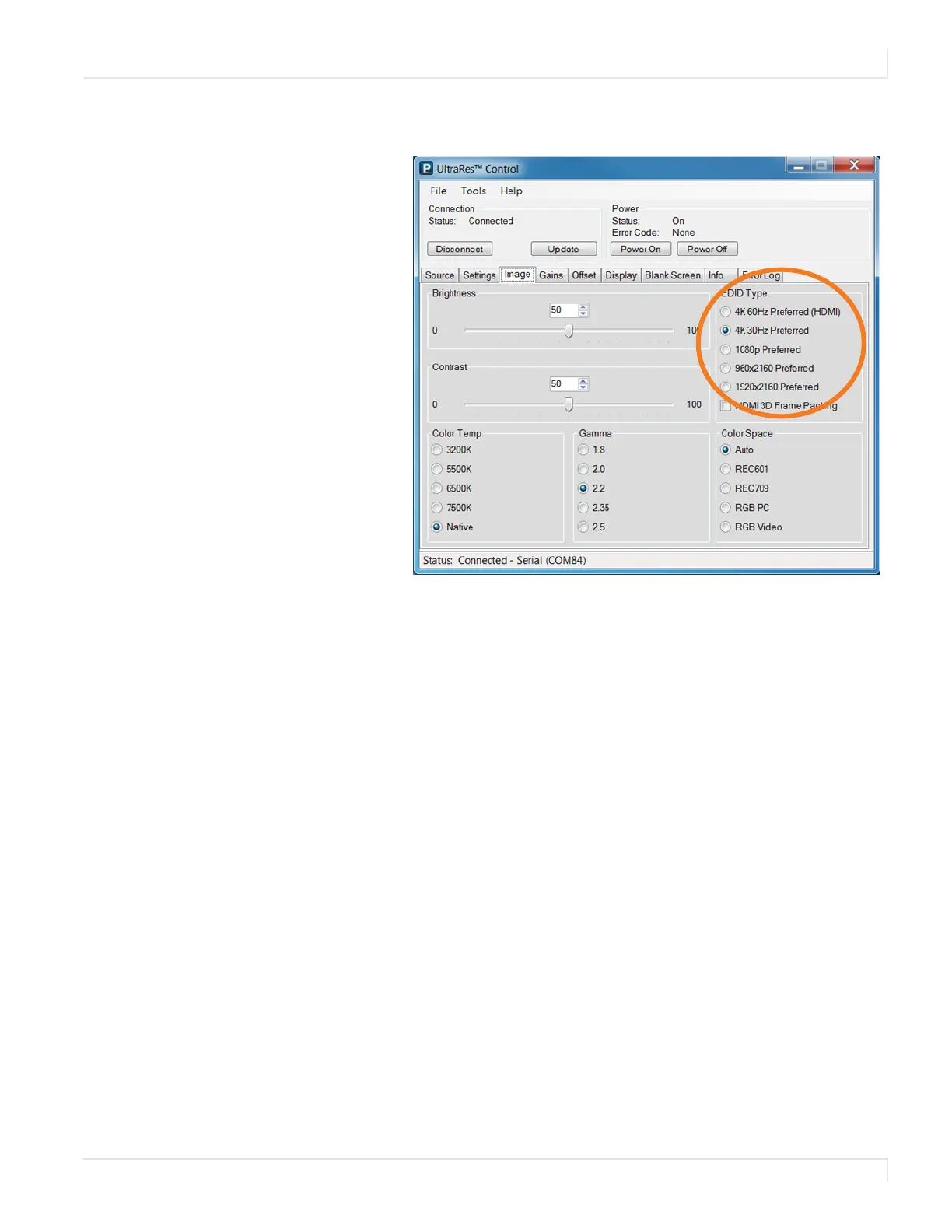
3 Set the EDID Type to 4K 60Hz Preferred (HDMI) if using 4K @ 50/60Hz 4:2:0.
Otherwise, set the EDID type to
4K 30Hz Preferred.
Screen Resolution Setup
If your source is 4K @ 24Hz, you will use that one. (This is the best one for film
content.) For all others, use 4K @ 30Hz.
1 On the Desktop of your computer, right click and choose “Screen Resolution.”
2 In the dropdown list of displays, find and click “Planar UltraRes.”
3 Under “Multiple Displays,” choose “Extend desktop to this display.”
4 Click “Apply.”














 To Next Page