Installing USB Drivers
Planar UltraRes User Manual 66
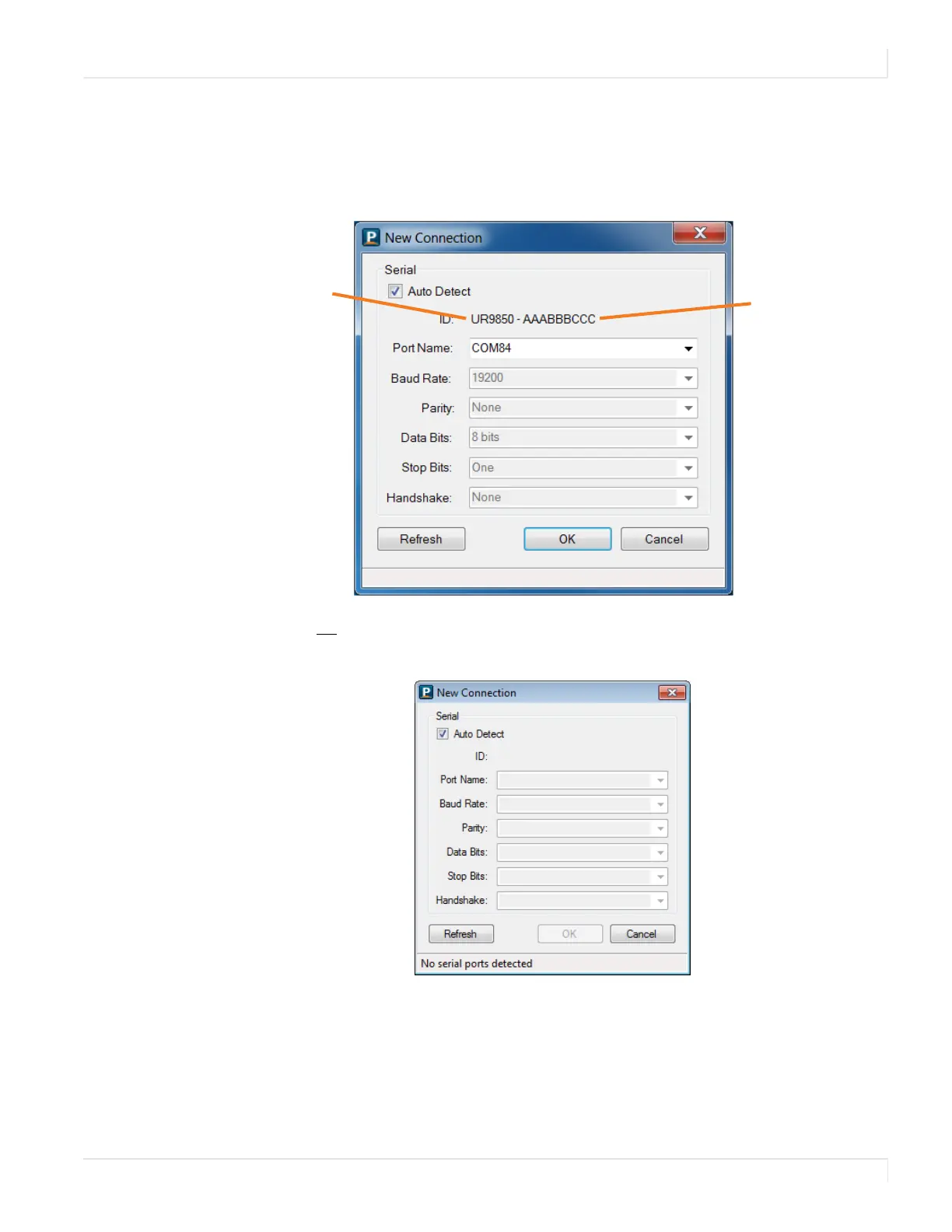
3 The tool will then attempt to auto detect any inputs that are already
connected. One of the following will occur:
• If an input is detected, the following window appears with information
already filled in.
•If
no input is auto-detected, you will see a window similar to the following.
Notice all fields are grayed out and cannot be changed.
Model name
Serial number




 To Next Page