Upgrading Firmware
Planar UltraRes User Manual 78
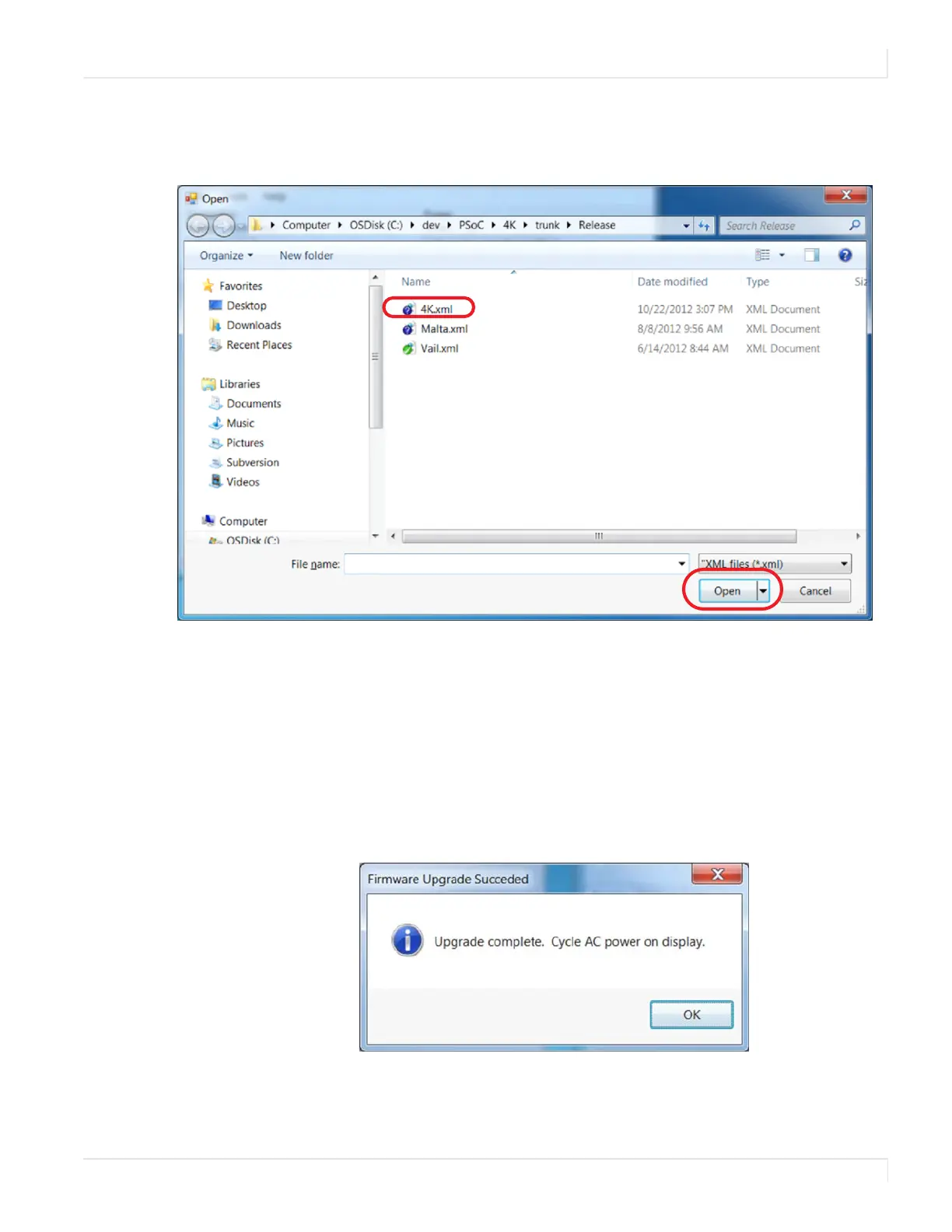
2 A file called 4K.xml will be part of the release package. Navigate to this
section and click Open to begin the upgrade process.
Note: The upgrade can be initiated from ON or standby mode.
3
The upgrade process will take about 40 minutes. Be sure you are prepared for
this amount of time before you initiate the upgrade process.
4 The upgrade process status bar will show where you are in the upgrade
process as it proceeds.
5 When the upgrade is complete, you will see a message box similar to the
following example.



 To Next Page