User Manual of VDR-300NU
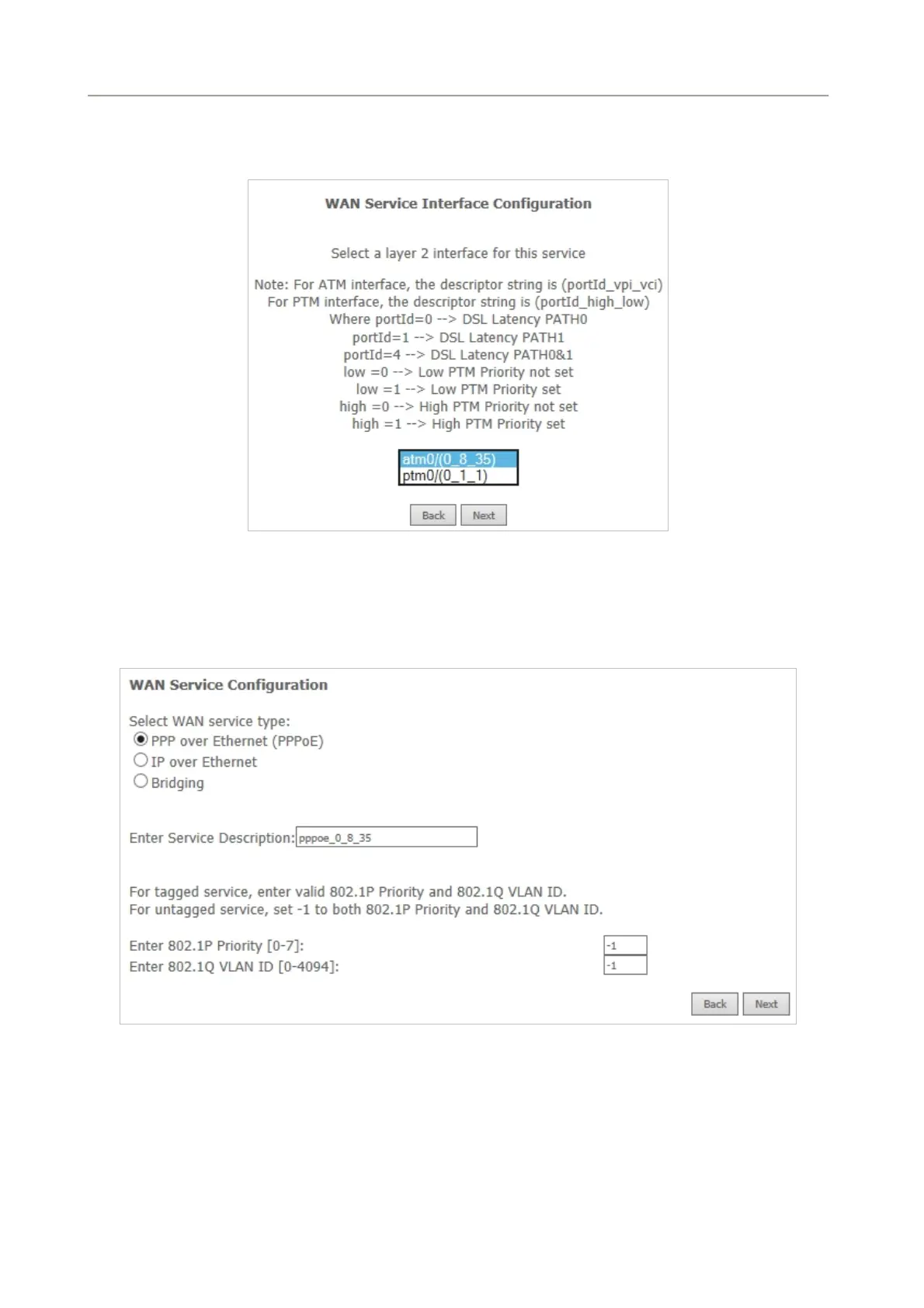
Step2 On the WAN Service page, click the Add button to display as Figure 5-2-11 shows. You can
select ATM or PTM Interface for the WAN service and then click Next.
Figure 5-2-11
Step3 On this page, select the WAN service type to be PPP over Ethernet (PPPoE). Click Next to
continue the setting.
Figure 5-2-12
Step4 In this page, you can modify the PPP username, PPP password, PPPoE service name and
authentication method.
41



 To Next Page