User Manual of VDR-300NU
connection. Once it detects the flow (like access to a webpage), the
modem restarts the PPPoE dialup. If this function is disabled, the
modem performs PPPoE dial-up all the time. The PPPoE
connection does not stop, unless the modem is powered off and
DSLAM or uplink equipment is abnormal.
PPP IP extension
If you want to configure DMZ Host, you should enable it first.
Use Static IPv4
Address
If this function is disabled, the modem obtains an IP address
assigned by uplink equipment such as BAS, through PPPoE dial-up.
If this function is enabled, the modem uses this IP address as the
WAN IP address.
Enable IPv6 for this
service
Enable this function, you can use IPv6 service. It will also need you
to check Request IPv6 Address and Request Prefix Delegation.
Enable PPP Debug
Mode
Enable or disable this function.
Bridge PPPoE
Frames Between
WAN and Local
Ports
Enable or disable this function.
Enable IGMP
Multicast Proxy
If you want PPPoE mode to support IPTV, enable it.
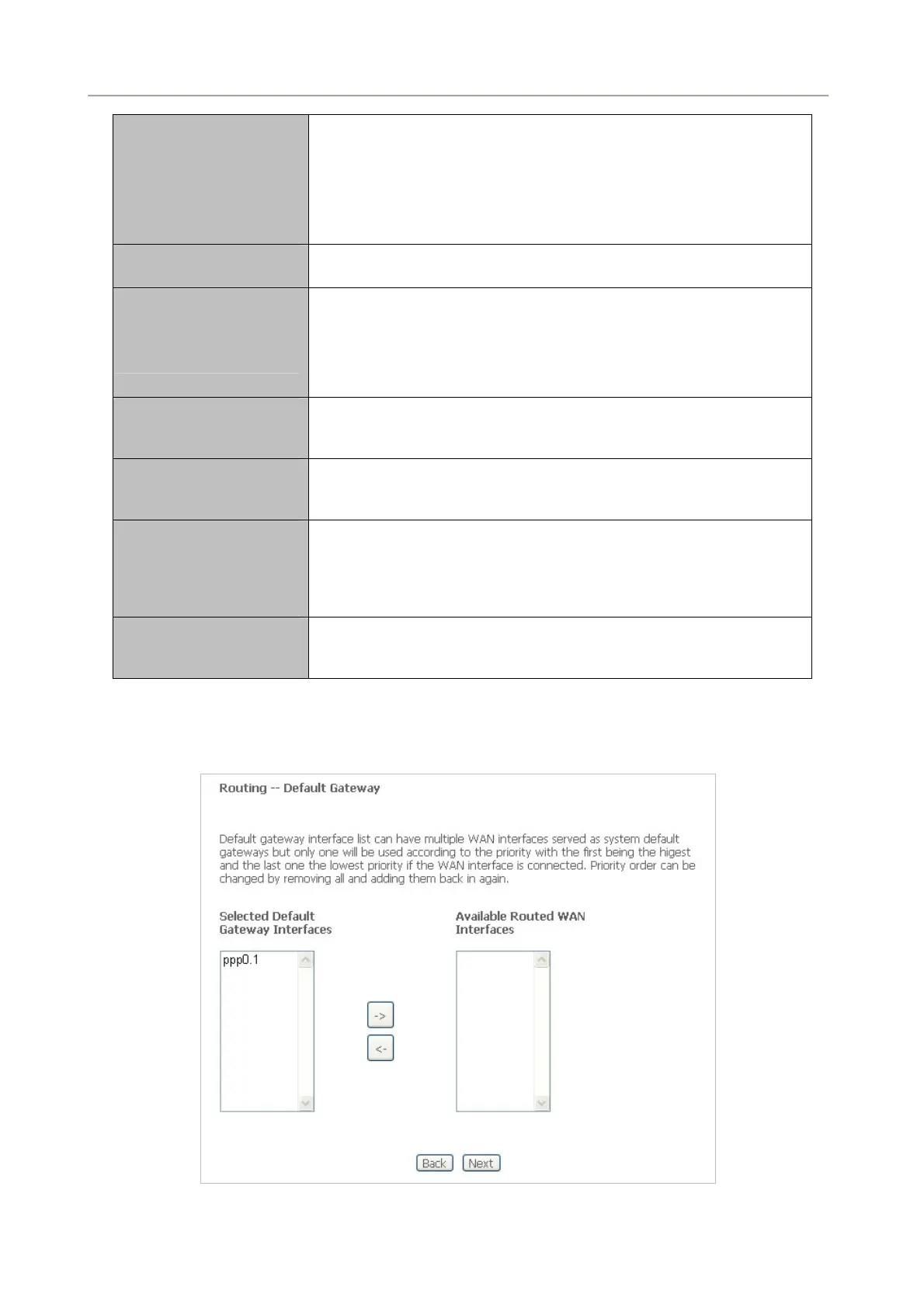
Step5 After setting the parameters, click Next to display the following page. On this page, select a
preferred WAN interface as the system default gateway.
Figure 5-2-14
43



 To Next Page