User Manual of VDR-300NU
Adding an IP over Ethernet WAN service
This section describes the steps for adding the IP over Ethernet WAN service.
Step1 First, add a proper ATM or PTM interface for this WAN service at Layer2 Interface.
Step2 On the WAN Service page, click the Add button to display as Figure 5-2-11 shows. You can
select ATM or PTM Interface for the WAN service and then click Next.
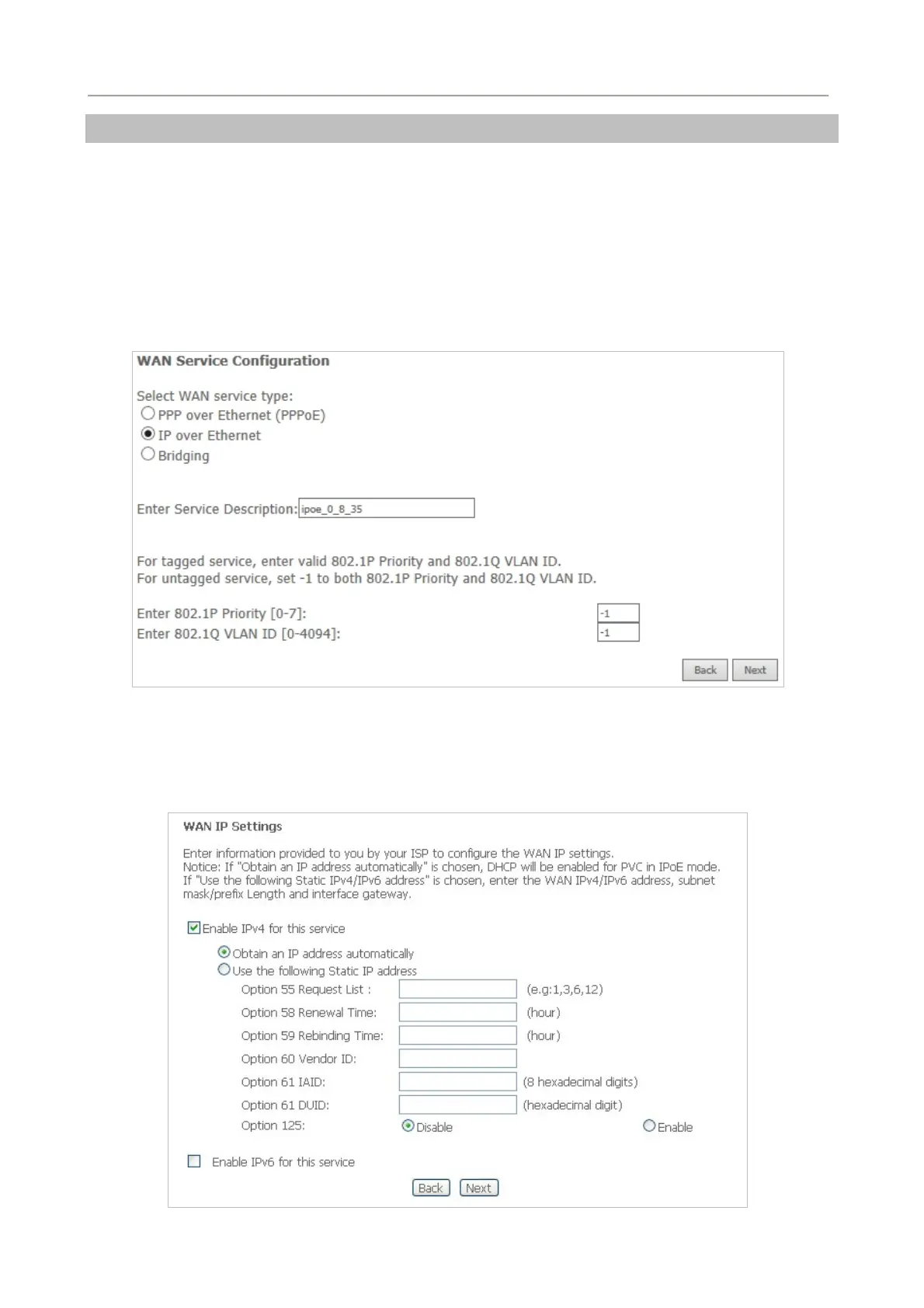
Step3 On this page, select the WAN service type to be IP over Ethernet. Click Next to continue the
setting.
Figure 5-2-17
Step4 On this page, you may modify the WAN IP settings. You may select obtain an IP address
automatically or manually enter the IP address provided by your ISP.
Figure 5-2-18
45



 To Next Page