User Manual of VDR-300NU
If Obtain an IP address automatically is selected, DHCP will be enabled for PVC in IP
over Ethernet mode.
If Use the following Static IP address is selected, please enter the WAN IP address,
subnet mask and gateway IP address.
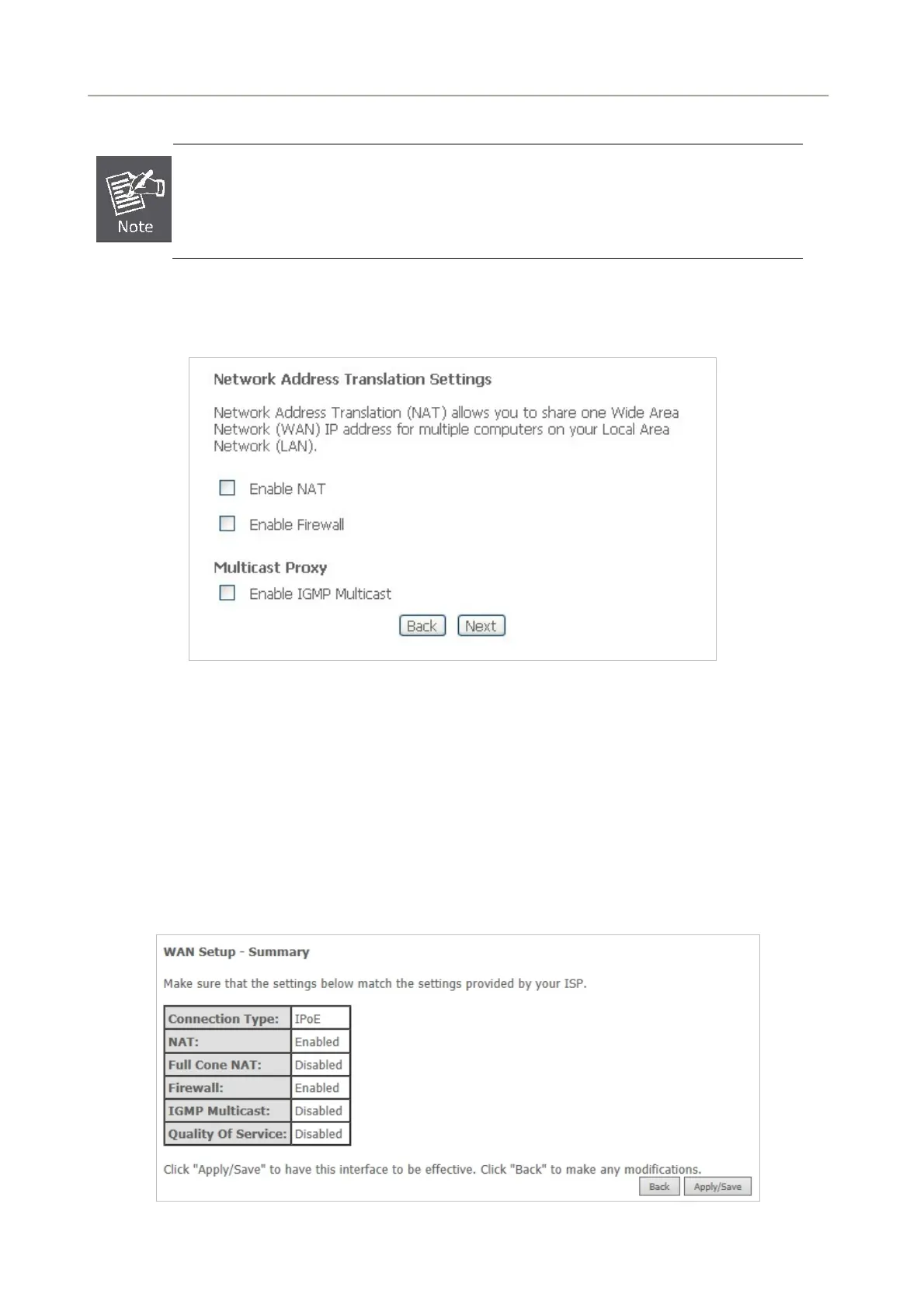
Step5 On this page, you can set the network address translation settings, for example, enabling NAT,
enabling firewall, and enabling IGMP multicast. After finishing setting, click Next.
Figure 5-2-19
Step6 On this page, select a preferred WAN interface as the system default gateway.
Step7 On this page, you can obtain the DNS server addresses from the selected WAN interface. Click
Next to continue the setting.
Step8 On this page, it displays the information about the IP over Ethernet settings. Click Apply/Save to
save and apply the settings.
Figure 5-2-20
46



 To Next Page